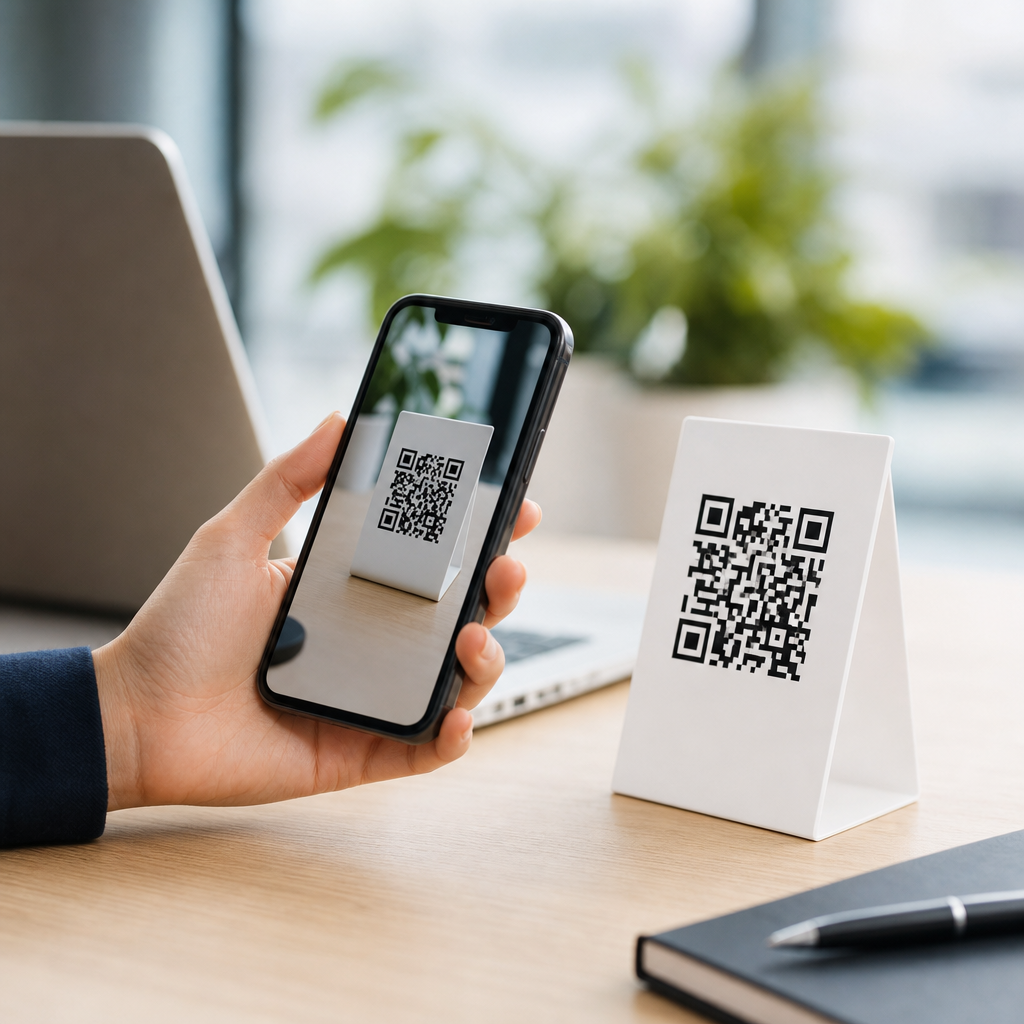
Tracking QR code campaigns starts with a simple principle: every scan should lead to measurable behavior, not just a landing page visit. A QR code campaign is any marketing effort that uses a scannable code to move someone from a physical or visual touchpoint into a digital experience. Tracking means capturing what happened after the scan, including when it occurred, where the user landed, what device they used, and whether they completed a goal such as a purchase, form fill, app download, or phone call. This matters because QR codes sit between offline marketing and digital analytics. In practice, I have seen teams print thousands of codes on packaging, menus, flyers, posters, trade show booths, and direct mail pieces, then realize too late that they cannot tell which scans generated revenue. Good tracking fixes that problem. It connects campaign intent to evidence. For businesses building a business and marketing FAQ library, QR code tracking is also a foundational topic because it intersects attribution, analytics setup, customer journey mapping, and conversion optimization. When it is done well, you can compare print placements, test offers, understand geographic response, and justify spend with hard numbers instead of assumptions. When it is done poorly, scans become vanity metrics. The difference usually comes down to structure: unique URLs, campaign parameters, analytics goals, and reporting discipline.
What data should a QR code campaign track?
A well-instrumented QR code campaign should track five categories of data: scan volume, traffic source details, on-site behavior, conversion events, and business outcomes. Scan volume tells you raw engagement, but it is only the top of the funnel. Traffic source details come from campaign-tagged destination URLs, typically using UTM parameters such as source, medium, campaign, content, and term where relevant. For example, a restaurant chain might encode one QR code for table tents using utm_source=instore, utm_medium=qr, and utm_campaign=summer_combo, while a second code on takeout bags uses utm_content=bag_insert. That distinction allows side-by-side reporting in Google Analytics 4. On-site behavior includes engaged sessions, bounce proxies, scroll depth, product views, and time to conversion. Conversion events should be predefined, such as submit_lead_form, purchase, click_to_call, book_demo, or download_menu. Business outcomes go further by tying revenue, average order value, lead quality, or customer lifetime value back to the campaign. Dynamic QR platforms such as Bitly, QR Code Generator Pro, Beaconstac, and Flowcode can also report scan timestamp, approximate location, device type, and operating system. Those metrics are useful, but they are not enough on their own. A scan is not a sale. The most reliable approach is to combine QR platform data with web analytics and, where possible, CRM or ecommerce data so each campaign can be evaluated from impression to outcome.
How do you set up QR code tracking correctly?
The cleanest setup starts before you generate the code. First, define the campaign goal and the primary conversion. Second, create a dedicated landing page or a destination URL with clear campaign tagging. Third, decide whether you need a static or dynamic QR code. Static codes point directly to a final URL and cannot be changed after printing. Dynamic codes route through a short URL managed by a platform, which lets you update the destination later and collect scan analytics without reprinting. For most business and marketing use cases, dynamic codes are the better choice because they support optimization after launch. Fourth, configure analytics. In GA4, set up key events and mark the most important ones as conversions. If lead handling matters, connect form submissions to a CRM such as HubSpot or Salesforce. If calls matter, use call tracking from providers like CallRail. If purchases matter, enable ecommerce tracking with item, revenue, and coupon data. Fifth, test the entire flow on iPhone and Android, on Wi-Fi and mobile data, and from multiple camera apps. I always verify that the landing page loads quickly, preserves the UTM parameters, and records the expected events. Last, document a naming convention. If one team uses qr_flyer and another uses flyer_qr, reporting becomes messy fast.
| Tracking element | Best practice | Example |
|---|---|---|
| Destination URL | Use a dedicated or campaign-specific landing page | /summer-offer |
| UTM parameters | Standardize source, medium, campaign, and content | utm_source=directmail&utm_medium=qr |
| QR type | Choose dynamic for editable links and scan analytics | Short redirect managed in Beaconstac |
| Analytics event | Define one primary conversion and supporting events | generate_lead, purchase, click_call |
| Reporting cadence | Review scans, sessions, conversions, and revenue weekly | GA4 plus CRM dashboard |
Which metrics matter most for business and marketing FAQs?
The most useful answer to “how do you track QR code campaigns” is not “count scans.” It is “measure the path from scan to business result.” For awareness campaigns, scans, unique users, and landing page engagement are relevant. For lead generation, conversion rate, cost per lead, and lead qualification rate matter more. For ecommerce, revenue per scan, cart completion rate, and return on ad spend are stronger indicators. For brick-and-mortar businesses, coupon redemptions, appointment bookings, and store visits can be more meaningful than online purchases. I advise marketers to separate leading indicators from outcome metrics. Leading indicators include scan rate, landing page load speed, and click-through rate on the page. Outcome metrics include sales, bookings, qualified leads, and retention. There are also diagnostic metrics. If scans are high but conversions are low, the issue may be weak offer-message match, poor mobile usability, or a slow page. If conversions are high but scans are low, the problem is likely placement, visibility, or incentive. This is why QR code reporting should never live in a silo. It belongs in the same dashboard family as campaign analytics, CRM reports, and channel attribution. Businesses using Looker Studio, Tableau, or Power BI can blend these sources into one view that answers the real question: which QR placements and messages produce profitable customer actions?
How can you attribute offline placements accurately?
Attribution is where most QR efforts either become credible or collapse into guesswork. The best method is to assign a unique QR code to each physical placement, audience segment, or creative variation. If the same code appears on a bus shelter, product packaging, and an event banner, you lose placement-level insight. In direct mail, for example, each mailer version should have its own tagged destination, and high-value segments can even receive personalized URLs tied to household IDs in the CRM. Retail packaging can use separate codes by product line or region. Trade show teams should create one code per booth objective, such as product demo, price sheet, or consultation booking. Restaurants often benefit from distinct codes for dine-in menu access, review generation, loyalty signup, and payment. Location-aware reporting from dynamic QR tools helps, but it should supplement, not replace, campaign architecture. Approximate scan location can be affected by VPNs, device settings, or mobile carrier routing. Unique code assignment is far more dependable. For advanced measurement, some businesses connect scans to point-of-sale systems or coupon redemption systems. A salon chain might issue a QR-linked offer code that must be redeemed in-store, tying offline response directly to transaction value. That level of instrumentation turns QR codes from convenient links into measurable attribution assets.
What common problems distort QR code campaign data?
The biggest tracking problems are surprisingly ordinary. Teams reuse the same QR code everywhere, skip UTM parameters, send traffic to the homepage, or forget to define conversions before launch. Any one of those mistakes weakens reporting. Another common issue is relying on a QR platform’s scan count as the single source of truth. Scan data can differ from analytics sessions because not every scan results in a page load; users may cancel, lose signal, or open a browser that blocks scripts. Apple and Android behaviors can also affect session reporting. That does not mean the data is wrong; it means you need to reconcile platform metrics with web analytics and understand why counts diverge. Creative and usability issues distort results too. A code printed too small, with poor contrast, or placed where lighting is bad will reduce scans. A page that loads slowly on cellular networks will suppress conversions. Privacy rules also matter. Consent banners, regional data restrictions, and browser limitations can reduce the amount of trackable user behavior. The fix is disciplined testing and a measurement plan. Before launch, scan every code, validate redirects, inspect UTM capture, test events in GA4 DebugView, and submit test leads or purchases through the full journey. After launch, compare scans to sessions and sessions to conversions weekly so anomalies are caught early.
How should businesses optimize QR code campaigns over time?
Optimization begins with a baseline report and continues through iterative testing. Once tracking is in place, compare placements, offers, and landing page experiences instead of treating every QR code as identical. In one packaging campaign I worked on, the same product had two QR destinations: one led to a generic homepage, the other to a mobile-optimized recipe page with a coupon and email capture. The recipe page produced far more engaged sessions and materially better downstream purchase behavior. That pattern is common. Relevance beats convenience. Businesses should test call-to-action language near the code, such as “Scan for pricing,” “Scan for setup guide,” or “Scan to claim 15% off.” They should test page format, including short forms, click-to-call buttons, embedded maps, and wallet-ready coupons. Dynamic QR codes make this practical because the printed asset stays the same while the destination can evolve. Review results by audience and context. A code on industrial equipment may perform best with a technical PDF and support contact, while a code on café signage may work better with a lightweight menu and loyalty prompt. The goal is not merely more scans. The goal is better intent matching, lower friction, and higher-value outcomes. For your broader FAQs and troubleshooting hub, that is the durable lesson: track QR code campaigns by building a measurable path from physical media to a defined business result, then refine every link in that chain. Audit your current codes, standardize tagging, and start reporting on conversions that actually matter.
Frequently Asked Questions
How do you actually track a QR code campaign from scan to conversion?
Tracking a QR code campaign starts by treating the QR code as the first measurable step in a larger customer journey, not the final destination. In practice, that means the code should point to a trackable URL that records the scan event and passes campaign information into your analytics platform. Most marketers do this by using unique destination URLs, UTM parameters, dynamic QR codes, or a QR code management platform that logs each scan before redirecting the user to the final landing page. Once the visitor arrives on your site or app page, standard analytics tools such as Google Analytics, a CRM, a marketing automation platform, or a mobile measurement platform can take over and capture the next actions.
To track performance end to end, you need to define what counts as success before launching the campaign. That could be a purchase, a lead form submission, an app download, a phone call, a coupon redemption, or any other goal that matters to the business. Then connect the scan source to that goal using campaign tags, event tracking, conversion tracking, and, where relevant, call tracking or offline attribution methods. This creates a chain of visibility: the user scans the code, lands on a page, interacts with content, and either converts or drops off. When set up correctly, you can measure scans, landing page visits, engagement, device type, time of scan, location signals, and final outcomes rather than just raw traffic.
What metrics should you measure in a QR code campaign?
The most useful QR code campaign metrics go beyond total scan count. Scans are important because they show initial interest, but they only tell you that someone interacted with the code. To understand campaign effectiveness, you should also measure unique scans, repeat scans, scan-to-visit rate, bounce rate, session duration, pages per session, device type, operating system, location data, and time-of-day or day-of-week trends. These metrics help you understand not only how many people scanned, but who engaged, how they behaved, and whether the experience matched user intent.
The most important layer is conversion performance. Depending on the campaign goal, that may include purchases, completed forms, appointments booked, app installs, calls placed, downloads, email sign-ups, or in-store visits connected through redemption or POS data. It is also smart to calculate conversion rate, cost per conversion, average order value, and return on ad spend if paid media is involved. If multiple QR placements are used, compare performance by creative, location, print asset, packaging version, or distribution channel. This level of analysis helps identify which touchpoints drive real business results and which ones only generate curiosity without meaningful downstream action.
Why are dynamic QR codes better for campaign tracking than static QR codes?
Dynamic QR codes are generally better for campaign tracking because they give you flexibility and data visibility after the code has already been printed or published. A static QR code contains a fixed destination, so once it is created, the URL cannot be changed without replacing the code everywhere it appears. That makes optimization difficult and limits your ability to correct errors, test new landing pages, or redirect users based on campaign timing. In contrast, a dynamic QR code points to a short tracking URL or redirect service, which can log scan activity and then send users to whatever final destination you choose.
That setup creates significant advantages for measurement. You can monitor total and unique scans, timestamps, approximate location, device details, and campaign-specific traffic patterns, then update the destination URL without changing the visible code. This is especially valuable for printed materials, packaging, outdoor signage, and other assets that are expensive or impossible to replace quickly. Dynamic QR codes also support A/B testing, regional routing, expired promotions, retargeting setups, and more controlled attribution. While static QR codes can still be useful for simple permanent links, dynamic QR codes are usually the stronger choice when campaign performance, optimization, and detailed reporting matter.
Can you tell where and when people scanned a QR code?
Yes, in many cases you can determine when a QR code was scanned and estimate where the scan happened, but it is important to understand the limits of the data. Time-based tracking is usually straightforward because scan platforms and analytics tools can log the exact timestamp of the scan or visit. This allows marketers to identify peaks in engagement, compare business hours versus after-hours activity, and evaluate how timing relates to promotions, events, direct mail drops, or product launches. Knowing when scans happen can help refine scheduling, staffing, and media placement decisions.
Location tracking is usually more approximate unless you combine multiple data sources. A QR platform may infer geographic information from the user’s IP address, giving you a city, region, or country-level view. You can also infer placement performance by assigning unique QR codes to specific stores, posters, mailers, packaging runs, or ad placements. That method is often more reliable for campaign analysis because it ties each scan to a known physical source. However, precise real-time user location is not always available, and privacy rules must be respected. The best approach is to use location estimates and unique code segmentation together, which gives you practical insight into where engagement is coming from without overpromising accuracy.
How do you improve QR code campaign performance once tracking is in place?
Once tracking is working, improvement comes from using the data to remove friction and increase the likelihood of conversion. Start by reviewing the full path from scan to outcome. If scans are high but conversions are low, the problem is often the landing experience rather than the QR code itself. The page may load too slowly, fail on mobile, ask for too much information, or not match the expectation created by the physical asset. Improving message alignment, page speed, mobile usability, call-to-action clarity, and form length can have a major impact. Because QR scans almost always happen on mobile devices, mobile-first optimization is essential rather than optional.
You should also compare performance across different code placements, offers, and creative versions. A QR code on product packaging may behave differently from one on a flyer or storefront sign, even if the destination page is the same. Use separate trackable codes to isolate variables, then test different landing pages, incentives, CTA wording, design treatments, and audience segments. Over time, focus budget and placement on the sources that produce the best conversion rate and customer value, not just the highest scan volume. Strong QR campaign tracking turns the code into a measurable acquisition channel, which means optimization should follow the same disciplined process used for any digital marketing campaign: test, measure, learn, and refine continuously.