
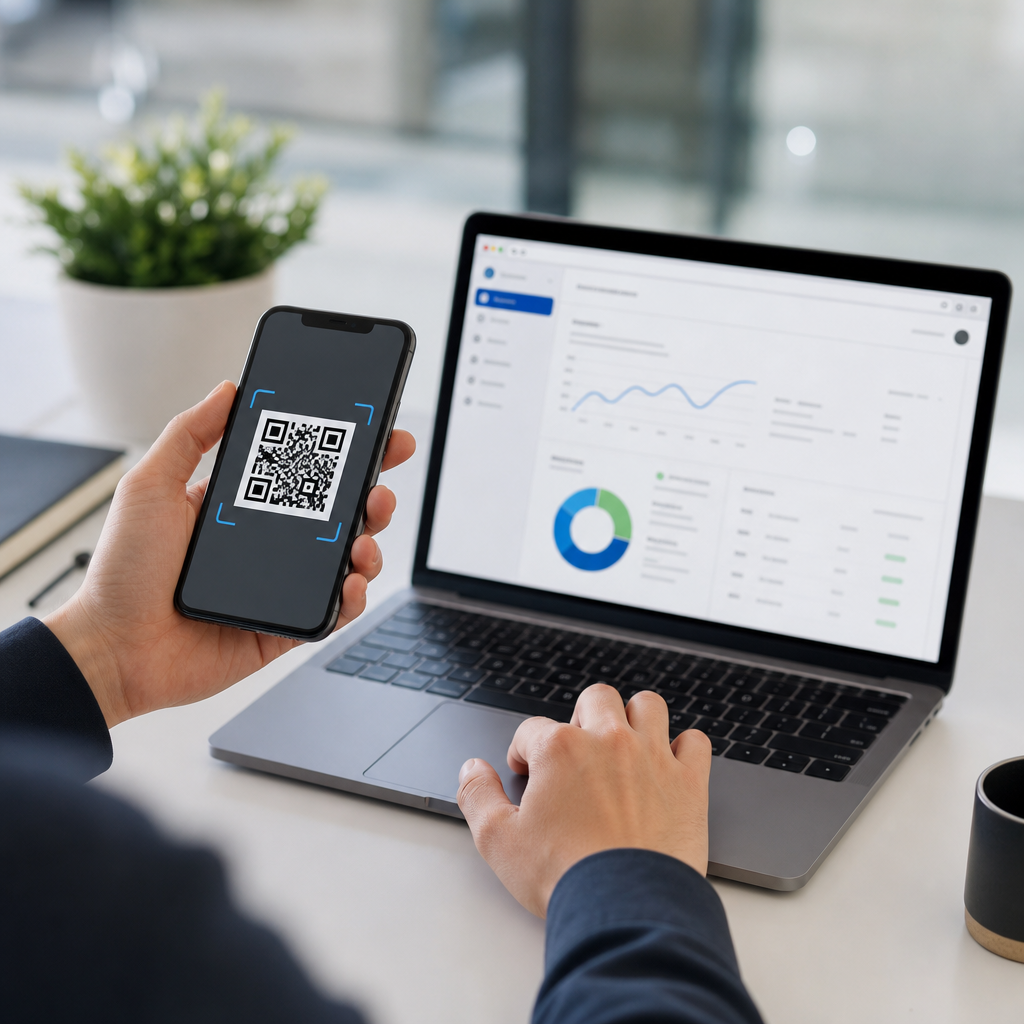
Dynamic QR codes let you change a scan destination after printing, which is the foundation of real-time QR code updates. Instead of encoding a fixed URL directly into the symbol, a dynamic code points to a short redirect managed on a server. When I build QR programs for retail packaging, event signage, and field service labels, that redirect layer is what makes ongoing updates possible without reprinting thousands of assets. For teams managing campaigns across stores, countries, or product lines, the ability to update QR code destinations in real time reduces waste, improves measurement, and keeps customers landing on the right page at the right moment.
To understand how to update QR code destinations in real time, separate the visible code from the destination logic behind it. A static QR code contains the final URL, phone number, or text payload, so it cannot be changed once distributed. A dynamic QR code contains a short URL or identifier that routes through a dashboard or API before sending the user onward. That indirection enables destination edits, scheduling, A/B testing, geotargeting, device rules, and scan analytics. It also introduces governance requirements: uptime, redirect speed, access control, and privacy compliance now matter as much as the artwork itself.
This topic matters because QR codes have moved from tactical signage to persistent infrastructure. They appear on packaging with long shelf lives, in direct mail, on restaurant tables, in manuals, on industrial equipment, and across out-of-home media. If product inventory changes, a campaign ends early, a legal notice must be updated, or a regional landing page launches, a fixed code becomes a liability. A dynamic setup turns the QR code into a managed channel. This hub explains the core architecture, destination update workflows, rules-based routing, analytics, security, and operational practices that support advanced QR code strategies at scale.
How Dynamic QR Code Redirects Work
A dynamic QR platform typically stores a unique record for each code, such as qr.example.com/a7K2p. When someone scans, the request hits the platform, which checks the current destination, applies any routing rules, logs scan metadata, and returns an HTTP redirect, usually 301, 302, or 307 depending on the use case. In most marketing deployments, 302 is common because the target may change and you do not want browsers or intermediaries caching the redirect too aggressively. If the destination is effectively permanent, a 301 can still be appropriate, but you should test caching behavior across iOS and Android camera flows.
The practical answer to “Can you update a QR code after printing?” is yes, but only if the printed code is dynamic. In my experience, the simplest safe workflow is to map each printed asset to a code record, assign ownership, and require a destination validation step before publishing changes. For example, a food brand may print one code on all cereal boxes, then switch the destination from a sweepstakes page to recipes after the promotion closes. The QR image stays identical; the server-side destination changes in seconds. That is the operational advantage dynamic QR code strategies deliver.
Real-Time Destination Update Methods
There are three common methods for real-time updates: dashboard edits, bulk uploads, and API-driven changes. Dashboard edits suit marketers who need fast control without engineering support. A manager can log in, paste a new URL, save, and test live behavior immediately. Bulk uploads work when hundreds of codes need simultaneous updates, such as redirecting store-level signage to revised hours during severe weather. API-driven changes are best for enterprise workflows where destination logic follows inventory systems, CRM triggers, or localization platforms. In those environments, the QR layer becomes part of a broader digital operations stack.
The right method depends on change frequency, approval needs, and scale. A museum with ten exhibit codes may only need dashboard access. A global manufacturer with 50,000 serialized labels will need APIs, audit logs, and role-based permissions. I recommend defining service levels before launch: who may edit destinations, what review is required, how quickly emergency changes must propagate, and how rollback works. Real-time updates are valuable only when the organization can execute them reliably under pressure. Without governance, teams create broken redirects, duplicate ownership, and tracking inconsistencies that undermine trust in the channel.
| Update method | Best for | Main advantage | Primary risk |
|---|---|---|---|
| Dashboard edit | Small campaigns, fast changes | Immediate, low technical overhead | Human error from manual entry |
| Bulk upload | Multi-location or batch updates | Consistent changes across many codes | Large-scale mistakes if source file is wrong |
| API update | Enterprise automation | Integrates with live business systems | Requires monitoring, testing, and secure authentication |
Routing Rules: Time, Place, Device, and Audience
Advanced QR code strategies go beyond simple destination replacement. The strongest programs use rules-based routing to send different users to different destinations from the same printed code. Time-based routing can switch an event QR code from registration to agenda to post-event survey as the day progresses. Location-based routing can direct scanners in France to French-language content and users in Canada to local support pages. Device-based routing can send app users to deep links while mobile web users land on a browser page. Audience-based routing can personalize experiences when combined with campaign parameters or authenticated sessions.
These rules should be used carefully. Overly complex routing can create debugging problems and inconsistent user experiences. I have seen teams stack time rules, geofencing, and UTM rewrites so aggressively that support staff could not reproduce what customers were seeing. Start with a default destination that works for everyone, then layer only the logic that has a clear business reason. Document rule priority explicitly. For example, emergency compliance notice overrides campaign schedule; locale redirect overrides device rule only when translated content exists; deep linking applies only if app detection succeeds. Clarity in rule precedence prevents hidden failures.
Analytics, Measurement, and Optimization
One reason organizations choose dynamic QR codes is analytics. Because scans pass through a managed redirect, platforms can record timestamp, approximate location, device type, operating system, and referrer context when available. That data helps answer practical questions: Which poster placement drives the most scans? Are users scanning from packaging after purchase or in-store before purchase? Does the call to action “Scan for setup video” outperform “Scan for instructions”? Pair QR analytics with web analytics platforms such as Google Analytics 4, Adobe Analytics, or Matomo by appending consistent UTM parameters to the destination URLs.
Good measurement requires disciplined naming conventions. Every QR code should have a stable identifier, asset description, placement, market, owner, and purpose. I advise teams to maintain a QR inventory in Airtable, Notion, or a product information management system if packaging is involved. Then align scan data with downstream outcomes such as purchases, account sign-ups, support deflection, or warranty registrations. Optimization becomes more useful when tied to outcomes instead of raw scan volume. A code with fewer scans may still be the best performer if it drives higher conversion, lower support cost, or stronger retention.
Security, Reliability, and Compliance
When you update QR code destinations in real time, you are operating redirect infrastructure, and that creates security responsibilities. Protect admin access with single sign-on, multi-factor authentication, and least-privilege roles. Require approval for high-risk edits, especially on regulated packaging or public safety materials. Monitor for destination hijacking, expired domains, certificate errors, and redirect loops. A dynamic QR code is only as trustworthy as the system controlling it. If the platform goes down, scans fail. If a domain lapses, attackers can capture traffic. If logs are mishandled, privacy obligations may be breached.
Compliance depends on your market and use case. In the European Union, scan analytics may constitute personal data when combined with other identifiers, so purpose limitation and lawful processing matter. In healthcare or finance, never assume a QR campaign is low risk; destination pages may still collect sensitive information. Use HTTPS everywhere, publish a privacy notice, and define retention periods for scan logs. Reliability is equally important. Choose providers with documented uptime, custom domains, status pages, export options, and API support. Before large launches, run load tests and verify that redirects remain fast on mobile networks.
Operational Best Practices for Scale
Successful dynamic QR code management depends on process more than design. Create a source-of-truth inventory, assign owners, and name codes consistently by campaign, region, and asset type. Use custom short domains so users recognize your brand and so you are not locked into a provider-branded redirect. Test every code in production conditions: different phones, low light, damaged print surfaces, and weak connectivity. For printed materials with long life spans, establish review dates. Packaging QR codes should have destinations checked quarterly at minimum, because pages, products, and policies change faster than packaging inventory turns.
This hub sits within Advanced QR Code Strategies because dynamic management touches every adjacent topic: QR code analytics, localization, serialization, governance, print quality, app deep linking, and omnichannel attribution. As you build out your program, link related guidance internally so teams can move from strategy to execution: choosing dynamic versus static codes, setting redirect rules, measuring scans, securing platforms, and planning lifecycle reviews. The main benefit is durable flexibility. A printed code no longer locks you into one destination. Audit your current QR inventory, identify static codes creating risk, and migrate priority assets to a governed dynamic system.
Frequently Asked Questions
1. How do you update a QR code destination in real time without reprinting the code?
You update a QR code destination in real time by using a dynamic QR code rather than a static one. A static QR code stores the final URL or data directly inside the pattern, so once it is printed, the destination cannot be changed without creating and printing a new code. A dynamic QR code works differently. It sends the scanner to a short redirect URL controlled on a server, and that redirect can be edited at any time. When someone scans the printed code, the server checks the current rule for that code and forwards the user to the latest destination.
That redirect layer is what makes real-time QR code updates possible at scale. For example, a code printed on retail packaging might first send users to a product launch page, then later redirect to updated instructions, a seasonal promotion, a recall notice, or a localized store finder. The printed symbol never changes, but the destination does. This is especially valuable when the same QR asset appears across thousands of packages, signs, labels, or event materials where reprinting would be expensive and slow.
In practical terms, the workflow is simple. You create the dynamic QR code inside a QR management platform, print it on the physical asset, and then log in to that platform whenever you need to change the destination. Most systems let you edit the target URL instantly or schedule changes for a future date. Some also support routing based on conditions like country, device type, language, or time of day. Once the redirect is updated, future scans begin going to the new destination immediately or within a very short propagation window, depending on the platform’s infrastructure and caching setup.
2. What is the difference between a static QR code and a dynamic QR code for ongoing campaigns?
The core difference is flexibility. A static QR code is fixed at the moment it is generated. It contains the final destination directly in the code, which means if the link changes, the code becomes outdated. A dynamic QR code is designed for change. It points to a managed short link or redirect endpoint, allowing the destination behind the code to be edited without replacing the printed graphic. For ongoing campaigns, that distinction is critical.
In short-term or one-time uses, static codes can be fine because they are simple and often cheaper to generate. But they become a limitation the moment anything changes. URLs get replaced, campaign pages expire, product availability shifts, and regional marketing teams need different landing pages. In those scenarios, static codes create operational friction because every update requires new artwork, new files, and often a new print run. Dynamic codes avoid that entire bottleneck.
For teams running campaigns across stores, countries, or product lines, dynamic QR codes are usually the better long-term choice because they support centralized management. A single printed code can route users differently by market, send them to region-specific content, and adapt over time as products, offers, and messaging evolve. They also usually include scan analytics, which static codes do not provide on their own. That means marketers and operations teams can see where scans are happening, when they are happening, and how engagement changes after a destination update. In real-world deployment, dynamic codes are not just editable; they are a management layer for performance, governance, and lifecycle control.
3. Can one dynamic QR code send users to different destinations based on location, language, or time?
Yes, and this is one of the biggest advantages of using a dynamic QR code platform with rules-based routing. Because the QR code resolves through a server before the visitor reaches the final page, the system can evaluate different conditions and send each scanner to the most appropriate destination. Common routing rules include country or region, browser language, device type, daypart, campaign start and end dates, or even scan volume thresholds in more advanced workflows.
For example, a packaging QR code used in multiple countries can route French-speaking users to a French product page, U.S. users to a domestic ecommerce experience, and German users to a compliance or documentation page tailored to local regulations. An event sign can direct visitors to a live agenda during the event, then automatically switch to presentation recordings afterward. A field service label can point technicians to the most current maintenance instructions without replacing the label on the equipment. These are all practical examples of real-time QR destination updates driven by context.
That said, successful conditional routing depends on good planning. You need a platform that supports the rules you care about, a clear fallback destination for unmatched cases, and landing pages that are ready for each audience segment. It is also important to test routing thoroughly with VPNs, device emulators, and timing checks before broad rollout. When configured correctly, a single dynamic QR code can act as a smart entry point that personalizes the scan experience while preserving one consistent printed asset across many use cases.
4. What should you consider before changing a QR code destination after it has already been printed and deployed?
Before updating a live QR code destination, think beyond the technical ability to change the link and focus on the user experience, business impact, and operational controls. First, confirm the new landing page matches the context of the printed asset. If the code appears on packaging, signage, manuals, or service labels, users scan with certain expectations. A destination that feels unrelated, broken, or unexpectedly promotional can damage trust. The update should still make sense based on where the QR code appears and what promise surrounds it.
Second, review continuity and measurement. If the old destination was part of a campaign, make sure analytics, tracking parameters, and conversion paths are preserved or intentionally updated. Many teams lose performance visibility when they swap URLs without aligning UTM tags, event tracking, or attribution settings. If multiple business units share the same code, document who approved the change and when it went live. This is especially important in retail, regulated products, and service operations where version control matters.
Third, consider technical and governance factors. Check whether the new page is mobile-friendly, fast-loading, secure over HTTPS, and available in all intended regions. Make sure redirects are clean and not chained through multiple systems, because too many hops can slow the scan experience. If the QR code is used in compliance, support, or safety contexts, establish permissions so not everyone can edit the destination. A good process includes role-based access, audit logs, QA testing, and possibly staged rollouts. Real-time updates are powerful, but they work best when managed with the same discipline as any customer-facing digital touchpoint.
5. Do dynamic QR codes affect scan speed, analytics, or reliability when destinations are updated frequently?
Dynamic QR codes can slightly add to the path because they use a redirect, but in a well-built system the effect on scan speed is minimal and usually unnoticeable to the user. The scanner reads the code, opens the redirect URL, and the redirect server sends the visitor to the current destination. When the infrastructure is optimized, that extra step happens very quickly. The key is choosing a reliable platform with fast global delivery, strong uptime, HTTPS support, and minimal redirect latency.
In return for that small added layer, you gain major advantages in analytics and control. Dynamic QR codes can record scan events such as timestamp, approximate location, device type, operating system, and referrer details depending on platform capabilities and privacy settings. This makes it much easier to understand how printed assets are performing in the real world. If you change a destination, you can often compare scan behavior before and after the update, which is valuable for campaign optimization, product support, and regional testing.
Reliability depends on platform quality and implementation choices. If the redirect service is unstable, all scans are affected, so vendor selection matters. Look for enterprise-grade hosting, redundancy, monitoring, and clear service commitments. Also avoid excessive redirect chains by pointing the dynamic code to a destination that is itself clean and stable. If you expect frequent updates, create naming conventions, governance rules, and a testing checklist so changes do not introduce errors. In practice, dynamic QR codes are highly reliable when professionally managed, and they are the standard approach for organizations that need real-time destination updates, measurable performance, and the flexibility to adapt without reprinting physical assets.





