
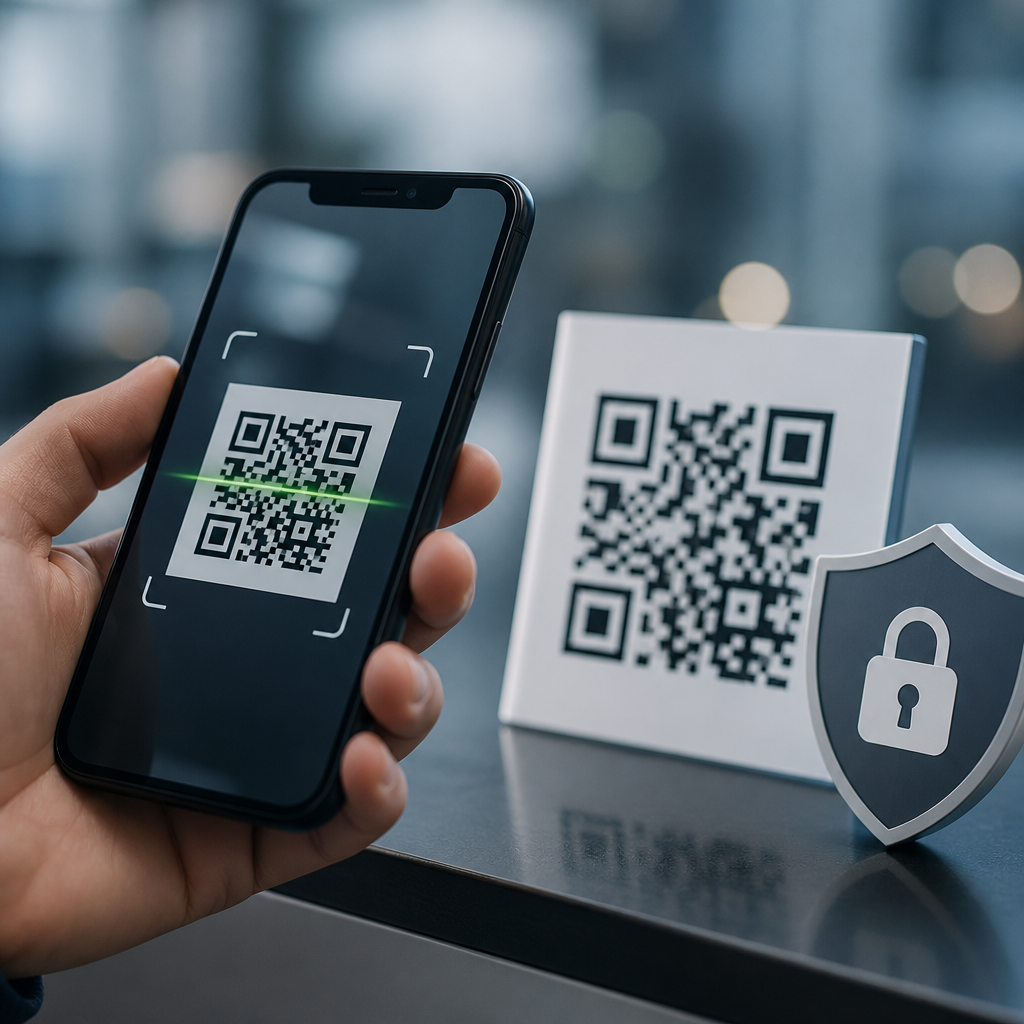
QR code security for mobile applications matters because a tiny square can trigger payments, open deep links, authenticate users, download files, or launch support flows in seconds. In practice, that convenience creates a broad attack surface. A QR code is simply a machine-readable visual encoding of data, usually a URL, payment payload, contact record, Wi-Fi credential, or app intent. Secure QR code implementation means designing the full lifecycle safely: generation, distribution, scanning, validation, routing, logging, retention, and incident response. I have worked on mobile onboarding and payment journeys where a single permissive scanner created phishing exposure, broken attribution, and compliance gaps. The lesson is consistent: the QR image is never the real risk by itself; the risk sits in what the application does after decode. This topic matters to product teams because mobile apps are now expected to support camera-based interactions, and attackers know users trust codes printed in stores, emails, kiosks, and packaging. If a banking app, ticketing app, healthcare portal, or field-service app accepts QR input, it must treat that input as untrusted external data. Strong implementation protects users from malicious redirects, intent abuse, token theft, replay, and privacy leakage while preserving the speed that makes QR workflows valuable.
Threat model and common attack paths
The first step in secure QR code implementation is a precise threat model. In mobile applications, the most common QR attacks are malicious URL redirection, fake app deep links, overlay replacement on printed materials, encoded credential theft, and replay of static tokens. I have seen retail posters tampered with by placing a hostile code over the legitimate one, sending users to lookalike checkout pages. Because the camera only reads data, the scanner cannot infer trust from appearance. That means every decoded payload requires canonical validation before action. For URLs, enforce HTTPS, compare against an allowlist of approved domains, normalize punycode, reject embedded credentials, and inspect path patterns before opening a webview or browser. For custom schemes and app links, verify package identity, host association files, and routing constraints. If a QR contains structured data such as a login token or order ID, validate signature, audience, expiration, and one-time-use status server side. Static identifiers printed once and reused forever are convenient, but they are easily copied and replayed. Dynamic, short-lived payloads sharply reduce exposure. The security principle is simple: decode locally, decide centrally, and execute only after policy checks succeed.
Secure QR payload design and data minimization
The safest QR payload is the one that contains the least sensitive data while still completing the task. Teams often overstuff codes with personal information, long JSON blobs, or embedded secrets because it feels self-contained. That is a mistake. A QR should usually carry a reference, not the record itself. For example, instead of encoding a patient name, date of birth, appointment type, and clinic identifier, encode a random opaque token that maps to a server-side record after user authentication. This pattern limits privacy loss if a code is photographed, cached, or logged by another app. It also supports revocation and expiration. For integrity, signed payloads are better than unsigned plaintext. Common approaches include JSON Web Signature for structured claims or an HMAC over compact fields when both producer and verifier share a key. Encryption has a role, but teams should not treat encrypted payloads as a substitute for authorization; once the app can decrypt, it still must verify issuer, time bounds, and intended action. Capacity also matters. Higher error correction improves resilience when codes are damaged, but larger payloads create denser symbols that scan poorly on low-end devices. Good design keeps content compact, signed, and short-lived.
Scanning pipeline hardening in the mobile app
Secure scanning starts before the app processes the decoded string. Use maintained libraries such as Google ML Kit, ZXing, or native platform frameworks, and keep them updated because parsing bugs and camera permission issues do appear over time. The app should request camera access just in time, explain why it is needed, and provide a paste or upload alternative for accessibility and managed-device environments. Once a code is detected, do not immediately launch the action. Insert a verification layer that classifies payload type, applies schema rules, and presents a trustworthy confirmation screen when the destination is external or high risk. In production reviews, I prefer a scanner service object that outputs a typed result such as ApprovedAppLink, ExternalUrlPendingReview, SignedToken, UnsupportedPayload, or RejectedContent. That architecture prevents accidental “open whatever was scanned” behavior. On Android, protect against intent injection by resolving only explicit destinations where possible and validating exported activities. On iOS, use universal links with proper apple-app-site-association files instead of permissive custom schemes. Rate-limit repeated scans, clear in-memory buffers after use, and avoid writing raw decoded values to crash logs or analytics. The scanner is an input boundary, and boundaries deserve defensive engineering.
Backend validation, token controls, and monitoring
Most QR workflows become secure only when the server enforces stateful checks. A mobile app can validate format and domain, but only the backend can determine whether a token was issued by a trusted service, whether it has expired, whether it has already been redeemed, and whether the requesting user should be allowed to complete the action. For secure QR code implementation, tokens should have narrow scope, explicit audience, issuance time, expiration time, nonce, and transaction binding. Payment and authentication flows benefit from one-time tokens linked to device session and risk score. If an attacker screenshots a static code from a conference badge or invoice, replay should fail because the server marks it spent or mismatched. Monitor scanning and redemption events with device identifiers, app version, IP reputation, geovelocity, and failure reasons. Sudden spikes in scans of a single code often indicate public leakage or fraud attempts. Logging must be privacy-aware: store token hashes, not raw secrets, and define retention based on legal and operational needs. When incidents happen, revocation lists, feature flags, and kill switches should let you disable vulnerable QR journeys quickly without forcing a full app release.
| Implementation area | Recommended control | Why it matters |
|---|---|---|
| URL handling | HTTPS-only, allowlisted domains, normalized hosts | Blocks phishing, downgrade, and lookalike domain abuse |
| Token design | Short-lived, signed, one-time-use references | Prevents replay and limits exposure if copied |
| App routing | Universal/app links with verified association files | Reduces intent hijacking and unsafe deep-link behavior |
| Privacy | Opaque identifiers, minimized logging, retention rules | Limits personal data leakage and compliance risk |
| Operations | Monitoring, revocation, kill switches | Supports fast response when abuse is detected |
Privacy, compliance, and platform governance
QR code security and privacy are inseparable in mobile applications because scans often happen in public spaces and can encode identifiers tied to people, devices, visits, or purchases. If the app stores scanned content, that data may become personal data under GDPR, personal information under CCPA, or regulated information in sectors such as healthcare and finance. The practical rule is data minimization first. Collect only what is needed to fulfill the transaction, define retention periods, and document lawful basis or consent where required. If QR journeys are used for account access, pair them with strong authentication rather than treating possession of a code as identity proof. For healthcare, avoid placing PHI directly in the symbol and review whether Business Associate Agreement obligations apply to processors. For payments, align controls with PCI DSS scope reduction by tokenizing references rather than exposing cardholder data. Platform governance matters too. Mobile teams should maintain a QR security standard covering approved payload types, domain management, certificate handling, content review, and third-party SDK assessment. Threat modeling should be part of release gating, not a one-time workshop. Security review is especially important when marketing, support, or operations teams can generate codes outside engineering-controlled systems, because governance failures often start upstream of the app itself.
Testing strategy and operational best practices
Testing secure QR code implementation requires more than checking whether the camera reads a clean sample. Build a test matrix that covers malformed payloads, oversized strings, encoded Unicode homographs, invalid signatures, expired tokens, replay attempts, revoked references, mixed-case schemes, redirected URLs, offline scenarios, and rooted or jailbroken devices. In my own launch checklists, we always include physical tests with low light, cracked screens, glossy posters, and codes printed at poor contrast because usability failures drive users toward unsafe workarounds. Security testing should include mobile app penetration testing, backend API assessment, and validation of association files for app links. Fuzzing the parser can expose crashes or hangs in decode libraries. Analytics should be reviewed not only for conversion but also for abuse indicators such as repeated unsupported payloads or scans from obsolete app versions missing policy updates. Documentation also matters. Customer support teams need scripts for reporting suspicious codes, and field teams need procedures for replacing tampered signage. A secure QR program is not finished at deployment. Review metrics, rotate signing keys, retire legacy code formats, and connect this hub to deeper guidance on phishing defense, token architecture, mobile deep-link security, privacy impact assessments, and incident response. Start by inventorying every QR-enabled user journey in your app and applying the same controls consistently today.
Frequently Asked Questions
1. Why is QR code security so important in mobile applications?
QR code security matters because a scan can trigger high-impact actions in a fraction of a second. In a mobile application, a QR code may open a website, launch an app screen through a deep link, initiate a payment request, log a user in, download a file, connect to Wi-Fi, or begin a customer support flow. That speed and convenience are exactly what make QR codes valuable, but they also create a large attack surface if security controls are weak. Users often trust QR codes because they appear simple and familiar, yet the content behind them is usually invisible until after the scan is processed.
From a security perspective, a QR code is only a transport mechanism for data. The real risk depends on what the encoded data causes the mobile device or application to do next. If the code points to a malicious domain, the user may be sent to a phishing page. If it triggers an app intent or deep link without proper validation, an attacker may be able to force navigation to sensitive areas of the app, abuse business logic, or inject unexpected parameters. In payment scenarios, altered QR payloads can redirect funds. In authentication flows, weak verification can let attackers reuse, tamper with, or replay codes. That is why secure QR code implementation must cover the full lifecycle: code generation, distribution, scanning, validation, backend verification, user prompts, logging, and expiration policies.
For mobile applications specifically, QR security should be treated as part of application security architecture, not just as a user interface feature. Strong implementations validate every scanned payload against allowlists, verify signatures or one-time tokens where appropriate, display clear human-readable previews before sensitive actions, and require user confirmation for risky behaviors. When teams think of QR codes as trusted shortcuts, they underestimate the risk. When they treat them as untrusted input that can influence navigation, identity, and transactions, they build much safer mobile experiences.
2. What are the most common QR code threats mobile apps need to defend against?
The most common threats begin with malicious redirection. A QR code can send users to a fake login page, a lookalike payment portal, or a malware-hosting site. Because mobile screens are smaller and users tend to act quickly, phishing attacks delivered through QR codes can be especially effective. Attackers may also replace legitimate printed QR codes with fraudulent ones in public places, packaging, invoices, posters, or support materials. This “QR code swapping” attack is simple but dangerous because the user sees a code where they expected one and often assumes it is authentic.
Another major category is unsafe deep linking and app intent abuse. If a mobile app accepts QR-scanned input that maps directly to internal routes, actions, or parameters, attackers may manipulate those values to bypass expected workflows, expose user data, or trigger unauthorized operations. For example, a QR code might attempt to open an account recovery screen with crafted parameters, launch an in-app browser session to a malicious endpoint, or abuse custom URI schemes. Without strict validation and authorization checks on the server and in the app, a scan can become a path into sensitive functionality.
Payment fraud is also a significant risk. Static payment QR codes can be altered so funds go to an attacker-controlled destination. Dynamic payment codes can be intercepted, replayed, or generated with manipulated metadata if the backend does not enforce integrity controls. Authentication-related QR codes carry their own risks as well, including replay attacks, session fixation, token theft, and unauthorized device linking. In addition, file download and support-flow QR codes may expose users to malicious documents, social engineering, or unauthorized access requests.
Mobile applications should also consider privacy risks. A QR code campaign may leak tracking parameters, device information, referral tokens, or user identifiers if URLs and app links are not designed carefully. Logging scanned data without proper minimization can create sensitive records that become compliance or breach liabilities. The best defense is layered: treat scanned content as untrusted, restrict allowed actions, verify origin and integrity, require meaningful user confirmation for sensitive operations, and monitor for abuse patterns such as repeated scans, malformed payloads, or unusual redemption activity.
3. How can a mobile app validate QR code data securely before taking action?
Secure validation starts with a simple rule: never trust the scanned payload just because it came from a QR code. The mobile app should parse the content conservatively, normalize it, and compare it against strict expectations for format, domain, route, and purpose. If the application only needs to handle certain kinds of QR codes, such as login tokens, payment requests, support session IDs, or approved HTTPS links, then it should reject everything else by default. This allowlist approach is much safer than trying to identify every bad pattern after the fact.
For URLs, the app should verify the scheme, enforce HTTPS, validate the hostname against an approved list, and inspect the path and parameters for unexpected values. It is not enough to check whether a URL “looks familiar,” because attackers often use subdomain tricks, character substitutions, open redirects, or encoded parameters to disguise malicious destinations. For deep links and app intents, the application should accept only documented routes, reject unsupported actions, and ensure that any parameter passed from the QR code is validated again by backend services. Scanned data should never be used to authorize an action on its own.
For high-trust use cases like authentication, ticketing, account linking, or payment, the strongest pattern is to encode a short-lived reference or signed token rather than raw executable data. The app scans the code, sends the token to the backend over a secure channel, and the backend decides what the code represents, whether it is still valid, whether it has already been used, and whether the user is authorized to proceed. Time limits, nonce values, audience restrictions, device binding, and one-time-use semantics are especially effective here. Cryptographic signatures can protect integrity, but they should be paired with server-side verification and expiration controls.
User experience is part of validation too. Before a sensitive action occurs, the app should present a clear preview of what will happen, such as the destination domain, payment recipient, amount, requested permission, or account being linked. Users should confirm intentionally rather than being dropped directly into a critical transaction. Behind the scenes, developers should log validation failures, expired tokens, unsupported payload types, and suspicious repetition rates so security teams can detect abuse early. Secure QR handling is ultimately about combining strict parsing, backend enforcement, least-privilege design, and transparent user confirmation.
4. What are the best practices for generating and distributing secure QR codes in mobile app workflows?
Secure QR code generation begins with limiting what the code contains. In most mobile app workflows, it is better to encode a short opaque identifier or signed token than to place full sensitive data directly in the QR code. This reduces exposure if the code is photographed, copied, shared, or intercepted. The backend can then resolve that identifier securely and apply business rules such as expiration windows, intended user constraints, usage limits, device binding, and status checks. This approach is especially important for login links, payment requests, passwordless authentication, support sessions, and document retrieval.
Integrity and authenticity should be built into the generation process. Where appropriate, the payload should be signed or otherwise protected against tampering, and the server should verify that protection before honoring any request that results from the scan. Codes intended for one-time or time-limited use should expire quickly and be invalidated immediately after redemption. If the use case involves financial transactions or account access, include server-side checks for amount, recipient, session state, and user identity rather than assuming the QR payload itself is authoritative.
Distribution controls matter just as much as generation. A secure QR code can still become dangerous if it is posted in the wrong place, exposed too broadly, cached indefinitely, or embedded in materials that can be easily replaced by attackers. Organizations should control where official QR codes appear, monitor public-facing locations for tampering, and provide users with context so they can recognize legitimate codes. In digital channels, use trusted domains, branded pages, and certificate-protected endpoints. In physical environments, tamper-evident labeling, periodic inspections, and location-specific campaign management can reduce replacement attacks.
Operational practices are equally important. Maintain an inventory of active QR campaigns or flows, define ownership for each use case, and collect analytics on scans, redemption attempts, and failures. If abuse is detected, teams should be able to revoke or rotate affected codes quickly. Finally, align code generation and distribution with mobile app UX principles: explain what the code is for, avoid overloading a single code with multiple hidden behaviors, and give users confidence that scanning will lead to a verified, expected outcome. Secure QR implementation is strongest when the technical controls and the delivery channel are designed together.
5. How should mobile apps handle QR codes used for payments, authentication, and account access?
These are the highest-risk QR code use cases, so they require the strongest protections. For payments, the mobile app should never rely solely on the scanned payload to determine who gets paid or how much. Instead, it should resolve the payment request through a trusted backend, display the verified recipient name, amount, currency, fees, and transaction purpose, and require explicit user confirmation before execution. If the code is dynamic, it should include a short expiration period and integrity protections to prevent tampering. If the code is static,





