
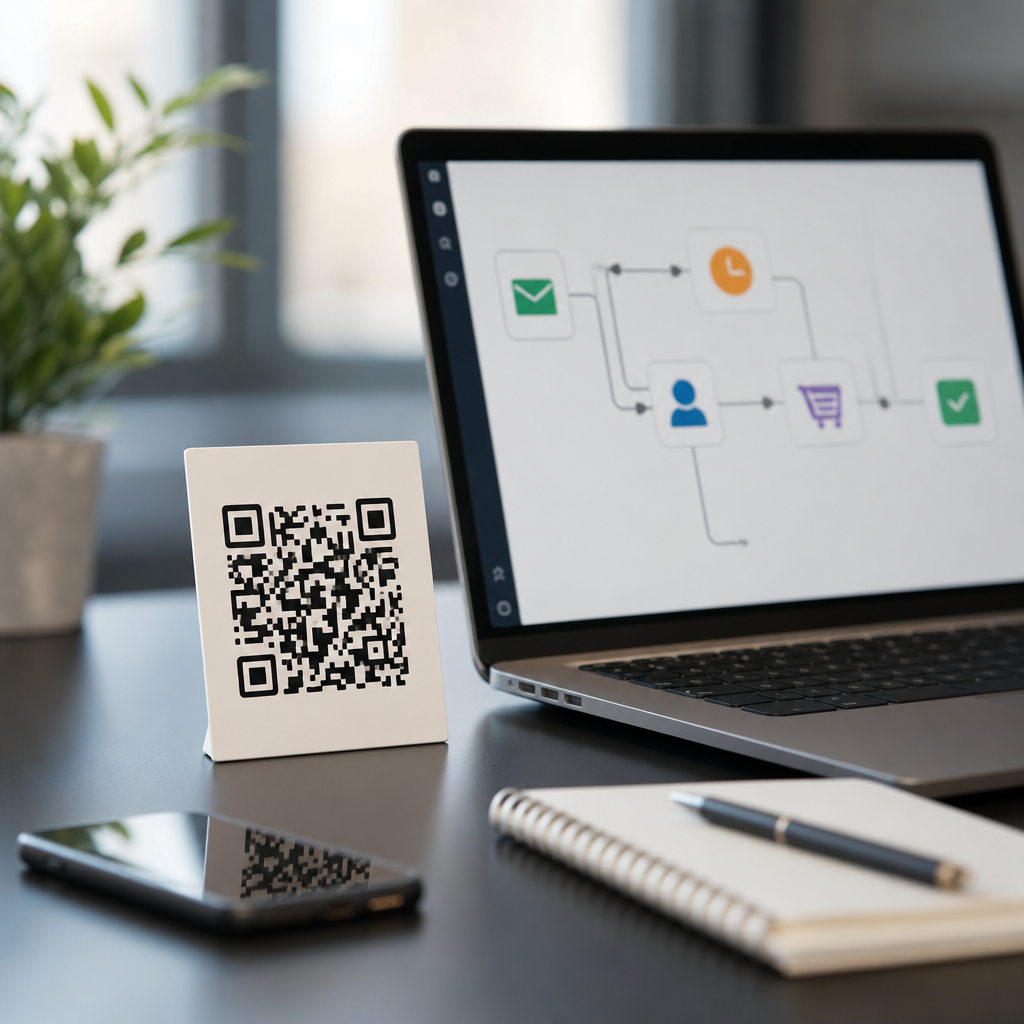
QR codes have evolved from simple mobile shortcuts into operational triggers that connect offline attention to automated marketing workflows. In this context, automated marketing workflows are rule-based sequences that start when a user scans a code, then route that person into actions such as audience segmentation, CRM updates, email nurture, retargeting, support follow-up, or sales alerts. When teams combine QR codes with AI and automation platforms, they turn every poster, package insert, event badge, direct-mail piece, or retail display into a measurable entry point. That matters because modern buyers move fluidly between physical and digital environments, yet many campaigns still treat those moments separately. I have implemented QR-driven journeys for events, packaging, field sales, and restaurant groups, and the pattern is consistent: the highest-performing programs are not just about getting scans, but about designing what happens in the next five minutes, the next five days, and the next purchase cycle. This article serves as the hub for QR Codes + AI & Automation, explaining the core systems, decisions, and metrics that make automated QR marketing effective at scale.
How QR codes trigger automated marketing workflows
A QR code becomes useful in automation when it resolves to a destination that can identify context before the visitor lands. The best practice is to use a dynamic QR code, not a static one, because a dynamic code routes through a controllable URL. That redirect can append UTM parameters, campaign IDs, location tags, product SKUs, sales-rep identifiers, or event-session labels. Once the user lands on a page, form, app deep link, or chatbot entry point, marketing automation software can read those values and decide what should happen next. In HubSpot, Marketo, ActiveCampaign, Klaviyo, or Salesforce Marketing Cloud, that usually means enrolling the contact in a workflow, updating lead status, assigning a lifecycle stage, or branching content based on scan source.
For example, a manufacturer can print one QR code on each product box, with hidden parameters that identify distributor region and product line. A scan from a how-to guide can trigger an onboarding email series, while a scan from a warranty insert can route the user into registration, service reminders, and accessory recommendations. At a trade show, badge-specific QR codes can connect booth visits to account-based marketing sequences, notifying the account owner in Salesforce when a target account scans a demo code twice within twenty-four hours. In restaurants, table QR codes can feed first-party ordering behavior into loyalty platforms and trigger post-meal review requests only after confirmed payment. The workflow starts with the scan, but the value comes from the orchestration behind it.
Core stack: QR platform, automation engine, CRM, and AI layer
Successful QR automation depends on a coordinated stack rather than a single tool. The first layer is the QR code management platform, such as Bitly, QR Code Generator Pro, Beaconstac, Scanova, or Uniqode. This layer controls dynamic redirects, scan analytics, expiration rules, device-aware behavior, and bulk generation. The second layer is the destination environment: landing pages, forms, app links, chat widgets, or commerce pages. The third layer is the automation engine, usually Zapier, Make, n8n, HubSpot workflows, Klaviyo flows, Pardot Engagement Studio, or Salesforce Flow. The fourth layer is the system of record, often a CRM or customer data platform, where contact history, consent status, and segmentation logic live.
AI adds a fifth layer. It can classify leads, personalize copy, predict intent, and route requests faster than manual rules alone. A practical implementation might use OpenAI, Claude, Google Vertex AI, or built-in AI features inside HubSpot and Salesforce Einstein to summarize a scanned inquiry, score urgency, generate a tailored follow-up email, or recommend the next best content asset. I have found that AI works best after a strong data structure is in place. If your QR campaign naming conventions are inconsistent or your CRM fields are incomplete, AI simply automates confusion. Teams should define canonical fields such as campaign source, asset type, scan location, content intent, product category, and consent timestamp before layering on any model-based logic.
High-value use cases across channels
QR codes support far more than generic “scan to learn more” campaigns. The strongest workflows align the code with a specific buyer moment. In direct mail, personalized QR codes can send recipients to landing pages prefilled with their account context, then trigger outbound sales tasks if high-value prospects engage with pricing or case studies. In retail packaging, a code can launch setup instructions, then branch users into replenishment reminders based on estimated consumption windows. In field service, technicians can leave behind a QR code that opens maintenance logs and enrolls customers in scheduled service notifications. In healthcare marketing, codes on appointment materials can provide preparation instructions while recording which service line generated the interaction, subject to privacy and compliance constraints. At conferences, session-specific QR codes can trigger instant content delivery, post-session surveys, and lead routing to the correct product specialist.
The reason these campaigns outperform generic destinations is relevance. A scan on a product label indicates a different intent than a scan from an outdoor billboard. One signals active product use; the other often signals early discovery. Automation should reflect that difference. A user scanning from packaging may need support content first, while a user scanning from print advertising may need a short explainer, a social proof asset, and a low-friction lead capture step. When marketers map QR touchpoints to intent stages, completion rates increase and unsubscribes decrease because follow-up matches the context of the scan.
Designing workflows, segmentation, and measurement
Automation quality depends on workflow design. The first decision is whether the scan identifies an anonymous visitor or a known contact. If known, the workflow can update an existing profile and personalize instantly. If anonymous, use progressive profiling: ask for only the minimum information needed at the first step, then enrich later. The second decision is trigger logic. Teams should define whether one scan is enough to start a nurture, whether repeated scans indicate buying intent, and how long scan activity remains relevant. In B2B programs, I often treat a second scan within seven days as a strong engagement signal, especially when it comes from pricing sheets, technical documentation, or ROI calculators. The third decision is attribution. QR scans should be connected to source, medium, campaign, creative, location, and audience so downstream revenue can be tied back to the physical asset.
| Workflow element | Recommended approach | Example |
|---|---|---|
| QR type | Use dynamic codes with redirect rules | Change destination after a trade show ends |
| Identity capture | Use progressive forms or authenticated app links | Collect email first, job title later |
| Segmentation | Map scan context to intent stage | Packaging scan enters onboarding flow |
| Automation trigger | Combine scan event with behavior thresholds | Two scans plus pricing-page visit alerts sales |
| Measurement | Track scans, conversions, influenced revenue, and retention | Compare store poster scans to online purchases |
Measurement should go beyond scan counts. A high scan rate with poor conversion may indicate weak message match, slow pages, or premature lead forms. Core metrics include unique scans, repeat scans, landing-page conversion rate, form completion rate, assisted pipeline, purchase rate, opt-in rate, unsubscribe rate, and time to follow-up. If the workflow includes AI lead scoring, measure precision, not just output volume. In other words, determine whether high-scored QR leads actually convert at a higher rate than manually qualified leads. That is the standard that justifies automation investment.
AI personalization, predictive routing, and conversational experiences
AI improves QR-based automation in three practical ways: content personalization, predictive routing, and conversational assistance. For personalization, AI can assemble landing-page blocks or email copy based on scan context, customer history, and product interest. A consumer packaged goods brand can use a QR scan from a coffee bag to identify roast preference, then generate brew tips, accessory recommendations, and subscription prompts matched to that profile. For predictive routing, AI models can prioritize leads generated through QR codes by analyzing firmographics, on-page behavior, previous purchases, and response patterns. That helps sales teams focus on contacts most likely to convert instead of reacting to every scan equally.
Conversational experiences are another strong fit. A QR code can open a chat interface that answers common questions, books demos, recommends products, or triages support issues. This is especially useful in physical environments where users need immediate help, such as retail aisles, industrial equipment sites, museums, campuses, or healthcare waiting rooms. The key is containment and escalation. The assistant should answer routine questions quickly, but it must hand off to a person when confidence is low, when the issue is sensitive, or when intent shifts toward purchase negotiation. AI should reduce friction, not create a dead end. Teams also need guardrails: approved knowledge sources, logging, brand voice controls, and periodic review of hallucination risks.
Governance, privacy, and implementation pitfalls
QR automation can fail when marketers overengineer the experience or ignore governance. The most common mistake is linking to a generic homepage and expecting the CRM to infer intent later. Another is printing static codes in expensive physical placements, then losing the ability to update destinations when campaigns change. Slow mobile pages, intrusive forms, broken redirects, and inconsistent UTMs also damage performance. From a compliance perspective, scanned data may become personal data once tied to identifiable profiles, so consent, retention rules, and regional regulations must be respected. Teams using GDPR, CCPA, HIPAA-adjacent workflows, or industry-specific requirements should involve legal and security stakeholders early.
Operational discipline matters just as much as technology. Maintain naming conventions, test every code on multiple devices, and document fallback behavior if a landing page fails. Use link monitoring and alerts for redirects. Apply schema to campaign metadata so reporting stays comparable across print, packaging, events, and in-store activations. Most importantly, create a feedback loop between marketing, sales, support, and operations. QR codes reveal intent in moments many digital-only systems miss. When that signal is captured cleanly and routed intelligently, automated marketing workflows become faster, more relevant, and more measurable. If you are building an advanced QR strategy, start by auditing one physical touchpoint with high traffic and clear buyer intent, then design the scan-to-action workflow before printing a single code.
Frequently Asked Questions
How do QR codes fit into automated marketing workflows?
QR codes act as the entry point that connects an offline interaction to a digital automation sequence. When someone scans a code on a poster, product package, direct mail piece, event badge, countertop display, or insert, that scan can trigger a predefined workflow instead of simply opening a generic web page. In practice, the QR code sends the user to a landing page, form, chatbot, offer page, support portal, or app experience where their behavior can be captured and used to determine the next step. That next step might include tagging the person by campaign source, adding them to a CRM record, assigning them to a segment, sending a follow-up email, alerting a sales rep, creating a retargeting audience, or routing them into a customer support journey.
This is what makes QR codes valuable in automated marketing workflows: they convert physical-world attention into measurable, rule-based action. A scan is not just traffic. It can become a trigger event with metadata such as location, device type, time of scan, campaign placement, product line, or audience intent. Teams can then use that data to personalize the experience immediately. For example, a scan from a trade show booth can trigger a lead qualification sequence, while a scan from packaging after purchase can trigger onboarding content, review requests, replenishment reminders, or cross-sell offers. The QR code is essentially the bridge between offline media and marketing automation logic.
What types of actions can a QR code trigger after someone scans it?
A QR code can trigger a wide range of automated actions depending on the tools connected behind it. The most common workflow starts by identifying the campaign source and directing the user to a destination tailored to the context of the scan. From there, the system can collect first-party data, enroll the person into an email or SMS nurture sequence, update contact properties in a CRM, apply lead scoring rules, notify a sales team, assign ownership to a regional rep, or launch a customer support flow. It can also create audience segments for retargeting, suppress existing customers from acquisition messaging, or move current customers into loyalty and retention programs.
More advanced setups can branch based on behavior in real time. If the person scans a QR code on a product insert and watches a tutorial video, the workflow might trigger a satisfaction survey a few days later. If they scan a code from a direct mail offer and abandon the form, automation can send a reminder or add them to a remarketing pool. If they scan at a live event and request a demo, a high-priority sales alert can be created instantly. With AI and automation platforms layered in, the workflow can also personalize follow-up timing, recommend the next-best content asset, classify user intent, summarize lead activity for the sales team, or predict which segment the contact belongs in. The end result is a scan that does more than redirect; it activates an operational sequence across marketing, sales, and support.
What information should marketers track to measure the success of QR code automation campaigns?
Marketers should track more than raw scan volume. Scan count is useful, but it only tells part of the story. To understand whether QR codes are contributing to meaningful business outcomes, teams should monitor the full path from scan to conversion. Key metrics typically include unique scans, repeat scans, scan location, device type, time and date, landing page visits, form completion rate, opt-in rate, email engagement, demo requests, purchases, support interactions, and assisted conversions. It is also important to compare campaign versions by placement, audience, creative, and call to action so teams can see which offline assets are generating the strongest downstream results.
Attribution and workflow performance are equally important. Marketers should know which QR code was scanned, what triggered afterward, how quickly follow-up occurred, and whether automation improved response time or conversion efficiency. For example, if a packaging QR code leads to a product registration workflow, success may be measured by registration completion, activation rate, onboarding engagement, and later retention. If a trade show code feeds leads into CRM and sales alerts, success may be measured by qualified opportunities, speed-to-lead, meeting bookings, and pipeline created. Strong QR code measurement ties the physical touchpoint to business outcomes, not just clicks. That means using campaign parameters, dynamic QR code management, CRM integrations, event tracking, and clear workflow goals from the start.
Are dynamic QR codes better than static QR codes for automated marketing workflows?
In most cases, yes. Dynamic QR codes are usually the better choice for automated marketing workflows because they give marketers flexibility, control, and measurable performance after the code has already been printed or distributed. A dynamic code points to a short redirect URL that can be updated without changing the visible QR image. That means teams can change the destination page, swap out offers, adjust routing logic, pause campaigns, or run tests even after posters, packaging, signage, or direct mail have been produced. For automation, this is especially useful because workflows often evolve based on campaign results, audience behavior, seasonality, or operational changes.
Dynamic QR codes also support better analytics and governance. They typically allow teams to track scan behavior, distinguish campaigns, and manage multiple destinations from a central platform. That creates a stronger foundation for automation because each scan can be associated with campaign metadata and tied into systems like CRM, email platforms, customer data platforms, and ad audiences. Static QR codes still have their place for simple, permanent destinations, but they are less adaptable and harder to optimize once deployed. If the goal is to connect offline engagement to segmentation, lead routing, personalized nurture, or AI-driven decisioning, dynamic QR codes offer the operational flexibility needed to improve performance over time.
What are the best practices for using QR codes in AI-powered automated marketing workflows?
The best approach is to treat the QR code as one part of a larger system rather than as a standalone tactic. Start with a clear workflow objective: do you want to capture leads, register products, onboard customers, drive repeat purchases, route support inquiries, or trigger sales follow-up? Once the objective is defined, map the exact sequence that should happen after the scan, including the destination experience, data capture points, audience rules, CRM updates, and follow-up channels. The landing experience should match the context of the scan. Someone scanning from packaging expects a different experience than someone scanning from a conference booth or a window display. Relevance and continuity matter because they directly affect conversion rates.
For AI-powered workflows, best practices include collecting clean first-party data, using dynamic QR codes, tagging every campaign consistently, and feeding scan events into the systems where decisions are made. AI can then help classify intent, prioritize leads, personalize content, optimize send times, suggest next actions, and identify patterns across locations or audience segments. It is also important to keep the user experience simple: fast-loading mobile pages, minimal friction, clear calls to action, and privacy-conscious data collection. Finally, test continuously. Try different placements, offers, page designs, incentives, and workflow branches. The most effective QR code marketing systems are not just technically connected; they are actively optimized so that every physical interaction becomes smarter, more personalized, and more valuable to the business.





