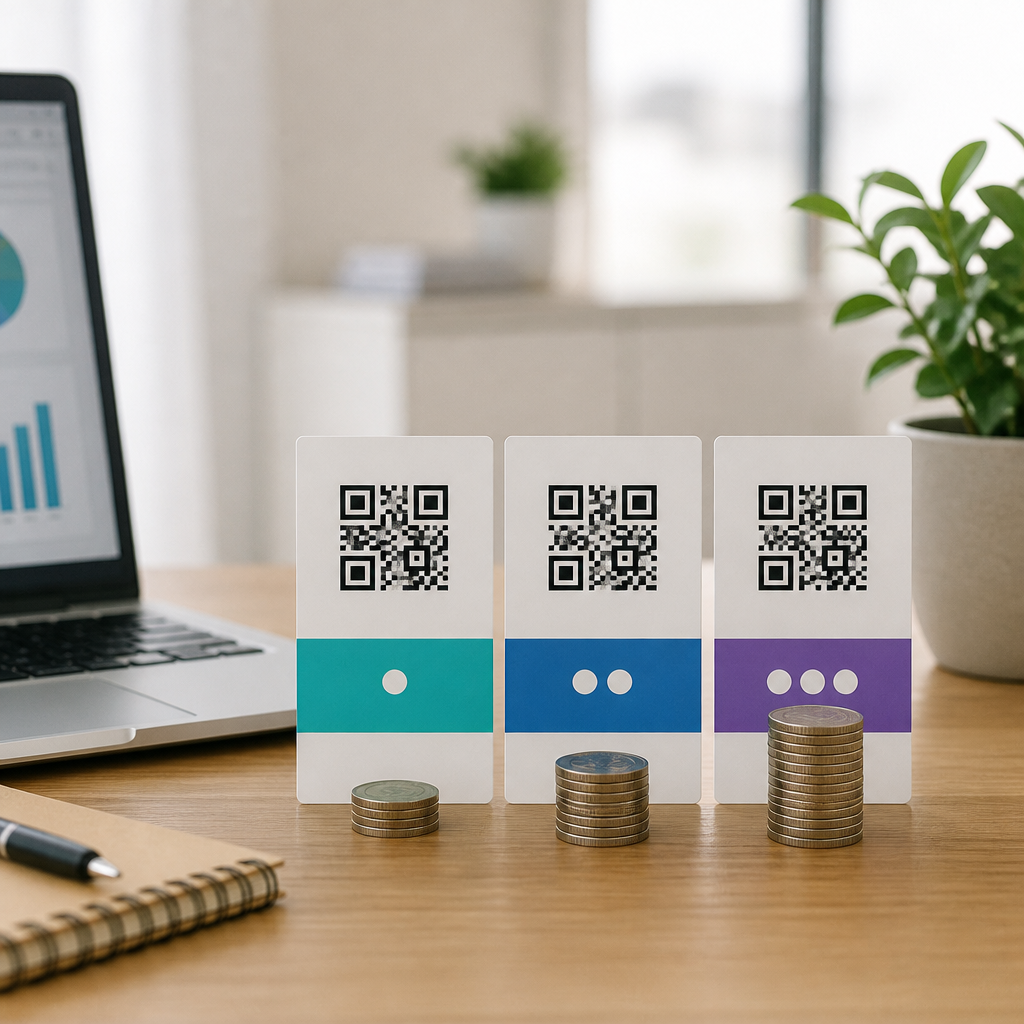
Choosing the right QR code generator pricing plan is not just a budgeting exercise; it directly affects scan reliability, campaign measurement, design flexibility, security, and long-term ownership of your codes. In the QR Code Tools & Software category, QR code generators are the publishing layer: they create the matrix barcode, host dynamic redirects, collect analytics, and often manage access controls, folders, and team permissions. A pricing comparison guide matters because vendors package those capabilities very differently. Two tools can both advertise “dynamic QR codes,” yet one may include unlimited scans and custom domains while another limits edits, retains branding, or charges extra for analytics exports. I have evaluated these platforms for product launches, retail signage, restaurant menus, event check-ins, and packaging programs, and pricing confusion is the most common reason teams either overbuy or lock themselves into a weak platform.
Before comparing plans, define a few key terms. A static QR code points directly to a fixed destination and usually works forever once created, because the target URL is embedded in the code itself. A dynamic QR code points first to a managed short link, letting you change the destination later, track scans, pause campaigns, or add UTM parameters without reprinting the code. Scan analytics typically include total scans, unique scans, time, device, and rough location based on IP geolocation. White labeling usually means custom domains, branded short URLs, logo insertion, and removal of the generator’s branding. Enterprise-grade features may include SSO, SCIM, audit logs, API access, SOC 2 alignment, GDPR tools, and role-based permissions. Understanding those terms makes pricing easier to decode and helps you compare vendors on actual business value rather than headline monthly cost.
For a hub article on QR code generators, the central question is simple: what should you pay for your use case? The answer depends on volume, durability, governance, and whether the code is a one-off asset or an operational system. A local café printing a single menu code has very different needs from a consumer brand managing thousands of package-level codes across regions. Low-cost plans can be perfectly suitable for personal projects and small businesses, but they may cap dynamic codes, scans, users, folders, file downloads, or analytics retention. Higher-tier plans generally unlock collaboration, better branding control, bulk creation, integrations, and compliance support. The most cost-effective choice is usually the plan that supports your intended campaign lifespan without forcing a migration six months later.
How QR code generator pricing models work
Most QR code generator pricing falls into five structures: free, freemium, subscription tiers, usage-based enterprise contracts, and add-on billing. Free tools often support only static QR codes and limited file formats. Freemium tools may let you create a small number of dynamic codes, but editing, analytics depth, watermark removal, or high-resolution exports may require a paid plan. Subscription tiers are the standard model for SaaS QR platforms. These are commonly split into individual, team, professional, and business levels, priced monthly or annually. Annual billing usually reduces the effective monthly cost by 15 to 30 percent, which matters if you are standardizing on one platform.
Usage-based pricing appears more often in enterprise environments. Instead of buying “50 dynamic codes,” large organizations may negotiate for scan volume, user seats, API throughput, subaccounts, or support SLAs. Add-on billing is where buyers get surprised. A vendor may advertise a low base plan, then charge separately for custom domains, retargeting pixels, bulk uploads, extra users, or analytics exports. In practice, total cost of ownership should include at least six variables: number of active dynamic codes, estimated scan volume, number of teammates, required branding controls, integration needs, and data governance requirements. If one campaign is going on packaging, physical signage, or direct mail, remember that replacing a printed QR code later is far more expensive than paying for the right dynamic plan upfront.
What features actually justify a higher price
The features worth paying for are the ones that reduce operational risk or unlock measurable business value. Dynamic editing is the first major differentiator because it protects printed materials from becoming obsolete. I treat it as essential for any campaign expected to last more than a few weeks. Analytics are the second differentiator. Basic scan counts are enough for a flyer test, but serious marketing teams need time-series reporting, device breakdowns, location patterns, and exportable data for Looker Studio, Tableau, or a CRM. Branding control also matters. Custom domains improve trust and often increase scan confidence because users see a recognizable redirect rather than a generic short link.
Bulk generation and API access justify higher pricing when QR codes become part of a workflow rather than a manual task. For example, a manufacturer may generate unique codes for serialized packaging, while an events team may create hundreds of attendee-specific check-in codes tied to a registration platform. Security and governance features are another legitimate reason to move upmarket. Single sign-on through Okta or Microsoft Entra ID, role-based access, audit logs, password-protected destinations, and expiring links matter in healthcare, education, finance, and regulated consumer programs. Finally, support quality has real monetary value. When a national campaign launches on a Friday and scan routing fails, responsive support is not a luxury line item; it is business continuity.
Pricing comparison by business use case
The fastest way to compare QR code generator pricing is to start with your operational profile instead of vendor marketing pages. Small businesses usually need dependable dynamic codes, a handful of editable destinations, and clean design exports. Mid-market teams often add folders, multiple users, campaign analytics, and brand governance. Enterprises need scale, integrations, and procurement-friendly controls. The table below shows a practical framework I use when advising teams on likely pricing fit.
| Use case | Typical needs | Best-fit pricing tier | Common risk if underspending |
|---|---|---|---|
| Single-location restaurant or salon | 1-10 dynamic codes, menu edits, PNG/SVG export | Free or entry paid plan | Vendor branding, disabled edits, low-res downloads |
| Retail chain or franchise group | Dozens of codes, location folders, team access, analytics | Professional or team plan | Messy governance, no subaccounts, limited reporting |
| Consumer brand packaging campaign | High scan volume, custom domain, redirects, exports | Business or enterprise plan | Scan caps, weak uptime assurances, no support SLA |
| Events and ticketing | Bulk creation, API, unique codes, validation workflow | API-enabled business plan | Manual processing, duplicate code issues, delays |
| Regulated organization | SSO, audit logs, permission controls, compliance review | Enterprise contract | Security gaps, procurement rejection, shadow IT |
In real deployments, the break point usually appears when a company needs both collaboration and analytics. That is where many low-cost plans stop being economical, even if the sticker price looks attractive. If three departments are sharing one login, manually naming files, and rebuilding codes because edits are restricted, the labor cost quickly exceeds the savings from a cheaper subscription.
Vendor comparison criteria that matter more than monthly price
When comparing generators, look beyond the plan grid. Start with ownership and portability. Can you export a list of your dynamic codes, destinations, and metadata if you leave? Does the QR code continue working if you cancel, or do dynamic redirects shut off? Some vendors keep static codes usable indefinitely but disable dynamic management; others suspend hosted redirects entirely. That difference is critical for permanent print assets like packaging, storefront decals, manuals, and labels.
Next, inspect analytics quality. “Scan tracking” can mean anything from a simple counter to a robust dashboard with filters, attribution parameters, and event exports. Ask whether scans are measured in real time, how bots are filtered, how unique users are estimated, and how long historical data is retained. Also verify design output. Serious teams usually need vector formats like SVG, EPS, or PDF for print consistency. PNG alone is often insufficient for large signage or professional packaging.
Reliability is another hidden pricing factor. A QR code experience depends on the redirect infrastructure behind the symbol. Reputable vendors should provide strong uptime expectations, TLS security, and performant redirects on mobile networks. Branding options also need scrutiny. Logo insertion, frame templates, and color controls are useful, but they should not undermine scannability. The safest practice is to test codes across iPhone and Android camera apps, under indoor and outdoor lighting, at multiple print sizes. In my experience, the best vendors balance customization with error-correction discipline rather than letting users create visually impressive but fragile codes.
How to choose the best QR code generator plan
A disciplined buying process prevents expensive migration later. First, inventory your expected code count for the next twelve months, not just launch month. Second, separate temporary campaigns from persistent assets such as packaging, brochures, equipment labels, and storefront signage. Persistent assets should almost always use dynamic codes on a stable paid plan with strong redirect ownership. Third, estimate scan volume conservatively. A successful campaign can exceed expectations quickly, and overage rules vary widely. Fourth, list required stakeholders: marketing, operations, design, franchisees, agencies, compliance, and IT. That list determines whether you need seats, folders, approvals, or enterprise identity integration.
Fifth, run a live pilot. Create a branded dynamic code, scan it on several devices, edit the destination, export analytics, and test support responsiveness. Sixth, read the cancellation terms and data retention policy. Seventh, compare annual total cost, not advertised monthly price. An $18 plan billed annually may be better value than a $12 monthly plan if it includes unlimited edits, custom domains, and export rights. For this sub-pillar hub, the core guidance is straightforward: choose a QR code generator pricing tier that matches the lifespan, volume, and governance of your codes, because the cheapest option is rarely the least expensive once reprints, staff time, and campaign risk are accounted for.
QR code generator pricing is easiest to evaluate when you tie cost directly to business outcomes. Pay for static codes only when the destination will never need to change and analytics are irrelevant. Move to dynamic plans when you need editability, tracking, or campaign resilience. Upgrade further when collaboration, bulk creation, API access, custom domains, or compliance controls become operational necessities. The right plan protects printed assets, improves measurement, and reduces avoidable rework.
As the hub page for QR Code Generators within QR Code Tools & Software, this guide gives you the comparison framework that makes every deeper article more useful. Focus on total cost of ownership, not headline price. Compare active code limits, scan caps, analytics depth, branding controls, portability, and support before signing. Then pilot your shortlist with a real campaign, document the tradeoffs, and choose the platform that will still fit a year from now. If you are evaluating vendors today, start by mapping your use case, projected volume, and governance needs, then shortlist only plans that support all three.
Frequently Asked Questions
1. What should I compare besides the monthly price in a QR code generator pricing guide?
The monthly subscription is only the starting point. A true QR code generator pricing comparison should look at what the plan actually enables over time, because the cheapest option can become the most expensive if it limits performance, reporting, or control. Start by separating static and dynamic QR codes. Static codes are fixed and usually cheaper, but dynamic codes let you change the destination later, which is essential for active campaigns, printed materials, seasonal promotions, and error correction after launch. If a low-cost plan restricts dynamic codes too heavily, it may not support real-world marketing use.
You should also compare scan limits, code limits, and whether analytics are included or paywalled. Some vendors advertise low entry pricing but cap the number of scans, active codes, folders, users, or destinations. Others reserve useful reporting features such as device type, time-based trends, location insights, UTM support, or exportable analytics for higher tiers. If campaign measurement matters, weak reporting can reduce the practical value of the platform even if the subscription looks affordable.
Design flexibility is another important pricing factor. Many businesses need branded QR codes with custom colors, frames, logos, and editable short URLs. These features are not always included in basic plans. If the guide only compares price and ignores branding options, it misses a major value difference. The same goes for file formats and print readiness. Access to vector formats such as SVG, EPS, or PDF can matter much more than a small monthly discount if your team needs high-resolution assets for packaging, signage, or product labels.
Security and administration are equally important. Pricing plans often differ in password protection, expiration dates, access controls, team permissions, SSO, audit logs, and domain-level controls. For agencies, multi-user support and client separation can be critical. For regulated industries or enterprise teams, these features may be mandatory. Finally, look closely at long-term ownership: what happens to your QR codes if you cancel, downgrade, or exceed a limit? Some providers pause redirects, show warning pages, or disable analytics access. A strong pricing comparison guide should help you evaluate total operational value, not just the invoice amount.
2. Are free QR code generators good enough, or is a paid plan usually worth it?
Free QR code generators can be good enough for simple one-time use cases, but they are often limited for professional, branded, or measurable campaigns. If you only need a basic static QR code that points to a single permanent URL and you do not expect to change the destination, track detailed performance, or manage multiple codes, a free tool may be perfectly adequate. That is especially true for internal documents, event handouts, or temporary personal use where reliability and analytics are not business-critical.
Paid plans become worth it when you need flexibility and control. Dynamic QR codes are the main reason many businesses upgrade, because they let you update the destination without reprinting the code. That one feature alone can save money on packaging, posters, menus, and direct mail. Paid plans also usually unlock analytics, which means you can measure scans by date, region, device, and campaign. Without that data, it is difficult to connect your QR code usage to marketing results, user engagement, or return on investment.
Brand presentation is another reason paid plans often justify the cost. Businesses frequently want custom colors, logo insertion, branded frames, and downloadable print-quality formats. Free tools may offer limited design controls or place the provider’s branding in the experience. Some also lack reliable hosting for dynamic redirects, which can create risk if the service changes terms, adds ads, or removes features later. In contrast, reputable paid vendors tend to offer stronger uptime expectations, better support, cleaner redirect handling, and more consistent code management.
The real question is not whether free or paid is universally better, but whether the cost of limitations is higher than the subscription fee. If a broken redirect, weak analytics, lack of editing, or poor print output could hurt a campaign, then a paid plan is usually the safer and more cost-effective choice. For business use, especially in the QR Code Tools & Software category where the generator acts as the publishing and management layer, paid plans often deliver more long-term value than their price suggests.
3. How do dynamic QR codes affect pricing, and are they worth paying extra for?
Dynamic QR codes are one of the biggest pricing differentiators among QR code generators because they rely on an ongoing service layer, not just the creation of the code image itself. With a static QR code, the encoded destination is permanent. With a dynamic QR code, the code points to a managed redirect controlled by the platform, which allows you to change the final destination, update campaign settings, track scans, and apply certain rules without replacing the printed code. Because the vendor hosts and manages that redirect infrastructure, dynamic functionality is usually tied to paid plans.
Whether they are worth the added cost depends on how you plan to use QR codes. For any campaign involving print materials, packaging, menus, in-store displays, product inserts, business cards, or out-of-home ads, dynamic codes are often extremely valuable. They let you correct URL mistakes, rotate landing pages, A/B test destinations, update expired offers, and localize experiences after the code has already been distributed. That flexibility can prevent costly reprints and preserve campaign momentum. In many business settings, one avoided reprint can offset months of subscription fees.
Dynamic codes also power analytics and campaign optimization. Because scans pass through the platform’s redirect layer, the system can log events and report on performance. This is why pricing plans that include dynamic QR codes often bundle analytics, retargeting options, bulk management, and administrative features. When comparing prices, look beyond whether a plan technically includes dynamic codes and examine how many active dynamic codes are allowed, whether scan volumes are capped, how historical data is stored, and whether advanced features require yet another upgrade.
They are especially worth paying for when QR codes are central to customer acquisition, service delivery, or product engagement. If your business simply needs a fixed website link on a flyer, static may be enough. But if you care about measurement, adaptability, uptime, branded customer journeys, or long-term campaign control, dynamic QR codes are usually the smarter investment. In practice, many organizations outgrow static-only tools quickly because the value of editability and reporting becomes obvious after the first live campaign.
4. What hidden costs or limitations should I watch for in QR code generator pricing plans?
Hidden costs in QR code generator pricing often show up in usage limits, feature restrictions, and lifecycle policies rather than obvious setup fees. One of the most common issues is a cap on active dynamic QR codes. A plan may look inexpensive until you realize it only supports a small number of live codes, forcing you to upgrade sooner than expected. The same applies to monthly scan limits. If a campaign performs well and traffic exceeds the included threshold, you may face overage charges, throttling, or pressure to move to a higher-priced tier.
Another common limitation is restricted analytics. Some vendors include only basic scan counts in entry plans and reserve exports, historical retention, geographic data, device breakdowns, team dashboards, or integrations for more expensive packages. If your article or buying process focuses on campaign measurement, this matters a lot. Reporting is one of the main business reasons to use a managed QR platform, so weak analytics can quietly reduce the usefulness of an otherwise affordable plan.
Be cautious about branding and asset restrictions too. Low-cost plans may limit custom colors, logo embedding, custom domains, editable short links, white-label options, or access to high-resolution/vector downloads. If your codes will be used on retail packaging, signage, catalogs, or print ads, not having proper output formats can create additional production costs elsewhere. In a similar way, team features such as folders, subaccounts, approval workflows, and role-based permissions are often excluded from lower tiers, which can become a problem for agencies and larger teams.
The most important hidden cost is often long-term code ownership and continuity. Ask what happens if you cancel. Do dynamic codes stop working, keep redirecting, or lose analytics only? Are there export options? Can you migrate easily? Some vendors make it difficult to leave by tying your operational QR infrastructure to an ongoing subscription. A careful pricing comparison should always include cancellation behavior, support quality, SLA expectations if applicable, and the vendor’s reputation for maintaining redirect reliability. A low monthly fee is not a bargain if it introduces future lock-in or campaign risk.
5. How do I choose the best QR code generator plan for my business or campaign needs?
The best way to choose a QR code generator plan is to match the plan to your actual use case rather than shopping by price alone. Begin by defining how the QR codes will be used: one-time print pieces, ongoing campaigns, product packaging, restaurant menus, customer support flows, event check-ins, retail displays, or multi-client agency work. Each use case places different demands on editability, analytics, design, administration, and volume. Once that is clear, you can evaluate plans based on operational fit instead of marketing claims.
Next, estimate your code volume and scan volume realistically. How many active codes will you need this month, this quarter, and this year? Will codes remain live indefinitely, or are they temporary?