
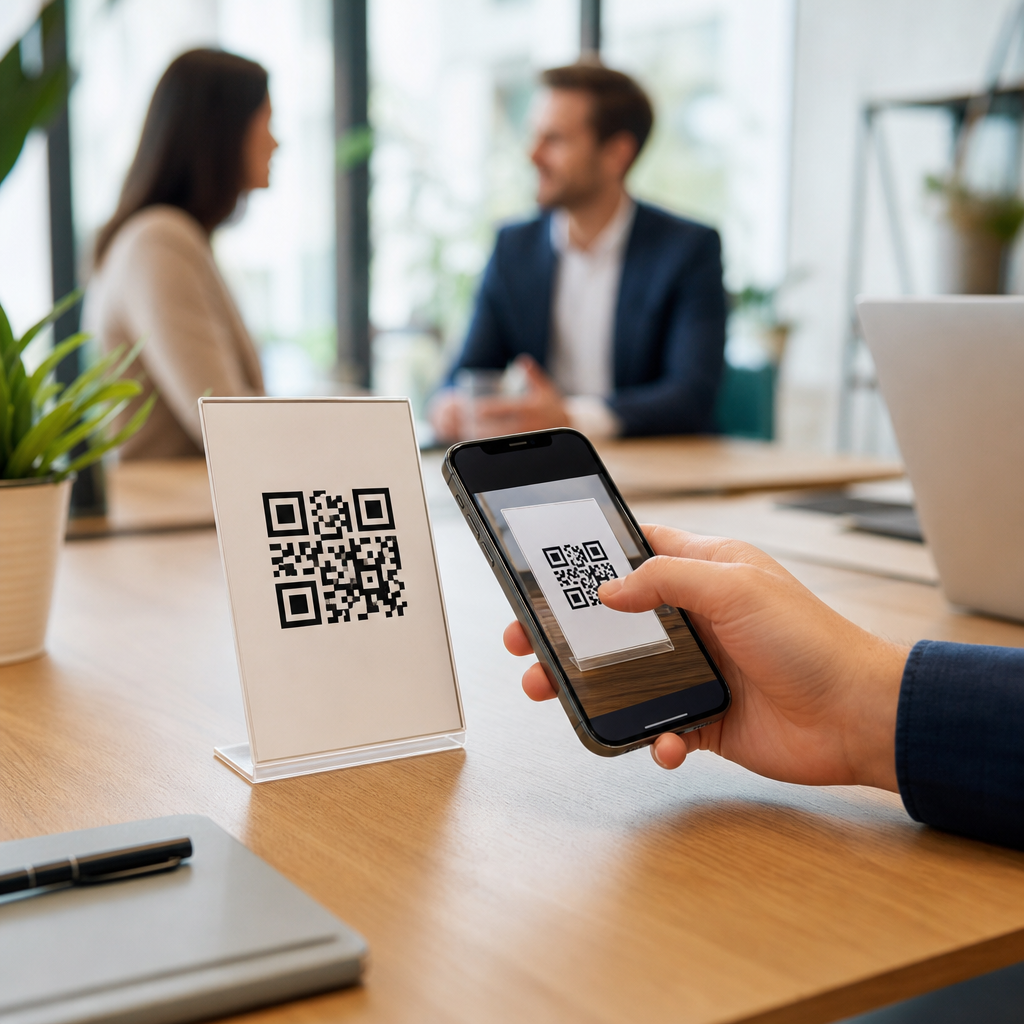
Automating follow-ups using QR codes turns a static scan into a measurable customer journey. Instead of treating a QR code as a simple link, smart teams connect it to a CRM, email platform, sales pipeline, and reporting stack so every scan can trigger the next best action. In practical terms, that means a prospect who scans a booth sign can receive a tailored email, a qualified lead can land in a sales queue, and a customer who scans packaging can enter a post-purchase sequence without manual data entry. For companies building advanced QR code strategies, this matters because speed, relevance, and attribution drive conversion.
A QR code follow-up workflow usually includes four parts: the code itself, a destination experience such as a landing page or form, a system that stores contact and event data, and an automation tool that sends the follow-up. I have implemented these flows for trade shows, direct mail, retail packaging, field sales, and service businesses, and the pattern is consistent: when the scan experience is easy and the backend integration is clean, response rates improve and teams stop losing leads in spreadsheets. The hub topic here is integrating QR codes with CRM and tools, because that integration is what turns interest into an actionable record.
At a technical level, most programs rely on dynamic QR codes, URL parameters, forms, webhooks, and API connections. Dynamic codes are essential because they let you change destinations, append campaign identifiers, and measure scans over time. Parameters such as UTM tags, contact fields, source labels, and campaign IDs tell your CRM where a lead came from and which asset drove engagement. From there, tools like HubSpot, Salesforce, Zoho CRM, Microsoft Dynamics 365, Mailchimp, Klaviyo, Zapier, Make, and Segment can route data and trigger outreach. The goal is not just automation for its own sake. The goal is timely, relevant follow-up that is traceable from scan to revenue.
Build the QR code follow-up architecture before you launch
The most effective QR code automation starts with architecture, not design. Before generating codes, define the event you want to capture, the contact data you need, the destination page, the CRM object that will store the record, and the trigger that starts the follow-up. For lead generation, that often means a dynamic QR code pointing to a mobile landing page with a short form connected directly to your CRM. For customer support or onboarding, it may mean sending a scanner to a knowledge base, app download page, or product registration form tied to an existing account record.
Use dynamic QR codes instead of static ones in almost every business case. Static codes hardcode the destination and make optimization difficult. Dynamic platforms let you update links after print, measure scans by time and device, and assign different destinations by campaign. If a sales team uses QR codes on brochures, booth graphics, product cards, and packaging, dynamic routing lets you distinguish each placement without printing a new code every time. That flexibility is crucial when CRM campaigns evolve or when compliance requires a revised landing page.
Destination design matters as much as backend connectivity. A scan should lead to a fast mobile page, clear value proposition, and a low-friction action. If you ask for too much data up front, completion rates drop. I typically start with name, email, company, and one qualifying field, then enrich records later using progressive profiling in HubSpot or Salesforce forms. This approach balances user experience with lead quality. It also gives automation enough data to personalize the first follow-up without slowing the initial conversion.
Connect QR codes to CRM records, fields, and lifecycle stages
Once a user scans and submits, the CRM must receive structured data. That means mapping fields correctly, setting source attribution, and deciding whether the scan creates a new contact, updates an existing record, or logs an activity against an account. In HubSpot, a QR form can create a contact, stamp original source drill-down values, set a campaign property, and enroll the contact in a workflow. In Salesforce, the same action may create a Lead, attach a Campaign Member status, and trigger a Flow that assigns ownership based on geography or product interest.
Lifecycle stages are where follow-up automation becomes operationally useful. A first-time scanner may enter as a subscriber or lead. A scanner who requests a demo can move to marketing qualified lead, while a returning customer who scans a packaging insert may trigger a service case or cross-sell campaign instead of a sales sequence. Good CRM design prevents every scan from being treated the same. It uses rules, scoring, and context to determine the right path. That reduces irrelevant outreach and improves conversion because messages match intent.
Data hygiene is nonnegotiable. Duplicate records, inconsistent field naming, and missing campaign values make QR reporting unreliable. Set standardized naming conventions for codes, assets, and campaigns. Use hidden fields or parameters to capture source, medium, placement, and offer. Configure deduplication rules in your CRM and test whether existing contacts update gracefully. If privacy rules apply, add consent language and store opt-in status. Follow GDPR, CCPA, and CAN-SPAM requirements by recording lawful basis and honoring communication preferences. Clean data is what allows meaningful automation later.
Use automation tools to send immediate and relevant follow-ups
The simplest QR code follow-up is an instant email after form completion, but the strongest systems branch based on behavior. A prospect who scans a product card and downloads a spec sheet should receive different messaging than someone who scans a coupon on packaging. Marketing automation platforms handle this through workflows, if/then logic, lead scoring, and event-based triggers. Zapier and Make help bridge tools when native integrations are limited, while webhooks allow real-time handoffs from QR platforms to CRMs, messaging tools, and databases.
A practical sequence might look like this: the user scans a trade show QR code, completes a mobile form, receives a thank-you email with the promised asset, and gets added to a nurture workflow. If the lead opens the email, visits the pricing page, or books a meeting, the system raises the score and alerts sales. If the lead does nothing, a reminder email goes out two days later, followed by a case study on day five. Every step happens automatically, but it feels responsive because it is tied to the person’s actual actions.
| Use case | QR destination | CRM action | Automated follow-up |
|---|---|---|---|
| Trade show lead capture | Mobile form | Create lead and campaign member | Asset email, score update, sales task |
| Direct mail offer | Personalized landing page | Update contact and attribution fields | Coupon email, reminder, retargeting audience sync |
| Product packaging | Registration or onboarding page | Match to customer record | Setup tips, review request, cross-sell flow |
| Field sales leave-behind | Meeting booking page | Log activity on account | Calendar confirmation and rep notification |
SMS, in-app messages, and sales notifications can complement email when urgency is higher. For example, service businesses often use QR codes on quotes or door hangers, then trigger text reminders if a prospect starts but does not complete a request form. B2B teams can notify an account executive in Slack or Microsoft Teams the moment a target account scans a product-specific code. The underlying principle is the same across channels: automate the routine actions, but trigger them from high-quality signals so the outreach stays useful rather than noisy.
Measure performance, troubleshoot friction, and scale across campaigns
To improve QR code automation, measure the full funnel, not just scan counts. Useful metrics include unique scans, form completion rate, known-contact match rate, email delivery, open and click rates, meeting bookings, pipeline created, and revenue influenced. QR platforms provide top-of-funnel scan data, while your CRM and analytics tools reveal whether scans became qualified opportunities. Google Analytics 4 can track landing page behavior, and CRM attribution reports can show whether a campaign generated first touch, lead creation, or closed-won influence. These measurements tell you where the workflow is leaking.
When results underperform, the issue is usually one of five things: weak offer, slow mobile page, too many form fields, broken field mapping, or poor follow-up timing. I test each step manually before launch, then run real-device checks on iPhone and Android. Scan the printed code from different distances and lighting conditions. Confirm that hidden parameters pass correctly. Verify that the CRM record updates, the workflow enrolls, and the correct email variant sends. This kind of QA prevents the common problem where marketing sees scans but sales never sees leads.
Scaling requires governance. Create a repeatable taxonomy for campaign names, maintain a central QR code inventory, and document which tool owns each part of the stack. Use templates for landing pages, forms, and workflows so teams can launch faster without breaking standards. As this hub under Advanced QR Code Strategies expands, related articles should go deeper on dynamic versus static codes, QR code lead attribution, QR codes for trade shows, QR codes in direct mail, QR code analytics dashboards, CRM field mapping, webhook setups, and consent management. Start with one high-intent use case, connect it cleanly, and then scale the model across channels.
Turn every scan into a trackable next step
Automating follow-ups using QR codes is ultimately about operational discipline. The code on the page, package, sign, or mailer is only the front door. The real value comes from what happens after the scan: clean capture, accurate CRM syncing, smart segmentation, and timely outreach that reflects intent. When those pieces work together, teams respond faster, personalize better, and attribute results with much more confidence. That is why integrating QR codes with CRM and tools deserves hub-level attention within any advanced QR code strategy.
The key takeaways are straightforward. Use dynamic QR codes, design mobile-first destinations, map data carefully into your CRM, trigger role-appropriate follow-ups, and measure the funnel from scan to revenue. Be honest about tradeoffs: more data fields may help qualification but hurt conversion, and more automation can increase volume but reduce relevance if triggers are weak. The best systems balance efficiency with context. They automate what should be automatic and leave room for human sales or service intervention when intent is high.
If you want better results from QR campaigns, audit one live workflow this week. Trace the path from scan to CRM to follow-up, fix any attribution or timing gaps, and standardize the setup so future campaigns launch faster. That single exercise will usually uncover the fastest path to better lead capture, stronger nurturing, and more reliable reporting.
Frequently Asked Questions
1. How do QR codes automate follow-ups instead of just sending people to a webpage?
QR codes automate follow-ups when they are connected to the systems that manage customer data, messaging, and sales activity rather than being treated as a one-time destination link. In a basic setup, a QR code opens a landing page and the interaction ends there unless the visitor takes another action. In an automated setup, the scan becomes the first tracked event in a larger workflow. Once someone scans, that action can be recorded in a CRM, tied to a campaign source, and used to trigger email sequences, SMS reminders, lead scoring updates, internal sales notifications, or post-purchase nurturing. The key is that the QR code points to a tracked experience, such as a form, product page, appointment scheduler, or gated resource, where the user can be identified and segmented.
For example, a person who scans a QR code on trade show signage might be taken to a lead capture page with a product-specific offer. If they complete the form, the CRM can automatically assign them to a sales rep, enroll them in an email series related to the product they viewed, and update a dashboard showing campaign performance by event. If an existing customer scans a QR code on packaging, the system can recognize the context of that scan and trigger onboarding emails, usage tips, warranty registration, or review requests. This is what makes QR code follow-up automation so effective: each scan can initiate the next best action based on who scanned, where they scanned, and what they did next.
2. What tools do I need to build an automated QR code follow-up system?
At minimum, you need four pieces working together: a QR code generator, a destination experience, a CRM or customer database, and an automation platform. The QR code generator should support dynamic QR codes so you can change the destination later, add tracking parameters, and monitor scan activity without reprinting materials. The destination experience is usually a mobile-friendly landing page, form, booking page, product page, or support portal. This is where the visitor moves from anonymous traffic to an identifiable lead or customer. The CRM stores contact details, campaign source, scan-related context, and lifecycle stage. The automation platform then uses that information to trigger follow-ups such as emails, texts, pipeline tasks, or retargeting audience updates.
Most teams also benefit from adding analytics and reporting tools. UTM parameters, event tracking, and dashboard reporting help you understand which QR codes, placements, and campaigns are producing qualified engagement rather than just raw scan counts. If your sales team is involved, a pipeline or sales engagement tool can push qualified scans directly into a queue for outreach. If you serve existing customers, customer success or support tools can route packaging scans into onboarding, troubleshooting, or upsell journeys. The best stack is not necessarily the most complex one. What matters is that the handoff between scan, identification, segmentation, and follow-up is clean and measurable. When your tools are integrated properly, you can see the full path from offline interaction to online conversion and ongoing customer communication.
3. What kinds of follow-ups can be triggered after someone scans a QR code?
The possible follow-ups depend on the context of the scan and the data you collect, but the most effective programs use QR codes to trigger highly relevant next steps. For lead generation, a scan can trigger a welcome email, a downloadable resource, a meeting booking invitation, or an alert to the sales team when the lead meets qualification criteria. For retail or packaging use cases, a scan might start a post-purchase journey with setup instructions, product education, replenishment reminders, loyalty offers, and review requests. In hospitality, healthcare, real estate, and events, QR code scans can route people into appointment confirmations, personalized reminders, feedback surveys, or location-specific information sequences.
The strongest automations are based on segmentation rather than a one-size-fits-all response. Someone who scans a QR code from a direct mail piece should not necessarily receive the same follow-up as someone who scans one at a trade show booth or on product packaging. You can tailor the workflow using variables such as scan source, device type, location, landing page behavior, purchase status, and form responses. For instance, if a visitor scans a booth code and selects interest in enterprise pricing, they can be routed into a high-intent sales workflow. If another visitor scans packaging to access setup instructions, they can receive customer education instead of prospecting messages. This level of relevance improves engagement, protects the user experience, and makes your automated follow-ups feel timely rather than generic.
4. How can I track the success of automated follow-ups driven by QR codes?
Success should be measured across the full journey, not just at the point of scan. Scan volume is useful, but it is only the top of the funnel. To understand performance, you should track how many scans lead to landing page visits, form completions, email opt-ins, booked meetings, qualified opportunities, purchases, repeat purchases, or support deflection depending on your goal. Dynamic QR codes and campaign parameters make it possible to compare placements, audiences, and creative versions. For example, you can measure whether a QR code on booth signage outperforms one on printed handouts, or whether packaging inserts generate more repeat engagement than box labels.
It is also important to connect scan activity to downstream business outcomes. In a CRM-driven process, you can attribute leads and revenue back to the original QR interaction. In an email platform, you can measure open rates, click-through rates, and conversion rates for the sequences triggered by a scan. In a sales pipeline, you can track lead response time, stage progression, and close rate for QR-generated opportunities. Reporting should help answer practical questions such as which campaigns produce the highest-quality leads, which follow-up sequence drives the most appointments, and where users drop off in the process. When these metrics are reviewed together, QR codes become much more than a print convenience. They become a measurable acquisition, nurture, and retention channel.
5. What are the best practices for creating QR code follow-up workflows that actually convert?
Start with a clear objective for each QR code. A QR code that appears on packaging, event signage, direct mail, and in-store displays should not all point to the same generic page unless the business case is exactly the same. Define the desired outcome first, whether that is capturing a lead, booking a demo, onboarding a customer, collecting feedback, or driving repeat orders. Then build a mobile-first destination that delivers on the promise implied by the call to action. If the code says “Get pricing,” the visitor should land on a pricing-focused experience. If it says “Register your product,” the next step should be immediate and friction-free. Reducing unnecessary steps is one of the biggest factors in improving conversion rates.
From there, focus on segmentation, data hygiene, and speed. Use different dynamic QR codes for different placements so you can personalize the follow-up and measure each source accurately. Keep forms short, collect only the data you need, and pass that data directly into your CRM and automation platform. Set rules for lead qualification, routing, suppression, and frequency so people receive the right follow-up without duplicate or conflicting messages. Test landing pages, calls to action, timing, and message sequences regularly. Also make sure your privacy disclosures, consent practices, and tracking methods align with applicable regulations and customer expectations. The most successful QR code automation strategies feel seamless to the user and disciplined behind the scenes. When every scan is tied to a purposeful workflow, smart segmentation, and reliable reporting, follow-ups become faster, more relevant, and far more likely to convert.





