
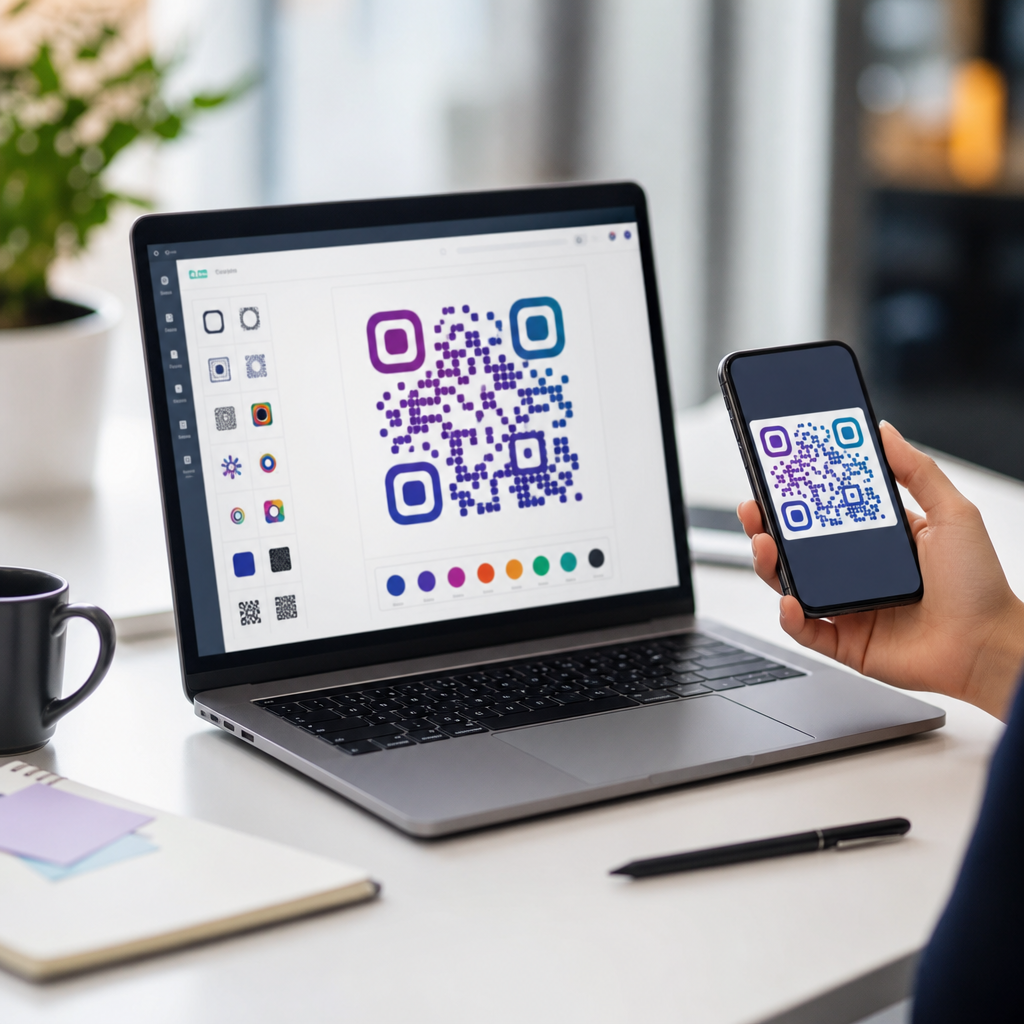
QR code personalization has moved far beyond swapping black squares for brand colors, and the best tools now help businesses design, track, test, and govern custom codes that still scan reliably across devices. In practice, QR code personalization means adapting a code’s visual appearance, destination logic, analytics, and post-scan experience to fit a specific audience, campaign, or brand system. I have used personalized QR codes in retail packaging, event signage, restaurant menus, direct mail, and B2B sales collateral, and one lesson repeats: customization only works when it protects usability first. A beautiful code that fails under low light, poor print quality, or older smartphone cameras is not personalized marketing; it is a broken entry point. That is why choosing the right tool matters. The strongest platforms combine design controls, dynamic redirects, error correction management, testing workflows, and measurable performance reporting. They also support practical needs such as team permissions, short-link editing, UTM tagging, and file exports for print and digital channels. As part of advanced QR code strategies, this topic matters because personalized codes consistently outperform generic ones when they clearly signal trust, relevance, and value. Users scan more readily when a code looks official, matches the surrounding creative, and promises a tailored landing page. Marketers, operators, and product teams therefore need tools that support both customization and governance at scale.
What the best QR code personalization tools should include
The best QR code personalization tools share a core set of capabilities, and any platform missing several of them will create avoidable risk. First, look for dynamic QR codes, which allow the destination URL to be changed after printing. This is essential for seasonal campaigns, A/B testing, and fixing errors without reprinting assets. Second, look for visual customization controls that go beyond color pickers. A strong generator should allow editable eyes, module styles, frames, logos, quiet-zone protection, and export settings for SVG, EPS, PNG, and PDF. Third, analytics must be built in or easily connected. Useful reporting includes scans over time, unique versus total scans, device type, operating system, approximate location, and campaign source parameters. Fourth, governance matters. Teams need folders, naming conventions, expiration settings, password protection where appropriate, and role-based access.
Reliability features are equally important. In my testing, the platforms that consistently perform best provide clear feedback about contrast ratios, error correction levels, and logo coverage so users do not accidentally damage scanability. The ISO/IEC 18004 standard governs QR code symbology, but many design tools still let users push customization too far. A practical rule is to maintain high contrast, preserve enough quiet zone around the code, and avoid obscuring finder patterns. Good tools guide users toward those constraints instead of simply offering flashy templates. Finally, the landing-page side of personalization should not be ignored. Some tools include mobile landing pages, forms, app links, vCards, coupon templates, or menu builders. That can accelerate deployment for small teams, though enterprise teams often prefer to connect codes to their own CMS, CRM, or analytics stack for deeper control.
Top platforms for branded design, campaign flexibility, and team use
For broad business use, QR Code Generator Pro, Bitly, Uniqode, Flowcode, Beaconstac, and Scanova are among the most capable tools for QR code personalization. Each approaches the problem differently. QR Code Generator Pro is strong for ease of use, brand customization, and quick campaign launches. It gives nontechnical teams a gentle learning curve while still supporting dynamic codes and analytics. Bitly is especially effective when QR codes are part of a larger link management strategy. If your organization already uses branded short domains, campaign tagging, and redirect governance, Bitly creates a cleaner workflow by keeping links and QR assets under one system. Uniqode and Beaconstac are particularly good for larger organizations that need advanced dashboards, bulk creation, API access, and stronger administrative controls. I have seen both used effectively in multi-location operations where hundreds of codes need lifecycle management rather than one-off design.
Flowcode stands out for design polish and campaign presentation, making it popular with creators, event marketers, and consumer-facing brands. It is often a good fit when visual appearance and simple analytics matter more than deep enterprise integrations. Scanova offers a balanced mix of customization, dynamic editing, and use-case templates such as PDF, website, social, and app download codes. Adobe Express and Canva also deserve mention, but mainly as design-layer tools rather than full QR code management platforms. They are convenient for building attractive static assets inside broader creative workflows, yet they usually need to be paired with a robust dynamic QR service if analytics, editing, or governance are required. For a sub-pillar hub on QR code personalization, the key point is this: the best tool depends on whether your primary need is brand expression, campaign management, enterprise scale, or all three.
How leading tools compare on personalization features
When evaluating platforms, compare not just template variety but the operational details that affect campaign outcomes. A design team may love visual freedom, while an operations team may prioritize API access, audit trails, and redirect control. The table below highlights the practical differences that matter most when selecting a QR code personalization platform.
| Tool | Best fit | Personalization strengths | Key limitation |
|---|---|---|---|
| Bitly | Brands managing links and QR codes together | Branded short links, dynamic redirects, campaign tagging, governance | Design options are solid but less playful than design-first platforms |
| Uniqode | Enterprise and multi-location teams | Bulk generation, API, strong analytics, advanced management controls | More features can mean a steeper setup process |
| Beaconstac | Marketing teams needing scale and compliance | Dynamic codes, retargeting support, team permissions, integrations | Higher-tier features may exceed small-business needs |
| Flowcode | Events, creators, consumer campaigns | Attractive templates, easy customization, quick deployment | Less depth for complex enterprise administration |
| Scanova | General business use across common campaign types | Flexible templates, dynamic editing, solid analytics | Interface depth varies by plan and use case |
| QR Code Generator Pro | Fast branded campaigns for nontechnical teams | Simple editor, strong branding controls, practical reporting | May lack the deepest enterprise workflows |
No single tool wins every category. In a retail rollout, I would usually favor Uniqode or Beaconstac for centralized control across stores. For a conference sponsorship with changing destinations and quick-turn creative, Flowcode or QR Code Generator Pro can be more efficient. For organizations standardizing on one branded link infrastructure, Bitly often becomes the most defensible choice because it reduces fragmentation.
Choosing tools by use case: packaging, menus, events, and direct mail
Different QR code personalization scenarios require different tool strengths. On product packaging, dynamic redirects and long-term durability matter most because codes may remain in market for months. A food brand might print one QR code on nationwide packaging, then redirect users by season to recipes, loyalty offers, or recall information. In that case, enterprise controls, scan analytics, and print-safe vector exports are critical. Restaurants typically need menu personalization, location logic, and quick edits. During the shift toward contactless ordering, many operators learned that static menu PDFs created maintenance problems because every price change required replacing the file. Tools that connect QR codes to editable landing pages or CMS-driven menus are much more resilient.
Events need speed and contextual relevance. A sponsor may personalize one code for booth signage, another for speaker slides, and another for attendee badges, each with distinct tracking parameters and landing pages. Here, campaign segmentation and easy mobile page building matter more than deep back-end integration. Direct mail sits somewhere in between. Personalized mailers often work best when the QR code routes by audience segment, household, or offer type. I have seen response rates improve when the code matches the recipient’s geography, product interest, or renewal stage rather than pointing everyone to the same generic homepage. In all these cases, the tool should support naming conventions, asset organization, and destination editing. Personalization is not just visual. It is the combination of branded appearance, smart routing, and a landing experience that clearly continues the message promised by the print piece or screen.
Implementation mistakes to avoid when personalizing QR codes
The most common mistake is overdesign. Teams add gradients, low-contrast colors, oversized logos, or decorative backgrounds that look impressive in mockups but fail in real environments. A code should be tested at intended print size, material, lighting condition, and scanning distance before launch. Gloss packaging, curved bottles, backlit displays, and outdoor signage all introduce friction. Another mistake is using static codes when the campaign is likely to evolve. Static codes are fine for permanent destinations with little risk of change, but they are a poor choice for active marketing where landing pages, tracking parameters, or regional offers may shift. Weak naming and folder structure is another operational problem. Once an organization has dozens or hundreds of codes, poor governance leads to duplicate assets, orphaned destinations, and accidental edits.
Analytics blind spots also undermine personalization. If a platform cannot separate unique scans from repeat scans, or if UTM conventions are inconsistent, teams may misread performance. It is equally important to optimize the page after the scan. A personalized code that opens a slow, unbranded, or nonmobile page wastes the scan. I recommend testing with Google Analytics 4, Tag Manager, and page-speed tools alongside the QR platform’s native reports. Finally, do not ignore security and trust signals. Users are more cautious about scanning unfamiliar codes than they were a few years ago. Branded frames, clear calls to action, recognizable domains, and context such as “Scan to view today’s menu” increase confidence. The best personalization tools support that trust by letting the destination remain brand-consistent from code to landing page.
Best tools for QR code personalization: final recommendations
The best tools for QR code personalization are the ones that balance creative freedom with scan reliability, dynamic control, and measurable outcomes. For enterprise programs, Uniqode and Beaconstac are strong choices because they combine analytics, administration, and scale. For organizations centered on link governance, Bitly is an efficient option that unifies redirects and QR management. For visually led campaigns and fast launches, Flowcode and QR Code Generator Pro are practical, approachable tools. Scanova remains a dependable middle-ground choice for teams that want broad utility without unnecessary complexity. The right selection depends on your use case, internal workflow, and how many codes you need to manage over time.
As a hub within advanced QR code strategies, this topic should guide your next decisions: choose dynamic over static when flexibility matters, prioritize scanability over decoration, match the landing experience to the scan context, and measure every campaign consistently. Personalization works because it reduces friction and increases relevance at the exact moment of user intent. Audit your current QR stack, test one high-value campaign with a stronger platform, and build a repeatable process from design through reporting.
Frequently Asked Questions
What should I look for in the best tools for QR code personalization?
The best QR code personalization tools do much more than let you change a code’s color or add a logo. A strong platform should help you balance branding, usability, and performance. First, look for design controls that allow you to customize colors, eye shapes, patterns, frames, calls to action, and logo placement without pushing the code past the point where it becomes difficult to scan. Good tools also provide built-in guidance on contrast, error correction, quiet zones, and size requirements so your custom design still works in real-world conditions.
Second, prioritize dynamic QR code functionality. Dynamic codes let you update the destination after printing, which is extremely valuable for retail packaging, event signage, restaurant menus, and direct mail campaigns. Instead of reprinting materials, you can change a landing page, rotate promotions, localize experiences, or redirect users based on campaign timing. This flexibility is one of the biggest reasons businesses move from basic QR generators to more advanced personalization platforms.
Third, analytics and testing features matter. The best tools track scans by date, location, device type, and campaign source, helping you understand what is actually working. Some also support A/B testing, unique scan attribution, and integrations with analytics platforms or CRMs. If you are using QR codes as part of a broader marketing strategy, these reporting capabilities are essential. Finally, look at governance and team controls. Larger organizations often need brand templates, approval workflows, user permissions, and asset libraries to ensure personalized QR codes stay consistent across departments and campaigns.
Do personalized QR codes still scan reliably, or does customization make them less effective?
Personalized QR codes can scan extremely well when they are designed correctly, but excessive customization can absolutely reduce performance. The core issue is that a QR code is still a machine-readable pattern, even when it is being adapted for branding. If a tool encourages visual changes without enforcing technical best practices, you can end up with codes that look impressive in a mockup but fail under common scanning conditions such as low light, glare, curved packaging, or older smartphone cameras.
The most reliable personalization tools account for this by protecting the structural integrity of the code. They typically maintain appropriate error correction levels, preserve the quiet zone around the code, flag low-contrast combinations, and limit design changes that interfere with the finder patterns and data modules. Some platforms also provide scan-readiness scores, device previews, or testing simulations before you publish. Those features are especially useful when you are placing codes on materials like product labels, menus, window decals, and outdoor signage where environmental factors affect scanning.
In practice, the safest approach is to treat customization as a controlled enhancement rather than a full redesign. Use strong contrast, avoid overcrowding the center with oversized logos, and test across multiple devices before launch. A good tool helps you do this systematically, not by guesswork. So yes, personalized QR codes can remain highly effective, but the quality of the platform and the discipline of the design process make a major difference.
Why are dynamic QR codes better than static QR codes for personalization?
Dynamic QR codes are generally better for personalization because they let you modify what happens after the scan without changing the printed code itself. With a static QR code, the destination is fixed forever. If the URL changes, the campaign expires, or the landing page needs to be adjusted for a different audience, you have to create and distribute a new code. That limitation becomes expensive and inefficient when QR codes appear on packaging, posters, direct mail pieces, menus, badges, or in-store displays.
Dynamic QR codes solve that problem by routing scans through a managed short link or redirect layer. This gives you the ability to update destinations, schedule campaign changes, segment audiences, and personalize the post-scan experience over time. For example, a restaurant can use one printed code but update menu content by season, time of day, or location. An event team can redirect the same code from registration to agenda details to post-event surveys. A retail brand can personalize by campaign wave, geography, or product line without replacing packaging already in circulation.
They also unlock analytics, which is a major advantage. Most static codes offer little or no reporting unless you build your own tracking structure. Dynamic QR code platforms usually provide scan counts, timestamps, approximate locations, devices, and referral insights. This data helps you improve design, messaging, placement, and conversion flow. For businesses that see QR codes as an active marketing asset rather than a one-time utility, dynamic functionality is usually the foundation of meaningful personalization.
How important are analytics and testing features in QR code personalization tools?
Analytics and testing are critical because personalization is only useful if you can measure whether it improves results. It is easy to create a visually customized QR code that matches a campaign, but without reporting, you are left guessing whether people scanned it, when they engaged, where they were, what device they used, and what happened next. The best QR code personalization tools close that gap by turning a code into a measurable channel rather than a decorative shortcut.
Useful analytics typically include total scans, unique scans, scan time trends, device breakdowns, geographic data, and sometimes conversion-related metrics through integrations with web analytics, marketing automation tools, or CRM systems. This information helps you answer practical questions: Does a code on product packaging outperform one on shelf signage? Are direct mail recipients scanning more in the evening? Are event attendees using iPhones or Android devices more often? These insights shape both creative and operational decisions.
Testing features are just as valuable. A strong platform may let you compare landing pages, calls to action, frame text, or destination logic across campaigns. Even basic testing can reveal major differences in scan rate and downstream engagement. If you are deploying personalized QR codes across retail, hospitality, events, or print marketing, these features let you optimize based on evidence instead of assumptions. In other words, analytics tell you what happened, and testing helps you improve what happens next.
Which businesses benefit most from using advanced QR code personalization tools?
Advanced QR code personalization tools are especially useful for businesses that manage multiple campaigns, audiences, or physical touchpoints. Retail brands are a strong example because they often place QR codes on packaging, shelf displays, product inserts, and promotional materials. Personalization tools allow them to keep codes aligned with brand standards, update destinations without reprinting, and measure engagement by product line, market, or promotion. That combination of flexibility and reporting is hard to achieve with simple QR generators.
Restaurants and hospitality businesses also benefit significantly. A restaurant may use personalized QR codes for menus, table ordering, loyalty programs, review generation, or seasonal specials. A hotel might use them for guest services, check-in instructions, amenity guides, and local recommendations. In both cases, dynamic destinations and branded post-scan experiences improve convenience while giving operators more control over updates and customer engagement.
Event organizers, healthcare providers, real estate firms, educational institutions, and direct mail marketers can also gain a lot from advanced tools. Events often require fast changes and segmented information, such as separate links for attendees, sponsors, and staff. Real estate teams may personalize by property or agent. Direct mail campaigns can use unique or segmented codes to track response by audience list or creative variation. Any organization that needs branded consistency, measurable engagement, and the ability to adapt after distribution will usually find that advanced QR code personalization tools provide far more value than basic, one-off code generators.





