
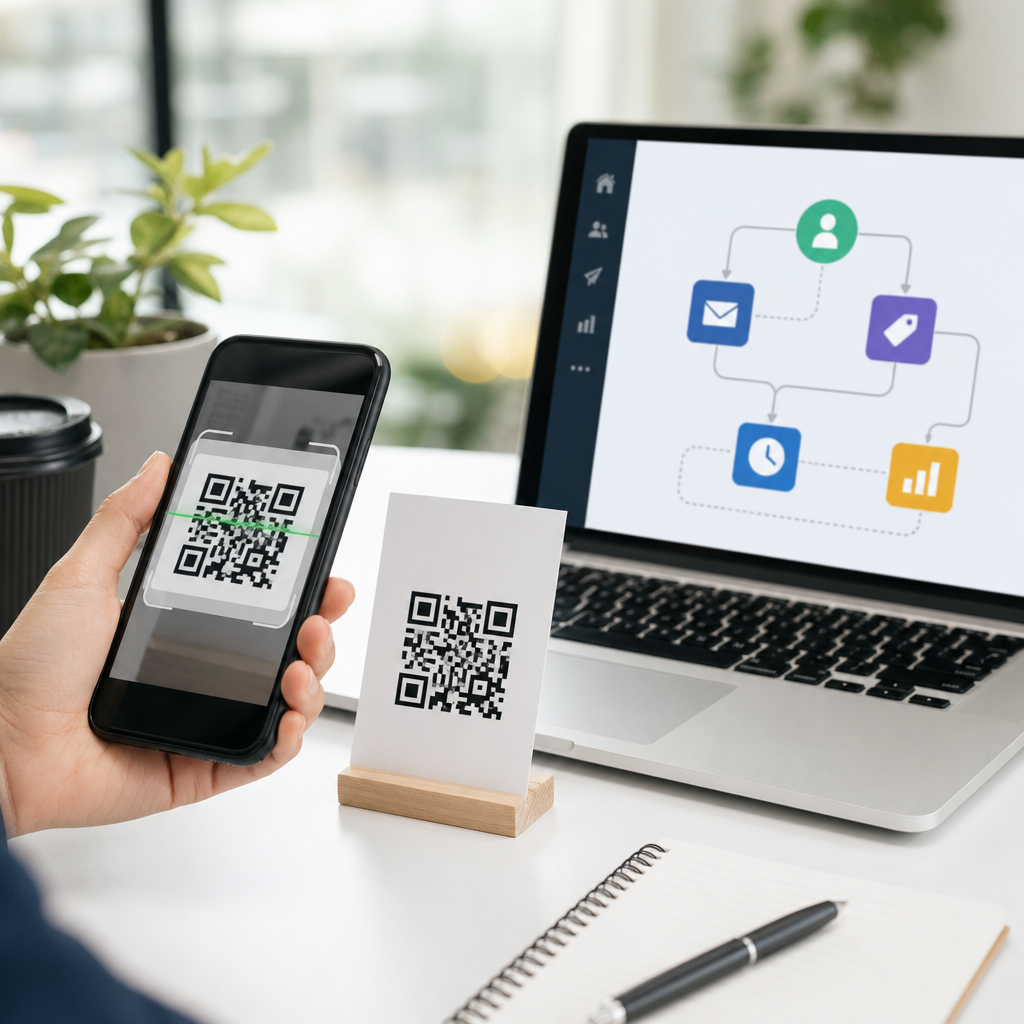
QR codes have evolved from simple scannable squares into high-leverage triggers inside modern marketing automation platforms. In practical terms, a QR code is a machine-readable graphic that sends a user to a digital destination, while marketing automation is the software layer that captures intent, applies rules, and delivers follow-up across email, SMS, ads, CRM records, and sales workflows. When you combine them, offline attention becomes measurable digital behavior. I have used QR campaigns in trade shows, direct mail, retail packaging, field sales, and event check-in flows, and the pattern is consistent: the code itself is never the strategy; the automation behind it is what creates revenue, attribution, and useful customer data.
This matters because marketers still struggle to connect physical touchpoints to automated journeys. A print ad may drive awareness, but without a trackable interaction, it is difficult to know who responded, what they wanted, and which next step improved conversion. QR codes close that gap. They can identify campaign source, route visitors to segmented landing pages, trigger nurturing sequences, create CRM activities, enroll contacts into lead scoring models, and inform retargeting audiences. Done correctly, they also support consent management, first-party data collection, and cleaner handoffs between marketing and sales. Done poorly, they produce dead links, weak attribution, duplicate contacts, and scans that never enter the automation system.
For this advanced QR code strategies hub, the focus is QR codes plus AI and automation: how to design the code experience, connect it to platforms such as HubSpot, Marketo, Salesforce Account Engagement, ActiveCampaign, Mailchimp, Klaviyo, or Zapier-driven stacks, and use intelligence to personalize the next action. The goal is not merely more scans. The goal is to turn a scan into an identifiable event, map it to intent, and automatically deliver the right message, offer, or task at the right time.
How QR codes fit into marketing automation architecture
The most effective way to think about QR codes in marketing automation is as entry points to a data pipeline. A customer scans a code on packaging, signage, a brochure, a postcard, or a badge. That scan opens a URL containing tracking parameters such as UTM source, medium, campaign, content, location, product line, or sales rep ID. The landing page captures analytics, identifies the visitor if possible, and presents a form, chatbot, scheduler, offer, or product page. The automation platform then records the session, updates the contact profile, and launches workflows based on rules.
In HubSpot, for example, a scanned QR code can route to a landing page with hidden fields populated from URL parameters. Once the form is submitted, a workflow can assign lifecycle stage, notify sales, send a follow-up email, add the contact to a list, and branch based on industry or product interest. In Marketo, the same pattern might update a program status, write values into custom fields, trigger a smart campaign, and sync to Salesforce. In Klaviyo, QR traffic from product inserts can be tied to post-purchase flows, review requests, replenishment reminders, and VIP segmentation.
The critical design principle is to use dynamic QR codes rather than static codes whenever possible. A dynamic code points to a redirect service you control, allowing you to change the destination after print production, append parameters consistently, and gather scan-level reporting. That flexibility matters when campaign links break, offers change, or regional teams need localized pages. It also supports governance: one code can resolve to different destinations based on device type, language, store location, or business hours.
Building a scan-to-automation workflow that actually converts
High-performing QR automation starts before the scan. The placement, call to action, and promise determine whether anyone engages. “Scan to learn more” is weak because it lacks value. “Scan to book a demo in 30 seconds,” “Scan for installation instructions,” or “Scan to unlock wholesale pricing” creates a clear exchange. I have repeatedly seen lift when the user knows exactly what happens next and why scanning is worth the effort.
After the scan, speed and continuity matter. Mobile landing pages should load quickly, match the physical context, and reduce friction. A code on product packaging should not send users to a generic homepage. It should open the exact support article, registration page, setup wizard, warranty form, or cross-sell collection tied to that SKU. A code on a conference booth should lead to a mobile form with short fields, prefilled hidden campaign metadata, and a calendar option if buying intent is high.
Use this sequence as the operational baseline:
| Stage | What happens | Automation action |
|---|---|---|
| Scan | User opens dynamic QR URL with campaign parameters | Analytics records source, location, asset, and time |
| Landing | Mobile page matches the offer and context | Cookie or session begins; personalization rules load |
| Conversion | User submits form, starts chat, buys, or books | Contact created or updated in CRM and automation platform |
| Qualification | Intent signals are evaluated | Lead score changes, owner assigned, segment updated |
| Follow-up | User receives the next best message | Email, SMS, ad audience sync, or sales task is triggered |
| Measurement | Results are tied back to the original asset | Dashboards report scans, conversion rate, pipeline, and revenue |
This workflow converts because each step preserves context. The campaign metadata attached at the scan level must remain available through the form submission, CRM sync, and reporting layer. If the source disappears after the click, attribution becomes unreliable and optimization stalls.
Using AI to personalize QR code journeys
AI improves QR-driven automation when it is applied to decisioning, not decoration. The strongest use cases are predictive segmentation, next-best-action recommendations, lead scoring refinement, content personalization, send-time optimization, and conversational capture through AI chat. For example, if a QR code on an equipment brochure identifies a visitor as coming from a manufacturing trade show, the automation platform can route that visitor to an industry-specific page, surface a calculator relevant to plant operations, and prioritize a sales development follow-up if the behavior matches high-intent patterns from prior deals.
Large platforms already support pieces of this. HubSpot uses predictive lead scoring and content recommendations. Salesforce can combine CRM history, Einstein scoring, and Flow automation. Marketo users often layer AI from Adobe or external systems for account prioritization and content selection. Klaviyo applies product recommendation logic that can be highly effective for packaging QR codes and in-store displays. Even smaller stacks can use Zapier, Make, OpenAI, or webhook-based enrichment to classify form responses, summarize chat transcripts, and trigger the right nurture path.
One practical example: a home services company prints different QR codes on yard signs, invoices, and service vans. The landing page asks one qualifying question and captures ZIP code. AI categorizes the request as urgent repair, maintenance, or estimate; checks service area fit; and routes the contact accordingly. Urgent repair leads get immediate SMS and dispatch alerts. Maintenance leads enter a seasonal nurture sequence. Estimate requests create a task for inside sales with a concise AI summary of the homeowner’s need. The QR code initiates the interaction, but AI improves speed, relevance, and routing accuracy.
Attribution, analytics, and governance across channels
If you cannot measure the business impact of QR scans, the program will be treated as a novelty. The essential metrics are scan volume, unique scans, scan-to-session rate, bounce rate, form completion rate, meeting booking rate, purchase rate, assisted conversion value, pipeline created, and revenue influenced. For offline campaigns, compare asset-level performance: direct mail version A versus version B, booth signage versus printed handout, shelf talker versus package insert. Named tools such as Google Analytics 4, HubSpot campaign reporting, Salesforce dashboards, Segment, Adobe Analytics, and Looker Studio can all support this, but only if the identifiers are standardized.
Create a strict naming convention for every QR destination. Include channel, region, asset type, audience, offer, and date. Use redirect management so links can be updated centrally. Maintain documentation for parameter rules, CRM field mapping, consent language, and expiration handling. Governance sounds tedious, but it prevents common failures: duplicate campaign names, broken links after site migrations, inconsistent UTM tagging, and forms that overwrite source data.
Privacy and compliance deserve equal attention. A QR scan alone is usually anonymous until the visitor identifies themselves, but once personal data is collected, consent, data retention, and communication preferences apply. For European traffic, align forms and follow-up logic with GDPR requirements. For SMS programs, capture express consent and preserve audit trails. For healthcare, financial services, or education campaigns, confirm whether the landing page, analytics setup, and automation platform meet sector-specific obligations. Automation should reduce manual risk, not multiply it.
Best practices for this advanced QR code strategies hub
As a hub page for QR codes plus AI and automation, the most important takeaway is that success depends on orchestration. Use dynamic codes. Match each code to a specific intent. Send scanners to mobile-first pages, not generic homepages. Pass campaign metadata through every system. Connect forms, chat, CRM, and workflows before launch. Apply AI to routing and personalization where it adds measurable value. Review dashboards weekly and retire underperforming assets quickly.
There are tradeoffs. More personalization can improve conversion, but it increases implementation complexity and governance needs. Deep CRM integration strengthens attribution, but it also exposes data quality issues that basic campaigns hide. AI can improve prioritization, yet it must be monitored for inaccurate classification or biased scoring. The disciplined approach is to start with one or two high-intent use cases, document the workflow, validate tracking end to end, and expand only after the team can prove operational reliability.
Used this way, QR codes become more than convenience tools. They become a measurable bridge between physical marketing and automated customer journeys, giving teams better attribution, faster follow-up, and more relevant experiences at scale. If you are building an advanced QR program, audit one existing offline touchpoint this week, attach a dynamic code, map the scan to a clear workflow, and measure what changes. That single implementation usually reveals where the next gains in conversion and efficiency will come from.
Frequently Asked Questions
1. How do QR codes work inside marketing automation platforms?
QR codes work as bridge tools between a physical interaction and a digital automation workflow. When someone scans a QR code, they are typically sent to a landing page, form, product page, event registration page, downloadable asset, or tracked web experience. The marketing automation platform then records that visit, attributes the source, and can trigger follow-up actions based on what the person does next. In other words, the QR code starts the journey, and the automation platform manages what happens after the scan.
In practical campaigns, this means you can place a QR code on direct mail, packaging, in-store signage, trade show materials, print ads, invoices, business cards, or even presentation slides. Once scanned, the destination URL usually includes tracking parameters, unique identifiers, or campaign tags. Those tags tell the platform exactly which asset drove the scan, which audience segment responded, and whether the person is already known in your database. If the contact already exists, the platform can update their profile, score their engagement, assign them to a workflow, notify sales, or personalize the next message. If they are new, the platform can capture consent, create a new lead record, and begin a nurture sequence.
The real value is that QR codes turn passive offline exposure into measurable intent signals. Instead of guessing whether a brochure, poster, or mailer worked, you can see scans, sessions, conversions, and downstream revenue activity. That visibility is why QR codes fit so well into marketing automation: they are not just destination links, but campaign triggers that connect physical marketing to digital attribution and automated follow-up.
2. What are the best ways to use QR codes in automated marketing campaigns?
The best use cases are the ones where a scan signals meaningful interest and where the next step can be automated immediately. One common example is lead capture. A QR code on event signage or printed collateral can send users to a short form, and once they complete it, your platform can enroll them in a tailored email workflow, assign a lifecycle stage, and alert the right salesperson. Another strong use case is gated content. A QR code can promote a guide, demo, webinar, or case study, with automation handling delivery, segmentation, and follow-up messaging based on engagement.
QR codes are also highly effective for post-purchase and customer retention workflows. For example, a code on product packaging can direct customers to setup instructions, warranty registration, onboarding content, or a customer portal. If the user registers their product or accesses support content, the automation platform can trigger onboarding emails, collect product ownership data, and route service-related actions appropriately. This turns a static package insert into an active customer experience channel.
Other high-performing scenarios include coupon redemption, local store promotions, appointment scheduling, review requests, loyalty enrollment, menu access, and account-based marketing. In business-to-business environments, QR codes can be especially useful at trade shows and sales meetings, where quick scans can launch personalized landing pages or meeting-booking flows. The key is to match the QR destination to the buyer’s context. A person scanning from packaging needs something different from someone scanning from a conference booth or postcard. The strongest campaigns feel frictionless, deliver immediate value, and connect directly to a relevant automated sequence.
3. How can you track and measure QR code performance in a marketing automation platform?
To measure QR code performance well, you need a combination of URL tracking, campaign naming discipline, landing page analytics, and automation reporting. Start by creating unique QR codes for each placement, audience, or campaign variation rather than reusing one code everywhere. That way, each scan can be attributed accurately. The destination URL should include campaign parameters such as source, medium, campaign name, content, and if needed, audience or region indicators. This lets your analytics and automation tools distinguish scans from a product insert versus a retail display, mailer, or event booth.
Within the automation platform, the most important metrics usually include scans, unique visitors, form submissions, conversion rate, new leads created, influenced pipeline, sales-qualified actions, and downstream revenue. If you use dynamic QR codes, you can update destinations without reprinting materials and continue collecting data under the same campaign asset. You can also compare performance by location, time period, creative version, offer type, or call-to-action language. This is especially useful for testing print and offline media, where visibility has traditionally been limited.
Measurement should go beyond the scan itself. A scan is an early engagement signal, not the end goal. What matters is what the user did next. Did they complete a form, book a meeting, redeem an offer, make a purchase, or return later through another channel? Strong reporting connects the QR interaction to the entire customer journey. In mature setups, the scan becomes one touchpoint among many in multi-touch attribution, lead scoring, and CRM reporting. That is where marketing automation platforms shine: they do not simply count scans, they connect scan behavior to contact records, workflows, and business outcomes.
4. What are the most important best practices for creating QR code campaigns that actually convert?
The first best practice is clarity. People need to know what they will get when they scan. A QR code without context tends to underperform because there is no reason to act. Pair the code with a direct, benefit-driven call to action such as “Get the pricing guide,” “Book your demo,” “Claim your discount,” or “Register your product.” The value proposition should be immediate and specific. If the next step is vague, curiosity alone is usually not enough to drive meaningful conversion volume.
The second best practice is reducing friction after the scan. The landing experience should be mobile-friendly, fast, and tightly aligned with the promise made beside the QR code. If the code appears on packaging and promises setup instructions, the page should deliver those instructions right away, not force the user through unnecessary navigation. If you need to collect information, keep forms concise and only ask for what is necessary at that stage. Marketing automation works best when it uses progressive profiling and follow-up sequences rather than demanding too much upfront.
Third, build campaigns with segmentation and automation in mind from the start. Use dedicated landing pages, campaign-specific tags, and workflows that reflect the audience source. Someone scanning from a trade show may need a different follow-up sequence than someone scanning from a direct mail offer. It is also smart to use dynamic QR codes, test different calls to action, and monitor scan-to-conversion rates rather than scans alone. Finally, make sure the code is easy to scan in real-world conditions. Size, placement, contrast, surrounding design, and printing quality all matter. A technically valid QR code can still fail if it is too small, placed awkwardly, or buried in cluttered creative.
5. What mistakes should marketers avoid when using QR codes with automation tools?
One of the biggest mistakes is treating the QR code as the campaign instead of the entry point to the campaign. The code itself is just a mechanism for initiating engagement. If there is no strategy behind the destination, tracking, segmentation, or follow-up, the result is usually a disconnected experience and weak reporting. Sending every scan to a homepage is a classic example. Homepages are rarely the right destination because they force users to search for the promised value instead of receiving it instantly.
Another common mistake is failing to connect the QR interaction to the marketing automation and CRM stack properly. If scans are not tagged, forms are not mapped, and workflows are not configured, then you lose the operational advantage of using QR codes in the first place. This leads to incomplete attribution, missed lead capture, poor segmentation, and delayed follow-up. Speed matters. If someone scans because they are interested in an offer, event, or product, the automation should respond quickly with the right message, not days later with a generic email.
Marketers should also avoid overcomplicating the user experience. Long forms, irrelevant landing pages, broken mobile layouts, and unclear privacy or consent practices will reduce performance fast. On the technical side, avoid low-quality code generation, static codes for campaigns that may change later, and printing without testing under real conditions. It is also a mistake to ignore analytics after launch. QR campaigns improve significantly when you monitor behavior, compare placements, test incentives, and refine automation paths. The most successful programs treat QR codes as measurable intent triggers within a larger system of optimization, not as novelty graphics added at the last minute.





