
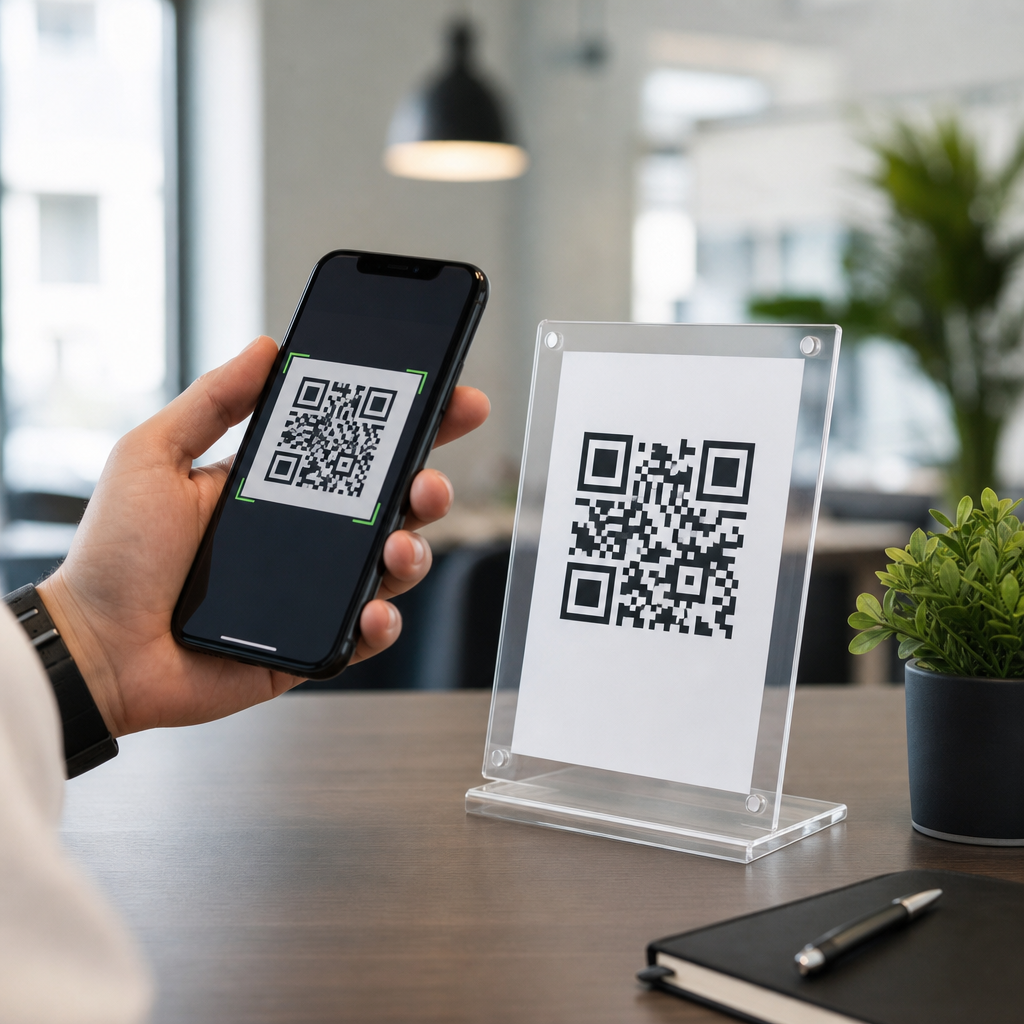
QR codes with automated content delivery turn a simple scan into a rule-based, measurable customer interaction that can change by audience, location, device, language, or time of day. In practice, that means the same printed code on packaging, signage, direct mail, or product manuals can route one user to a video tutorial, another to a support bot, and another to a personalized offer without reprinting the asset. This matters because static destinations waste intent. When someone scans, they are asking for the next step immediately, and the businesses that answer with relevant content convert more traffic, reduce support friction, and learn faster from real usage data.
I have implemented QR programs for retail displays, field service documentation, event check-in, and post-purchase support, and the pattern is consistent: the code itself is rarely the differentiator. The value comes from the automation layer behind it. Automated content delivery combines dynamic QR codes, redirect logic, analytics, customer data, and workflow tools so content is triggered instead of manually managed. AI adds another layer by helping classify intent, personalize responses, summarize support information, and optimize routing. As a hub within advanced QR code strategies, this article explains the core system, the main use cases, the enabling tools, the governance requirements, and the practical metrics that determine whether a QR automation program performs in the real world.
What automated content delivery means in a QR code system
A QR code system has two distinct parts: the scannable symbol and the destination logic behind it. Static QR codes hard-code one URL and cannot be changed after printing. Dynamic QR codes point to a managed short URL or redirect service, which allows the destination to be updated centrally. Automated content delivery starts with that dynamic layer, then applies rules. Those rules can use UTM parameters, geolocation, device type, browser language, campaign source, scan time, inventory state, or CRM attributes to decide what content should load. The result may be a landing page, PDF, app deep link, chatbot session, calendar booking page, coupon, warranty registration form, or knowledge base article.
In a product support workflow, for example, a QR code on the box can route first-time scanners to setup instructions and repeat scanners to troubleshooting. A field service label on industrial equipment can identify the asset, pass the serial number into a maintenance form, and notify the service platform that a technician accessed the record on site. In healthcare communications, a patient handout can open localized appointment instructions in the user’s preferred language. These are not gimmicks; they are operational improvements that reduce steps between intent and action. The most effective programs treat each scan as a context signal, then deliver the shortest possible path to completion.
Where AI improves QR-driven experiences
AI is useful in QR automation when it makes the post-scan experience faster, more relevant, or easier to maintain. The strongest application is intent handling. After a scan, an AI assistant can interpret free-text questions, classify the user into support, sales, onboarding, or returns, and send them into the correct workflow. On a consumer electronics insert, a QR code can open a branded assistant trained on product manuals, safety guidance, and troubleshooting trees. Instead of forcing the customer through layered menus, the assistant answers “Why is the light blinking red?” and links to the exact reset sequence.
AI also improves content operations behind the scenes. Teams can use it to generate first drafts of localized landing pages, summarize long knowledge base articles into scan-friendly answers, tag assets by topic, and identify search intent from scan behavior. In one campaign I worked on for event materials, scans to booth-specific QR codes fed into a lead routing workflow. AI summarized the attendee’s selected content, appended likely product interest based on page path, and created a cleaner handoff for sales in the CRM. The important caveat is governance: AI-generated answers should be grounded in approved source documents, and regulated claims must pass human review. Used that way, AI reduces friction without introducing avoidable risk.
Core automation workflows and channel integrations
Most advanced programs use QR codes as the trigger and an automation stack as the delivery engine. Common components include a dynamic QR platform, a redirect layer, analytics, a CMS, a marketing automation system, and a CRM. Depending on the use case, teams also integrate CDPs, help desk software, inventory systems, scheduling tools, and app deep linking platforms. The logic can be simple or sophisticated. A retail brand may send all packaging scans to one smart landing page with region detection. A B2B manufacturer may pass asset metadata into Salesforce, create a service case in Zendesk, and log the scan event in Google Analytics 4 for attribution.
| Use case | Trigger and logic | Delivered content | Typical tools |
|---|---|---|---|
| Packaging support | Product SKU, language, first scan versus repeat scan | Setup video, FAQ, warranty form | Bitly, GA4, HubSpot, CMS |
| Restaurant menus | Time of day, location, inventory status | Breakfast, lunch, sold-out notices | QR manager, POS, menu CMS |
| Events | Booth ID, attendee selection, lead score | Session deck, meeting link, rep follow-up | Marketo, Salesforce, Zapier |
| Field service | Asset ID, technician login, scan timestamp | Maintenance log, parts list, SOP | ServiceNow, Airtable, mobile forms |
Good integrations share one trait: they preserve context. If the QR code encodes or appends the campaign, asset, or product identifier, downstream systems can personalize the page and measure outcomes accurately. That is why redirect parameters and consistent naming conventions matter as much as creative design. A code that scans beautifully but drops source data breaks the automation chain.
Best use cases across marketing, operations, and support
Marketing teams use automated QR delivery to shorten the path from offline media to conversion. Direct mail can route existing customers to an account-specific upgrade page, while prospects receive an explainer and demo booking option. In stores, shelf talkers can change destinations by inventory level or promotion window without replacing signage. Hospitality teams use room cards and lobby displays to deliver multilingual guides, concierge chat, and upsell offers based on the guest’s stage in the stay. The advantage is not just convenience; it is the ability to keep offline touchpoints current.
Operations and support teams often see even larger gains. Manufacturing plants use machine-level QR codes to open standard operating procedures, lockout-tagout instructions, and maintenance histories. Educational institutions place codes on lab equipment and student materials to route learners to contextual tutorials. Property managers use them for move-in packets, maintenance requests, and amenity booking. The common thread is reduced ambiguity. When the scan opens the exact content needed in that moment, training time decreases, support loads shrink, and compliance improves. For this subtopic, related cluster articles should dive deeper into dynamic QR codes, QR analytics, CRM-linked QR campaigns, AI chat via QR, and QR workflow automation by industry.
Implementation standards, privacy, and measurement
Successful deployment depends on technical discipline. Use dynamic codes with HTTPS destinations, fast mobile-first pages, and a redirect service that supports editing, expiration controls, and scan analytics. Follow ISO/IEC 18004 for symbol readability, maintain adequate quiet zones, and test contrast, print size, and scan distance in real environments. For app experiences, use deferred deep linking where appropriate so users without the app still land on a useful mobile web page. I strongly recommend testing across iPhone and Android camera apps, low light conditions, older devices, and poor connectivity before launch.
Privacy and compliance need equal attention. If scans connect to personal data, consent and disclosure requirements apply. Avoid placing sensitive identifiers directly in the QR image; use secure tokens that resolve server-side. For healthcare, finance, and education, route data through approved systems and log access appropriately. Measurement should go beyond scan volume. Track unique scans, scan-to-load rate, bounce rate, completion rate, assisted conversions, repeat scans, time to resolution, and downstream revenue or cost savings. Compare destinations with controlled tests. A support program, for example, may learn that a 45-second video reduces tickets more effectively than a long FAQ. Those findings are what transform QR codes from a novelty into an optimization channel.
QR codes with automated content delivery work because they connect physical intent to digital response with far more precision than a static link ever could. Dynamic routing, workflow automation, analytics, and AI make the same printed code flexible enough to serve marketing, service, training, and commerce at scale. The highest-performing programs preserve context, integrate with core systems, and prioritize the user’s immediate question rather than the organization’s internal structure. They also respect technical standards, accessibility, privacy, and content governance, which is why mature implementations consistently outperform improvised ones.
As the hub for QR codes plus AI and automation, this topic should guide every related strategy: smart redirects, personalized landing pages, CRM-triggered follow-up, AI support assistants, and operational workflows activated by a scan. If you are building an advanced QR program, start with one high-intent touchpoint, define the completion metric, map the automation logic, and test the post-scan experience relentlessly. Then expand once the data proves what users actually need. That approach produces better conversions, lower friction, and a QR ecosystem that keeps improving long after the code is printed.
Frequently Asked Questions
What are QR codes with automated content delivery, and how do they work?
QR codes with automated content delivery are dynamic QR experiences that send people to different destinations based on predefined rules instead of always opening one fixed link. At the simplest level, the printed QR code stays the same, but the destination behind it can change according to factors such as device type, language preference, time of day, geographic location, campaign source, or audience segment. That means one person might scan a code on product packaging and be taken to a quick-start video, while another scanner using a different device or located in a different region could be sent to localized instructions, a support chatbot, or a special offer.
Technically, the QR code points to a managed URL that sits between the scan and the final content. When a user scans, the platform evaluates the rules you have set and routes that person to the most relevant experience in real time. This can include redirects to landing pages, PDFs, app deep links, forms, videos, chat flows, or product-specific help content. Because the logic lives behind the code rather than in the printed asset itself, businesses can update destinations and decision rules without reprinting packaging, signage, direct mail, or manuals. The result is a much more responsive and measurable customer interaction, where every scan becomes an opportunity to serve the right content at the right moment.
Why is automated content delivery better than using a static QR code?
Static QR codes are limited because they always lead to the same destination, regardless of who scans, when they scan, or what they need in that moment. That creates friction. A first-time customer and a repeat buyer may both scan the same package, but they often need different information. One may want onboarding help, while the other wants troubleshooting or a loyalty offer. If both are sent to a generic page, the experience becomes less useful and conversion potential drops. Automated content delivery solves that problem by making the QR interaction adaptive rather than one-size-fits-all.
It also improves operational flexibility. With a static QR code, a changed URL, updated campaign, or revised support flow often means reprinting physical materials, which adds cost and delays. With an automated setup, you can keep the same printed code in market while changing the destination logic behind the scenes. That is especially valuable for long-lifecycle assets such as manuals, retail displays, shipping inserts, posters, and product labels. Beyond convenience, dynamic delivery creates stronger measurement. You can track scans by time, location, device, and campaign source, then use that data to optimize customer journeys. In short, automated QR delivery reduces waste, improves relevance, extends the life of printed assets, and turns scans into actionable performance signals.
What kinds of rules or conditions can be used to personalize the content after a scan?
Businesses can apply a wide range of rules to control what appears after a QR code scan. Common conditions include language detection, user location, device operating system, referral source, date and time, and campaign context. For example, a code on international packaging can automatically route French-speaking users to French instructions, while English-speaking users see a different version. A scan from an iPhone can open an App Store link or Apple Wallet pass, while an Android user is sent to Google Play or a mobile web page optimized for that device.
Time-based rules are also very effective. A restaurant can use one QR code to display breakfast content in the morning, lunch promotions in the afternoon, and delivery offers in the evening. Retail brands can shift traffic from pre-launch teasers to live product pages and then to clearance promotions over the course of a campaign without changing printed materials. Location-aware routing can direct users to regional offers, local store pages, compliance-specific product information, or country-specific support content. More advanced implementations can incorporate audience segmentation from CRM or marketing systems, allowing the same code to support first-time buyers, VIP customers, existing subscribers, distributors, or service partners differently. The key advantage is that the content experience becomes context-aware, which increases relevance and lowers friction for the person scanning.
How do QR codes with automated content delivery help with analytics and campaign measurement?
One of the biggest advantages of automated QR content delivery is that it makes offline-to-online engagement far more measurable. Instead of simply knowing that a code exists, you can see how often it is scanned, when scans occur, where they happen, which devices are used, and which destination or rule path each user receives. This provides a much clearer picture of what is working across packaging, in-store signage, event materials, direct mail, print ads, and product documentation. For marketers and operations teams, that visibility helps connect physical touchpoints to digital outcomes.
The measurement value goes beyond basic scan counts. You can compare how different audiences respond to different destinations, test alternate content experiences, identify peak engagement windows, and optimize based on conversion behavior. For example, if support video content outperforms PDF manuals for mobile users, you can make that the default mobile experience. If one region responds better to localized offers than generic landing pages, you can adjust your routing rules accordingly. Integrated platforms can also pass scan data into analytics, CRM, marketing automation, or customer support systems, which helps build a more complete customer journey. Used well, automated QR codes become not just a convenience tool, but a data source for improving engagement, service efficiency, and campaign ROI.
What are the best practices for implementing QR codes with automated content delivery successfully?
Start with a clear objective for each QR placement. A code on packaging should usually serve a different purpose than one on a trade show display or in a direct mail piece. Define what action you want the user to take, what context they are likely in when they scan, and what content would be most useful at that moment. Then build routing rules that reflect real-world user needs rather than internal assumptions. The best automated QR experiences feel simple to the user, even if the logic behind them is sophisticated. Keep destinations mobile-friendly, fast-loading, and closely matched to the scan context.
It is also important to plan for governance and testing. Make sure redirects work across devices, languages, and locations, and verify that any personalization rules do not create broken journeys or compliance issues. Use descriptive campaign naming and tracking conventions so scan data remains useful over time. Include fallback destinations for cases where device, location, or language detection is unavailable. From a design standpoint, ensure the QR code is placed where it is easy to notice and scan, with a clear call to action explaining the benefit, such as “Scan for setup help” or “Scan for your personalized offer.” Finally, treat automated QR delivery as an ongoing optimization channel rather than a one-time deployment. Review analytics regularly, refine the routing logic, and update content as customer behavior changes. When managed strategically, the same printed code can continue delivering fresh, relevant, high-performing experiences long after it goes to press.





