Choosing the right QR code design software affects far more than appearance; it shapes scan reliability, campaign tracking, brand consistency, and how easily teams can publish codes across print and digital channels. QR code design tools are platforms or applications used to generate, customize, test, and sometimes manage dynamic QR codes, which can redirect users to updated destinations after printing. In my work with event signage, packaging, restaurant menus, and retail displays, I have seen attractive codes fail because styling overrode usability, and I have seen plain codes outperform expensive creative concepts because they were built with stronger error correction and better contrast. That is why comparing QR code design software carefully matters.
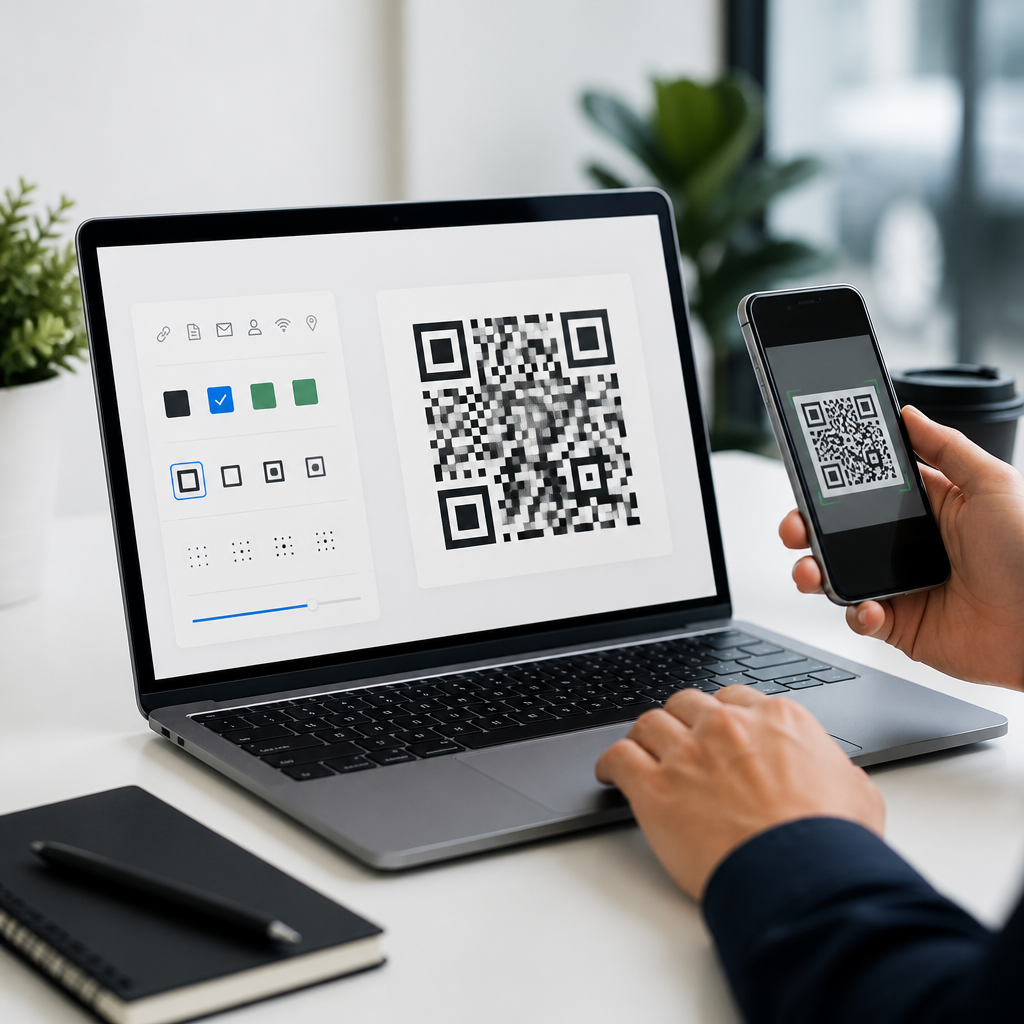
A strong platform should do four jobs well. First, it must create technically sound QR codes that scan quickly on common smartphone cameras. Second, it should provide design controls such as color, logo insertion, frame text, eye shape adjustments, and export formats including PNG, SVG, EPS, or PDF. Third, it should support campaign needs like dynamic links, analytics, UTM tagging, access control, and bulk generation. Fourth, it should fit the organization using it, whether that means a freelancer needs a simple one-off generator or an enterprise team needs governance, folders, API access, and audit trails.
This hub article compares the leading QR code design software options, explains what features matter most, and shows where each tool fits. If you are evaluating software for marketing, packaging, operations, or customer service, the goal is not to find the tool with the most effects. It is to find the platform that balances visual customization with dependable scan performance, manageable workflows, and measurable business results. The best QR code design software makes codes look on-brand without compromising function, and that distinction is what separates a novelty generator from a professional production tool.
What QR Code Design Software Should Actually Help You Do
QR code design software should let you control aesthetics without breaking scanability. In practice, that means preserving finder patterns, maintaining adequate quiet zone margins, and selecting an error correction level appropriate for logos or partial occlusion. Most business users should understand the four standard error correction tiers: L, M, Q, and H. Higher correction can recover more damaged data modules, but it also increases code density. A good tool exposes these settings clearly or optimizes them automatically when you add a logo.
Professional platforms also support multiple QR code types. Static QR codes permanently encode a fixed destination, while dynamic QR codes use a short redirect URL so the destination can be changed later. For campaigns, dynamic codes are usually the better choice because they allow edits after printing and produce scan analytics. The best tools also generate codes for vCards, Wi-Fi credentials, PDFs, app links, payment requests, Google Maps locations, and multi-URL experiences that route users based on device or language.
From experience, export quality is often underestimated until a printer rejects the file or a designer tries scaling a low-resolution PNG for a storefront decal. Vector output, especially SVG, EPS, or print-ready PDF, is essential for packaging, posters, and trade show graphics. Equally important is testing support. Reliable software should preview the code on dark and light backgrounds, warn against low contrast, and encourage scans on both iPhone and Android devices before production.
Top QR Code Design Software Compared
Several tools consistently stand out: QR Code Generator Pro by Bitly, Beaconstac, Uniqode, Flowcode, QR TIGER, Canva, Adobe Express, and open-source libraries for teams with development resources. Each serves a distinct use case. QR Code Generator Pro is widely adopted for marketing teams that want branded dynamic codes, templates, and analytics in a mature interface. Beaconstac and Uniqode are especially strong for larger organizations because they combine design controls with security, integrations, bulk operations, and enterprise administration. Flowcode emphasizes ease of use and campaign measurement, making it popular for creators, venues, and consumer-facing marketing teams.
QR TIGER offers a broad feature set at a generally accessible price, including dynamic codes, editable destinations, and useful customization tools. Canva and Adobe Express are not full QR lifecycle platforms, but they are convenient for design-first users creating flyers, menus, or social graphics. They work best when the QR use case is simple and analytics requirements are limited. Development teams may bypass commercial designers altogether and use libraries such as qrcode.js, python-qrcode, or ZXing, then build custom styling and management around them. That route provides maximum control but requires technical ownership and more rigorous QA.
| Tool | Best For | Design Strength | Tracking and Management | Limitation |
|---|---|---|---|---|
| QR Code Generator Pro | Marketing teams | Strong branding and templates | Dynamic codes, analytics, folders | Advanced enterprise controls vary by plan |
| Beaconstac | Mid-market and enterprise | Brand controls with governance | Bulk creation, API, security, analytics | May be more than small users need |
| Uniqode | Operations and enterprise campaigns | Clean customization options | Dynamic management and integrations | Higher-value features tied to premium tiers |
| Flowcode | Events and consumer campaigns | Simple branded layouts | Good scan measurement | Less flexible for complex admin workflows |
| QR TIGER | SMBs and agencies | Wide styling options | Dynamic editing and reports | Interface depth can feel uneven |
| Canva / Adobe Express | Quick design projects | Easy integration with layouts | Limited QR lifecycle features | Not ideal for robust dynamic management |
Design Features That Matter More Than Visual Effects
The most important design feature is not color variation or rounded modules. It is scan resilience. A useful rule is to start with dark foreground elements on a light background, maintain a clear quiet zone of at least four modules, and test any logo treatment at realistic print sizes. ISO/IEC 18004 defines the QR Code symbology standard, and while many users never read the specification directly, the best software follows its practical implications. If a platform encourages extreme styling without warning about contrast or module distortion, treat that as a red flag.
Logo embedding deserves special attention because it is one of the most requested branding features and one of the easiest ways to degrade performance. Good software compensates by increasing error correction and preserving alignment patterns. I have had the best results when logos occupy a modest central area rather than covering large portions of data modules. Tools that auto-balance the logo size against error correction save time and reduce risk, especially for nontechnical teams.
Frames and call-to-action text also have outsized impact. A code labeled “Scan to view menu” or “Scan for setup guide” usually performs better than an unlabeled square because users know what they will get. The leading tools support this natively. Export control matters too. SVG is often the safest default for designers, while PNG can work for web use if generated at sufficient resolution. Transparent backgrounds are useful, but only when the placement surface still preserves contrast.
Analytics, Dynamic Editing, and Campaign Control
For business use, design is only half the story. Dynamic editing and analytics often determine return on investment. A dynamic QR code lets you change the destination URL after a brochure, poster, label, or table tent has already been printed. That capability prevents waste and enables iterative marketing. For example, a restaurant can move a code from a seasonal menu PDF to a live ordering page without replacing tabletop materials. A manufacturer can update a product support link when documentation changes.
Analytics vary by platform, but the most useful metrics are total scans, unique scans, time by day, device type, operating system, coarse location, and conversion performance when linked with analytics platforms. Serious teams also append UTM parameters and connect results to Google Analytics 4, CRM systems, or automation tools like Zapier. Beaconstac, Uniqode, and similar platforms are especially valuable here because they treat QR codes as manageable assets rather than isolated image files.
Bulk generation becomes critical when you need hundreds or thousands of unique codes. Retail shelf labels, equipment tags, direct mail pieces, and event badges all benefit from CSV upload, variable data handling, and API access. This is where lightweight generators fall short. They may create attractive single codes, but they rarely support lifecycle governance, role-based permissions, domain branding, or audit-friendly administration. If multiple departments will create codes, choose software with clear ownership controls from the start.
Best Choice by Use Case
The best QR code design software depends on the environment in which the code will live. For enterprise marketing and operations, Beaconstac and Uniqode are strong choices because they combine customization, security, bulk scale, and administrative control. For agency teams and SMBs needing a balance of features and affordability, QR TIGER is often practical. For straightforward branded campaigns with low friction, Flowcode is appealing. For design-led projects created inside existing creative workflows, Canva or Adobe Express can be efficient, especially if the QR code only points to a simple landing page.
For packaging, product labels, and permanent signage, prioritize vector export, dynamic editing, and domain branding. For events, prioritize speed of creation, mobile-first landing pages, and scan analytics by time and location. For restaurants and hospitality, editable menu links and easy staff handoff matter most. For internal operations, such as asset tags or training links, durability and bulk management are usually more important than decorative styling. Developers building product-integrated QR functionality should evaluate open-source libraries plus a managed redirect layer for analytics and control.
Cost should be judged against reprint risk and labor, not subscription price alone. A cheaper tool becomes expensive if it creates noneditable static codes or requires manual replacement later. In audits I have done, the most common hidden cost was fragmented ownership: one team generated codes in a design app, another team hosted destinations, and nobody tracked what was live. Centralized QR code design software solves that operational problem while improving brand consistency.
Top QR code design software should make branded codes easy to create, but its real value lies in producing codes that scan reliably, adapt after launch, and feed measurable results back into the business. The strongest tools combine thoughtful customization, vector exports, dynamic destination control, analytics, and governance for teams. Across most professional use cases, that blend matters more than novelty styling. A beautiful code that fails to scan is a failed asset.
If you are building a hub for QR code design tools, start by matching software to the use case: enterprise scale, campaign analytics, quick creative production, or developer control. Then test every short-listed platform with the same checklist: contrast, logo handling, error correction, print exports, dynamic editing, and reporting depth. That process consistently reveals which tools are designed for production rather than demos.
The main benefit of choosing well is durability. Good QR code design software protects your brand, reduces rework, and lets printed materials keep working long after they leave the press. Review your current QR workflow, identify where scan failures or management gaps occur, and select a platform that supports both design quality and operational control.
Frequently Asked Questions
What should I look for when comparing QR code design software?
When comparing QR code design software, start with the basics: scan reliability, customization options, and ease of use. A QR code can look impressive on screen, but if it does not scan consistently across different phone cameras, lighting conditions, print sizes, and materials, the design has failed its main job. Good software should help you balance style with function by showing how design changes affect readability. That includes support for error correction, contrast checking, quiet zone spacing, and export settings that preserve scan quality in both print and digital formats.
Beyond scanning performance, pay close attention to whether the platform supports static and dynamic QR codes. Dynamic codes are especially valuable for marketing teams, retailers, restaurants, and event organizers because they let you change the destination URL or content after the code has already been printed. That flexibility can save money, reduce reprint costs, and make campaign updates much easier. If you plan to run promotions, seasonal campaigns, menu changes, or time-sensitive event communications, dynamic code support is often a major advantage.
You should also evaluate tracking and management features. Strong QR code software usually includes analytics such as scan counts, device type, location data, and time-based reporting. These tools help you understand which placements are performing well and which need improvement. For businesses using QR codes across packaging, signage, in-store displays, and digital ads, centralized management becomes important too. Features like folders, naming systems, team permissions, bulk creation, and editable campaigns can make a big difference once your volume grows.
Finally, consider branding and workflow fit. Some platforms are better suited for simple one-off codes, while others are designed for teams that need brand controls, templates, API access, and integrations with design or marketing systems. If your company depends on visual consistency, look for tools that allow logo placement, approved color palettes, frame styles, and reusable templates without compromising scan reliability. The best QR code design software is not just the one with the most visual effects; it is the one that helps you create attractive, dependable, measurable codes that fit the way your team actually works.
Why does scan reliability matter more than just visual design?
Scan reliability matters because the entire purpose of a QR code is to create a fast, frictionless connection between a physical or digital touchpoint and the destination content. If a code looks beautiful but fails to scan quickly, users are likely to give up within seconds. That lost interaction can mean missed sales, lower event engagement, incomplete menu access, or poor campaign performance. In practical use, people scan codes in less-than-ideal conditions: from a distance, in glare, while moving, on curved packaging, or under inconsistent lighting. Software that prioritizes reliable generation and testing helps prevent those real-world failures.
Design changes can easily interfere with scannability when they are not handled carefully. Custom colors with weak contrast, oversized logos, decorative patterns, and reduced quiet zones can all make a code harder for smartphone cameras to interpret. Quality QR code design software usually includes validation tools or previews that help you see whether your design remains functional after customization. This is particularly important for branded campaigns, where teams often want the code to match packaging, signage, menus, or display materials without weakening the user experience.
Reliability also matters because different applications place different demands on the code itself. A restaurant table tent, for example, may be viewed from a short distance in dim indoor lighting, while an event banner may need to scan from several feet away in bright outdoor conditions. Retail packaging may involve glossy surfaces, folds, or small print areas. Good software helps account for these factors by supporting high-resolution exports, vector files, proper sizing guidance, and dependable encoding. That is why experienced users usually judge a tool not by how many decorative options it offers, but by how confidently its codes perform once they leave the screen and enter the real world.
Are dynamic QR codes worth it, or are static QR codes enough?
Whether dynamic QR codes are worth it depends on how often your content changes and how important measurement is to your project. Static QR codes encode the final destination directly into the code itself. They are simple, permanent, and often fine for basic uses such as linking to a homepage, contact card, or long-term information page that is unlikely to change. If you only need a small number of codes and do not expect to update them after printing, static codes can be perfectly adequate.
Dynamic QR codes, however, offer much more flexibility. Instead of hard-coding the final destination, they point to a short redirect that can be updated later. That means the printed code stays the same even if the landing page, PDF, menu, registration link, product page, or campaign destination changes. In real-world settings like event signage, packaging, restaurant menus, and retail displays, that can be a major operational advantage. You can fix mistakes, replace expired links, rotate promotions, update inventory-driven destinations, or localize content without reprinting every code.
Dynamic codes are also typically the better choice for analytics and campaign optimization. Because scans pass through a managed redirect, many platforms can report how many times a code was scanned, when those scans happened, what devices were used, and sometimes where the scans came from. That insight helps businesses compare performance across channels and placements. For example, you can learn whether a code on product packaging outperforms one on a window display, or whether an event badge drives more engagement than a poster. For organizations that care about tracking, flexibility, and long-term management, dynamic QR codes are usually worth the investment. Static codes still have a place, but dynamic functionality often becomes more valuable as campaigns become more complex.
How important are branding and customization features in QR code software?
Branding and customization features are important, but only when they are implemented in a way that protects scan performance. A plain black-and-white QR code may be functional, but in many business settings it can feel generic or disconnected from the surrounding design. Branded QR codes can improve trust, recognition, and engagement by visually aligning with packaging, menus, signage, direct mail, or digital creative. When a code includes brand colors, a logo, and a clear call to action, people are often more likely to understand what it is for and feel confident scanning it.
That said, customization should never come at the expense of usability. The best QR code design software makes it possible to personalize codes while maintaining the structural standards required for reliable scanning. Useful features often include color controls with contrast awareness, logo embedding with safe sizing, frame and border options, custom eye shapes, short text prompts, and prebuilt templates for common business scenarios. Some platforms also provide brand kits so teams can apply approved colors, logos, and styles consistently across multiple campaigns.
For larger organizations, branding tools are not just about appearance; they are about consistency and governance. Marketing teams often need to ensure that QR codes created by different departments still follow the same visual and technical standards. Software that supports reusable templates, user permissions, and centralized asset management can help prevent off-brand or poorly built codes from being published. In that sense, strong customization features are valuable not because they let users make QR codes look flashy, but because they help businesses create codes that are recognizable, trustworthy, and consistently effective across every channel where they appear.
What features matter most for teams using QR codes across print and digital campaigns?
For teams managing QR codes across multiple channels, the most important features usually go beyond simple code generation. Centralized management is a major one. When codes are being used on posters, packaging, point-of-sale displays, menus, emails, social graphics, and event materials, it becomes essential to organize them clearly. Good software should make it easy to label codes, group them by campaign, assign ownership, search past projects, and update destinations without confusion. These management features save time and reduce mistakes, especially when many people are involved.
Analytics and reporting are equally important. Teams need to know which placements are driving scans, which campaigns are underperforming, and where optimization opportunities exist. A strong platform should provide reporting that is easy to interpret and useful for decision-making, not just raw numbers. Time-based scan trends, device breakdowns, and location insights can help teams understand customer behavior and improve future placements. If your organization is investing in printed materials or omnichannel promotions, the ability to measure outcomes is one of the biggest advantages of using advanced QR code software.
Export flexibility also matters a great deal. Print teams often need vector formats such as SVG, EPS, or PDF for sharp reproduction at any size, while digital teams may prefer PNG or other web-friendly formats. The software should support high-resolution exports and allow confident use across everything from small labels to large-format signage. Collaboration features can be just as important: shared access, approval workflows, brand templates, and role-based permissions help teams move faster while maintaining quality control. For more advanced operations, integrations and API access may also matter, especially if QR codes are being generated at scale for packaging, ticketing, inventory, or personalized campaigns. The best software for teams is the one that supports reliable creation, clean collaboration, measurable performance, and efficient deployment across every environment where the code will appear.