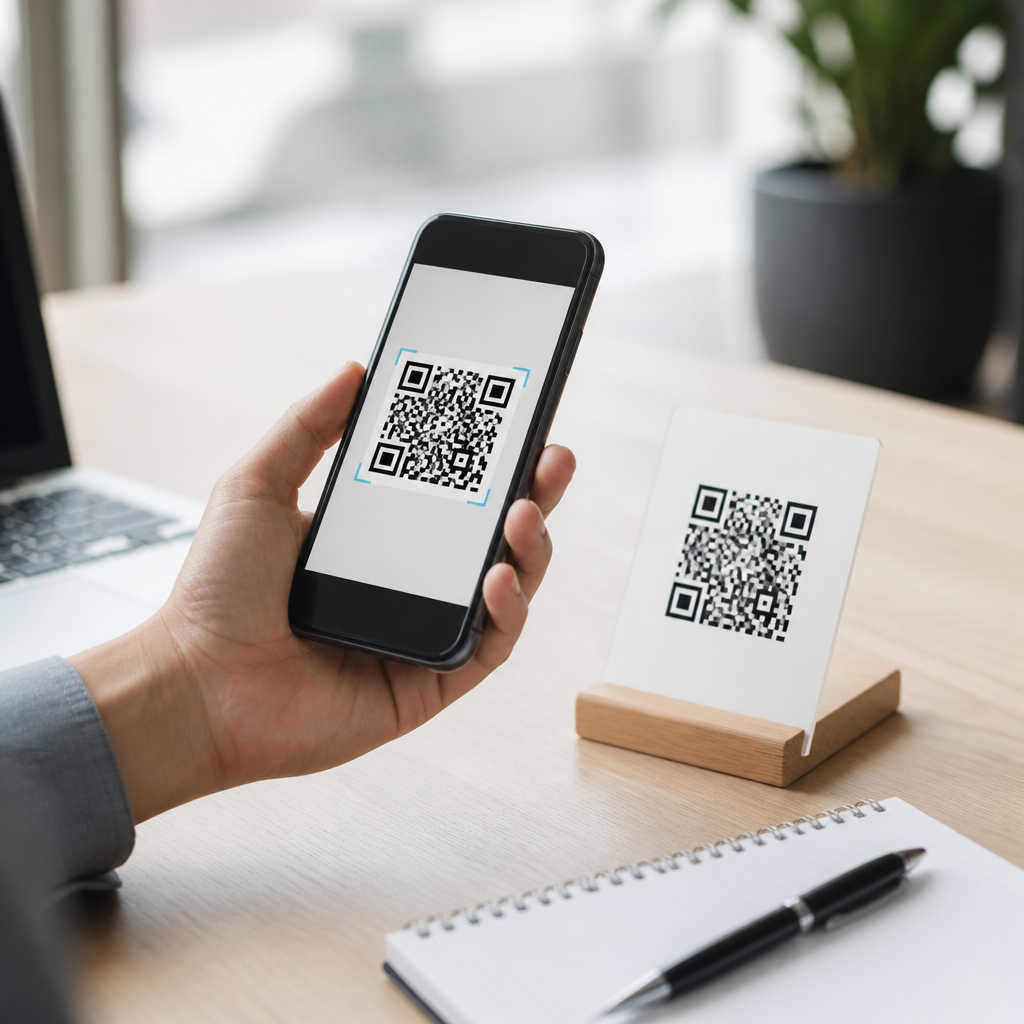

Creating a QR code looks simple, but beginners often make avoidable mistakes that lead to broken links, poor scan rates, weak tracking, and frustrating user experiences. A QR code is a two-dimensional barcode that stores data such as a URL, PDF link, contact card, Wi-Fi credential, or payment string. Smartphones read that data through the camera and open the destination instantly. That convenience is exactly why QR codes now appear on packaging, posters, restaurant menus, event badges, real estate signs, instruction manuals, and product inserts.
In practice, I have seen first-time creators focus on the graphic and ignore the scanning environment, destination quality, and print constraints. The result is usually the same: a code that technically exists but performs badly in the real world. Understanding common beginner mistakes when creating QR codes matters because every failed scan is a lost click, missed lead, abandoned download, or broken customer journey. For businesses, that can waste ad spend and undermine trust. For educators, nonprofits, and creators, it can reduce engagement with resources that should have been easy to access.
This beginner hub explains the most frequent QR code errors, why they happen, and how to avoid them. It also serves as a starting point for broader beginner tutorials on format selection, testing, analytics, design, and placement. If you are new to QR codes, the goal is not merely to generate one. The goal is to create a code that scans fast, opens the right destination, works across devices, and supports a measurable outcome.
Choosing the Wrong QR Code Type
The first mistake beginners make is selecting the wrong data type. Not every QR code should send users to a homepage. If the goal is to share a downloadable document, use a direct file destination or landing page built for that document. If the goal is contact sharing, a vCard is often better than a generic web link. If the goal is Wi-Fi access, use a Wi-Fi QR format instead of asking users to type a password manually.
Another common error is misunderstanding static versus dynamic QR codes. A static QR code hardcodes the destination and cannot be edited after printing. A dynamic QR code points to a short redirect URL that can be updated later while keeping the same printed code. For campaigns, packaging, signage, and print materials, dynamic codes are usually the safer choice because they preserve flexibility and enable analytics such as scans by time, device, and location. Static codes still have value for permanent data like plain text, offline credentials, or very stable URLs, but beginners often choose them simply because they are free.
If you are linking to a file resource, start with a focused walkthrough like how to create a QR code for a PDF, then decide whether the document should open directly or through a mobile-friendly landing page that adds context, tracking, and version control.
Using Poor Destination Links and Unoptimized Content
A QR code is only as good as the destination behind it. Beginners frequently link to long, messy URLs, temporary cloud-sharing links, pages blocked by permissions, or desktop-only documents that load slowly on mobile networks. The user does not care that the QR image scans successfully if the destination is confusing, inaccessible, or painfully slow.
Good destination hygiene starts with a clean, secure HTTPS URL and a mobile-first experience. Test whether the page loads quickly on cellular data, whether text remains readable without zooming, and whether key actions are clear above the fold. If the code opens a PDF, keep file size reasonable and verify that the document renders properly on iPhone and Android devices. If the code points to Google Drive, Dropbox, or OneDrive, confirm that public permissions are enabled and no login is required.
Beginners also underestimate redirect chains. A QR code that sends users through multiple tracking redirects before reaching the final page can feel slow or fail on weak connections. In client work, I aim for the shortest path possible: one stable redirect for dynamic control, then the final destination. That structure protects editability without compromising speed.
Ignoring Size, Contrast, and Error Correction
Many scanning failures come from visual decisions, not data problems. A QR code needs sufficient size, contrast, quiet space, and sensible error correction. Beginners commonly shrink codes too much for business cards, flyers, shelf tags, and labels. A useful field rule is to increase code size as scanning distance increases. A tiny code may scan from a phone held close, but not from a poster viewed several feet away.
Contrast is equally important. Black on white remains the most reliable option because cameras recognize it quickly under varied lighting. Light gray on pastel, metallic inks, glossy surfaces, or reversed white-on-dark treatments can reduce readability. Custom branding is possible, but it should never compromise scan performance. The quiet zone, the blank margin around the code, must remain intact; crowding it with text, borders, or background graphics often breaks detection.
Error correction allows partial damage or obstruction while preserving scanability. QR codes use four standard levels: L, M, Q, and H. Higher levels provide more redundancy but also increase pattern density, which can become harder to scan if the code is printed too small. Beginners often upload a central logo and assume the code will still work. Sometimes it will, but only if the error correction level, module size, and logo placement are handled carefully.
| Design factor | Common beginner mistake | Better practice |
|---|---|---|
| Code type | Using static when the destination may change | Use dynamic for print campaigns and editable links |
| Destination | Linking to broken, private, or desktop-only pages | Use public, mobile-friendly HTTPS destinations |
| Size | Printing too small for the viewing distance | Match physical size to expected scan distance |
| Contrast | Low-contrast brand colors or glossy finishes | Prefer dark-on-light, high-contrast designs |
| Testing | Checking with only one phone once | Test across devices, apps, and lighting conditions |
| Analytics | No tracking or campaign labeling | Use dynamic reporting and tagged destinations |
Skipping Real-World Testing Before Publishing
One of the most expensive beginner mistakes is assuming that if a QR code scans once on the creator’s own phone, it is ready for distribution. Real-world testing must include different devices, camera apps, operating systems, screen brightness levels, print outputs, and environmental conditions. I always test from both iPhone and Android, under indoor light and outdoor glare, and at the actual expected scanning distance.
Printed testing matters more than on-screen testing because printer resolution, paper stock, lamination, color shifts, and physical curvature can change results. A code on a flat white proof may scan perfectly, then fail after being placed on corrugated packaging or a reflective window decal. Test after final production, not just before it. If the code appears on a moving object such as a vehicle, usability drops further, so placement and size need more margin for error.
Beginners should also test what happens after the scan. Does the browser open correctly? Does the app deep link work? Does the form submit on mobile? Is the file too large? A successful scan that leads to a poor post-scan experience is still a failed implementation.
Forgetting Tracking, Governance, and Basic Security
Another beginner issue is treating QR codes as one-off graphics instead of managed assets. Once a code enters print, packaging, email, or signage, it becomes part of an operational system. Without naming conventions, version control, and analytics, teams quickly lose track of what each code does, where it appears, and whether it is effective.
At minimum, label each code by campaign, placement, date, and destination. If possible, pair dynamic QR codes with analytics dashboards and UTM parameters so traffic can be attributed in web reporting tools such as Google Analytics 4. That data answers practical questions: Which poster location drives scans? Which packaging insert leads to the most downloads? What time of day produces the highest engagement?
Security matters too. QR codes can hide the visible destination, which is convenient for users but risky if misused. Beginners should avoid link shorteners with unknown reputations, expired domains, or redirect paths they do not control. Use trusted generators, secure hosting, and HTTPS destinations. For business deployments, document ownership and access so a code does not break when an employee loses access to the linked cloud folder or leaves the company.
Neglecting Context, Placement, and User Motivation
A QR code without context often underperforms even when it scans perfectly. Beginners place codes on posters, tables, packaging, or slides without explaining what users get after scanning. Clear call-to-action text increases scan rates because people want to know the benefit first. “Scan to download the setup guide,” “Scan to view the menu,” or “Scan to claim your warranty” is far stronger than a floating square with no explanation.
Placement influences behavior. A code should be easy to notice, easy to approach, and easy to scan without awkward body movement. Codes placed too high on a wall, too low on a shelf, near corners, across folds, or on curved bottles create friction. Environmental context matters as well. In dim restaurants, glossy black menus hurt scanning. At outdoor events, direct sun and motion can reduce reliability. On product packaging, users may scan at home with better lighting, so instructional inserts can sometimes outperform exterior labels.
Finally, align the offer with user intent. If someone scans from a trade show booth, they may want a quick brochure, a contact card, or a booking page, not a generic homepage. Matching the destination to the moment is the simplest way to improve results.
Most beginner QR code problems come down to five issues: wrong format, weak destination, poor design choices, limited testing, and missing measurement. The good news is that all five are fixable with a repeatable process. Choose the right code type, send users to a mobile-friendly destination, keep contrast high and sizing practical, test in real conditions, and track performance like any other marketing or operational asset.
As a hub for beginner tutorials, this topic should guide every next step: selecting static or dynamic codes, linking to PDFs and files, preparing print-ready artwork, validating scan performance, and reading campaign data. A QR code is not successful because it exists. It is successful because it helps a user complete a task quickly and confidently.
Before publishing your next code, run a final checklist and test it with fresh eyes. That small discipline prevents the most common beginner mistakes when creating QR codes and turns a simple square into a reliable bridge between offline attention and online action.
Frequently Asked Questions
What is the most common beginner mistake when creating a QR code?
The most common mistake is linking the QR code to the wrong destination or failing to test the destination thoroughly before publishing it. Many beginners generate a code, scan it once, and assume everything is fine. In reality, a QR code may point to a broken URL, a page with a typo, a file that requires special permissions, or a landing page that does not work well on mobile devices. Since most people scan QR codes on smartphones, even a valid link can create a poor experience if the page loads slowly, has tiny text, or is difficult to navigate.
Another frequent issue is using a temporary or unstable destination, such as a cloud file that later gets moved, renamed, or deleted. That turns a printed QR code into a dead end. If the code appears on packaging, signage, menus, or printed marketing materials, replacing it may be expensive or impossible. A good rule is to confirm the final destination is permanent, mobile-friendly, and publicly accessible before generating the code. Then test it on multiple devices, under normal lighting conditions, and from realistic scanning distances. That simple step prevents many of the failures beginners encounter.
Why do some QR codes scan poorly even when they look fine?
A QR code can look visually correct and still perform badly if it is designed or printed improperly. Beginners often make the code too small, reduce the contrast, stretch the shape, add distracting graphics, or place it on a reflective or curved surface. QR readers rely on sharp contrast and clean geometry to interpret the pattern accurately. If the code is distorted, blurry, pixelated, or surrounded by visual clutter, scan reliability drops quickly.
Size is one of the biggest factors. A QR code that works on a computer screen may fail when printed on a small label or viewed from a distance on a poster. The scanning environment matters too. Low light, glare, poor print quality, and awkward placement can all make a technically valid code hard to read. Beginners also sometimes remove the required quiet zone, which is the empty margin around the code. Without that border, scanners may struggle to distinguish the code from the background.
To improve scan performance, keep the code square, high contrast, and large enough for the intended use case. Black on white remains the safest choice. Preserve the quiet zone, export at high resolution, and avoid over-customizing the design. If branding elements are added, they should be subtle and should not interfere with the core data pattern. Most importantly, test the final printed version, not just the digital file, because print conditions often reveal problems that are not obvious on screen.
Should beginners use static or dynamic QR codes?
For many beginners, choosing between static and dynamic QR codes is a critical decision that gets overlooked. A static QR code contains the final data directly inside the code. That means if the URL, file, or destination changes later, the code cannot be updated. Static codes are simple and sometimes suitable for permanent information, such as a fixed contact card or a long-term webpage that is unlikely to change. However, they offer little flexibility and usually limited analytics.
A dynamic QR code works differently. It points to a short redirect URL managed through a platform, allowing the destination to be updated later without changing the printed code itself. This is especially useful for campaigns, restaurant menus, event materials, product packaging, and other situations where links may need to be edited over time. Dynamic codes also often include tracking features such as total scans, device type, time of scan, and approximate location. Those insights help measure performance and improve future campaigns.
The beginner mistake is assuming all QR codes behave the same way. If you print a static code on 10,000 flyers and later discover the link is wrong, you may have no way to fix it. In contrast, a dynamic code gives you room to correct errors and optimize results. The best choice depends on the project, but for anything customer-facing, long-term, or campaign-related, dynamic QR codes are usually the safer option.
How important is testing a QR code before publishing it?
Testing is essential, and skipping it is one of the most expensive beginner errors. A QR code should never be treated as finished just because the generator successfully produced an image. The real test is whether an ordinary user can scan it quickly and reach the intended destination without friction. That means verifying not only that the code scans, but also that the destination page loads properly, the content displays correctly on mobile, and the call to action makes sense once the visitor arrives.
Good testing should happen in multiple conditions. Scan the code on both iPhone and Android devices. Try different camera apps if possible. Test in bright and dim lighting. Check the code from close range and from the expected real-world distance. If the code will be printed on a poster, test it at poster size. If it will be placed on packaging, test it on the actual material. Beginners often test only a clean digital version on their own phone, which does not reflect how real users will interact with it.
It is also important to test every destination detail. Does the URL redirect correctly? Does the PDF open without requiring a login? Does the form submit properly? Does the payment string populate correctly? A QR code is only as good as the experience that follows the scan. Thorough testing protects your credibility, prevents lost conversions, and helps ensure users get the fast, seamless interaction they expect.
What tracking and user experience mistakes do beginners make with QR codes?
Beginners often focus only on generating the code and forget to think about what happens after someone scans it. One major mistake is failing to track performance. Without analytics, you cannot tell how many people scanned the code, when they scanned it, what device they used, or whether the placement was effective. That makes it difficult to measure return on investment or improve future campaigns. Using dynamic QR codes, tagged URLs, or a platform with built-in reporting can give you meaningful visibility into performance.
Another common problem is weak user experience after the scan. For example, the QR code may lead to a generic homepage instead of a specific landing page, forcing the user to search for the relevant information. It may send people to a desktop-only page, a large file that loads slowly on cellular data, or a form with too many required fields. In those cases, the QR code creates friction rather than convenience. Users scan QR codes because they expect immediate access, so the destination should be fast, clear, and action-oriented.
There is also the issue of context. Beginners sometimes place a QR code on a poster, package, or table tent without explaining what users will get by scanning it. A simple prompt such as “Scan to view the menu,” “Scan for setup instructions,” or “Scan to claim your discount” improves trust and increases scan rates. The best QR code strategy combines reliable tracking, a clear value proposition, and a mobile-first landing experience. When those elements work together, the code becomes a useful bridge between offline attention and online action.