Best QR code tracking software for small businesses combines dynamic code management, scan analytics, campaign controls, and affordable pricing in one practical stack. QR code tracking software records when, where, and on what device a code was scanned, then ties that scan to a destination such as a landing page, menu, coupon, review form, app download, or payment screen. For small businesses, that visibility matters because printed materials are hard to measure without a tracking layer. A restaurant owner wants to know whether table tents outperform window decals. A realtor wants to compare yard signs by neighborhood. A retailer wants proof that packaging inserts drive repeat orders. In each case, a tracked QR code turns offline marketing into measurable traffic and helps the business spend more confidently.
I have implemented QR campaigns for local service firms, ecommerce brands, and multi-location shops, and the pattern is consistent: businesses that track scans make better decisions faster. They pause underperforming placements, rewrite weak landing pages, and reassign budget based on evidence instead of assumptions. The best platforms do more than count scans. They support dynamic QR codes that let you change the destination URL after printing, add UTM parameters for Google Analytics 4, organize campaigns by folder or team, and export reports for clients or managers. They also help with compliance and governance through password protection, custom domains, access controls, and retention policies. Choosing the right platform means matching features to your real use case, not buying the longest feature list.
Small businesses should treat QR code tracking platforms as part of their broader marketing measurement system. A code on a flyer is only useful if the landing page loads quickly, analytics are connected, and the call to action is clear. This hub explains how QR code tracking works, what features matter, which software options fit different needs, and how to evaluate cost, privacy, and implementation quality before you commit.
What QR code tracking software does and why dynamic codes matter
QR code tracking software creates a scannable code that routes users through a short tracked URL before sending them to the final destination. That redirect is what enables analytics. Static QR codes send users directly to the embedded destination and generally cannot be edited after printing. Dynamic QR codes point to a managed redirect, so you can update the endpoint, tag visits, or pause a campaign without replacing printed assets. For a small business, dynamic functionality is usually the dividing line between a toy tool and a usable marketing system.
In practice, the platform should capture at least total scans, unique scans, timestamp, approximate location by IP, device type, and operating system. Better tools also support campaign naming conventions, expiration rules, retargeting pixels where permitted, bulk generation, and API access. If you run seasonal promotions, dynamic redirects are essential. A single code on product packaging can lead to setup instructions in January, a cross-sell offer in March, and a loyalty enrollment page in June. That flexibility extends the value of every printed piece and reduces waste.
Core features small businesses should prioritize
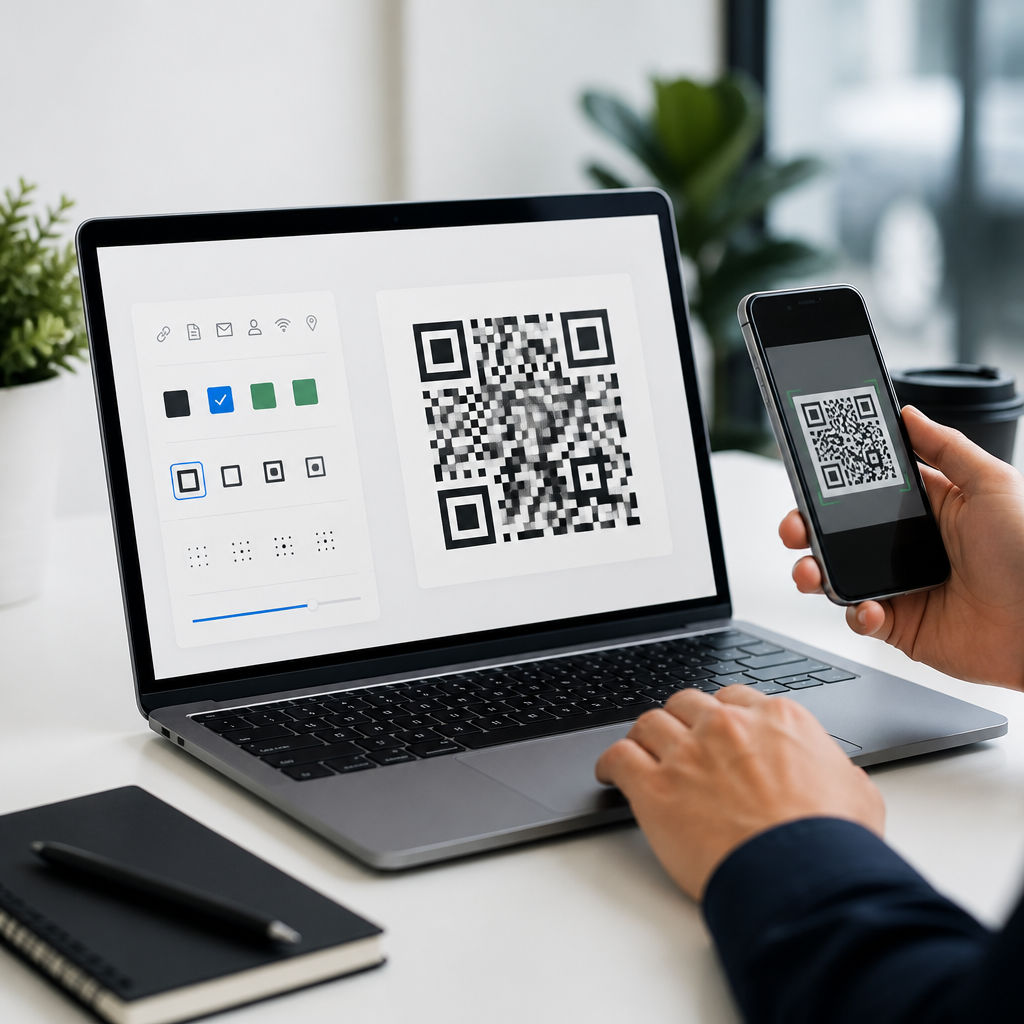
The best QR code tracking software for small businesses is not necessarily the enterprise leader. It is the platform that makes daily tasks easy for a lean team. Start with analytics quality. You need scan counts segmented by date, location, and device, plus export options to CSV or direct integrations with Google Analytics 4, Looker Studio, Zapier, or your CRM. Next, review destination flexibility. A useful platform supports website links, vCards, PDFs, app links, menus, review pages, Wi-Fi login, and payment links. Design controls also matter because branded codes with custom colors, logos, and frames usually improve scan confidence when they remain high contrast and error-corrected.
Reliability is another priority. Redirect latency should be low, uptime should be documented, and custom domains should be available so the scan destination looks trustworthy. If you serve regulated industries, ask about data processing agreements, regional hosting, and role-based permissions. Finally, evaluate whether the reporting answers business questions, not just technical ones. Can a bakery compare scans from in-store signage versus event flyers? Can a plumbing company track separate codes for truck wraps, invoices, and door hangers? If the dashboard cannot support that level of decision-making, the software will quickly become shelfware.
Leading QR code tracking platforms and who they fit best
Several vendors stand out in the QR code tracking platforms category. Bitly is strong when link management and custom short URLs matter as much as QR generation. Its branding controls, link analytics, and team workflows make it a smart choice for service businesses managing multiple campaigns. QR Code Generator Pro is widely used because it balances design flexibility, dynamic code management, and an accessible interface. For many small businesses, it covers the essentials without a steep learning curve.
Beaconstac is a stronger fit when you need more advanced governance, API access, and multi-location support. I have seen franchise operators use it to issue localized codes while maintaining central brand control. Scanova is practical for teams that want broad QR type support, campaign folders, and straightforward reporting. Flowcode is often favored by creators, events, and consumer brands because it emphasizes mobile-first landing experiences and simple analytics. Uniqode, formerly Beaconstac’s market peer in many comparisons, is often shortlisted for mature security features, bulk operations, and business-grade administration. For ecommerce sellers, tools that connect easily to Shopify, Klaviyo, or GA4 can outperform generalist options even if their design libraries are smaller.
| Platform | Best for | Key strengths | Watchouts |
|---|---|---|---|
| Bitly | Brands already using short links | Link analytics, custom domains, team controls | QR-specific templates may feel secondary |
| QR Code Generator Pro | General small business use | Easy setup, dynamic codes, branding options | Advanced governance is limited on lower tiers |
| Beaconstac | Multi-location and franchise teams | Admin controls, APIs, scalable deployment | Price can exceed very small budgets |
| Scanova | Campaign-focused marketers | Folders, varied QR types, usable reports | Interface depth varies by plan |
| Flowcode | Events and consumer engagement | Mobile experiences, simple analytics, design | Less ideal for complex reporting stacks |
How to evaluate pricing, analytics depth, and ROI
Most small businesses should avoid choosing on subscription price alone. A cheaper plan that limits dynamic codes, exports, or custom domains often creates hidden costs through rework and weak attribution. Evaluate pricing against expected campaign volume and lifetime value. If a boutique spends $79 per month and the platform helps identify one flyer campaign that generates five extra orders worth $60 each, the software pays for itself quickly. The same logic applies to B2B services, where one qualified lead can cover a year of software spend.
Analytics depth is what turns scans into ROI. Look for unique versus total scans, time-series reporting, geolocation granularity, and the ability to append UTM parameters automatically. If the platform integrates with Google Analytics 4, you can connect scans to engaged sessions, conversions, and revenue rather than treating them as isolated events. I recommend testing reports with a real scenario before buying. Create two codes, place them on separate materials, and confirm whether the dashboard makes the winner obvious. If it takes too many clicks to answer a simple question, adoption will drop.
Implementation best practices that improve results
Even the best QR code tracking software fails when campaign execution is weak. Start with destination quality. The landing page must be mobile optimized, fast, and specific to the context of the scan. A code on a restaurant table should open the menu, not the homepage. A code on product packaging should lead to setup help or replenishment, not a generic catalog. Match the promise on the printed material to the first screen users see after scanning.
Placement and design also affect performance. Keep sufficient white space around the code, preserve contrast, and test at real print sizes before ordering inventory. Include a plain-language call to action such as “Scan for today’s menu” or “Scan to claim 10% off,” because scan rates drop when users must guess the benefit. Use one code per channel when you need clear attribution. In-store posters, receipts, business cards, and direct mail should usually have distinct tracked codes, even if they eventually lead to the same page. That structure makes reporting more useful and reveals where intent is strongest.
Privacy, security, and common mistakes to avoid
QR analytics rely on redirects, cookies in some cases, and IP-derived location signals, so privacy practices matter. Small businesses should verify what personal data is collected, how long it is retained, and whether the provider offers consent-friendly options for regions covered by GDPR or similar rules. If you connect QR scans to CRM records or remarketing audiences, document that workflow clearly. Customers may scan from personal devices on mobile networks, which increases the importance of secure redirects, HTTPS, and reputable domains.
The most common mistake is treating QR tracking as a one-time setup instead of an ongoing optimization process. Businesses print a code, glance at scan totals once, and stop there. Better operators review weekly trends, compare placements, update offers, and retire low-performing assets. Another mistake is overdesigning the code until scan reliability suffers. Logos and custom colors should support trust, not compromise function. Finally, avoid sending every audience to the same generic page. The whole advantage of tracked QR codes is context. Use it.
The best QR code tracking software for small businesses is the platform that turns offline interactions into decisions you can act on. Dynamic code control, dependable analytics, custom branding, and clean integrations matter more than novelty features. Small teams usually do best with tools that simplify campaign setup, export useful reports, and connect smoothly to Google Analytics 4, CRM systems, and ecommerce platforms. Vendors such as Bitly, QR Code Generator Pro, Beaconstac, Scanova, Flowcode, and Uniqode each have valid use cases, but the right choice depends on your scan volume, reporting needs, and internal workflow.
As a hub for QR code tracking platforms, this page should guide your shortlist and your implementation plan. Define the campaigns you actually need to measure, test two or three platforms against those scenarios, and judge them on reporting clarity, redirect flexibility, and operational reliability. When you choose well, QR codes stop being a novelty on printed materials and become a measurable acquisition and retention channel. Start with one high-intent use case, track it carefully, and expand only after the data proves what is working.
Frequently Asked Questions
1. What should small businesses look for in the best QR code tracking software?
Small businesses should focus on a mix of tracking depth, ease of use, flexibility, and price. At a minimum, strong QR code tracking software should let you create dynamic QR codes, which means you can change the destination URL or action later without reprinting the code. That is especially important for flyers, packaging, table tents, direct mail, signage, and menus, where reprints cost time and money. Good software should also provide scan analytics such as total scans, unique scans, scan time, approximate location, device type, and operating system. These metrics help business owners understand not just whether a campaign was seen, but how people interacted with it.
Beyond core analytics, small businesses should look for campaign controls that make everyday marketing easier. Useful features include expiration rules, scheduled redirects, A/B destination testing, UTM parameter support, custom landing pages, and team access controls. If you are using QR codes for reviews, coupons, product pages, reservations, payments, or app downloads, the platform should make those destinations simple to manage. A clean dashboard matters too, because many small teams do not have an in-house analyst and need reporting that is easy to understand at a glance.
Affordability is another major factor. The best option is not always the platform with the longest feature list, but the one that gives a small business the right reporting and control without pushing them into enterprise pricing. It is smart to compare monthly scan limits, dynamic code limits, export options, white-labeling availability, and whether analytics history is restricted on lower-tier plans. In practice, the best QR code tracking software for a small business is the one that helps you measure offline marketing clearly, update campaigns quickly, and stay within budget as your usage grows.
2. Why is dynamic QR code tracking more useful than a basic static QR code?
A static QR code points directly to a fixed destination, and once it is printed, that destination usually cannot be changed. That works for simple one-time uses, but it creates limitations for real business marketing. If a restaurant changes its menu URL, if a retailer updates a promotion, or if a service business wants to send people to a seasonal landing page instead of a general homepage, a static code often becomes outdated. Dynamic QR code tracking solves this by routing scans through a managed link first, which allows the business to update the final destination without changing the printed code itself.
Dynamic tracking also unlocks the analytics that make QR campaigns measurable. Instead of just hoping people scanned a code, business owners can see how many scans happened, when they happened, where they came from approximately, and what types of devices were used. That turns printed materials into something much closer to digital campaigns in terms of visibility. For example, a salon could place different QR codes on a storefront poster, appointment cards, and a local event banner, then compare which placement generated the most booking-page visits. A static code would not provide the same level of insight.
For small businesses, the real advantage is agility. Dynamic QR codes reduce waste, support testing, and make ongoing optimization possible. You can run one code on packaging today, switch it from a product tutorial to a review request next month, and then route it to a loyalty offer later, all while keeping historical scan data. That flexibility is one of the biggest reasons dynamic QR code tracking software is worth using instead of relying on basic free code generators that offer no management or reporting layer.
3. How does QR code tracking software help measure offline marketing performance?
QR code tracking software gives small businesses a practical way to connect physical marketing to measurable actions. Offline materials like postcards, posters, brochures, menus, in-store displays, product labels, and event signage traditionally have limited attribution. You might know you distributed them, but not how many people engaged with them or what they did next. With tracked QR codes, each scan creates a data point. That means you can see which printed assets drove traffic to a landing page, coupon, reservation form, review request, app download page, or payment screen.
The software typically records useful context around each scan, including the time of scan, approximate geography, device type, and sometimes repeat engagement patterns. This helps small businesses answer practical questions. Did the direct mail piece generate interest right after delivery? Are people scanning the in-store display more often on weekends? Is a local festival banner getting more scans than a newspaper ad? Are iPhone users and Android users both reaching the intended destination smoothly? With the right setup, businesses can also add UTM parameters and integrate data into analytics platforms to see what happened after the scan, such as purchases, form fills, or bookings.
This visibility helps improve decision-making over time. Instead of printing the same materials repeatedly without evidence, a business can test different offers, placements, and calls to action. A cafe might compare “Scan for today’s special” against “Scan for 10% off your next visit.” A contractor might place separate QR codes on yard signs, door hangers, and vehicle wraps to see which one produces the most quote requests. In that way, QR code tracking software does not just count scans; it helps small businesses allocate marketing dollars more intelligently and improve ROI from offline campaigns.
4. Is QR code tracking software affordable for small businesses, and what pricing details matter most?
In many cases, yes. QR code tracking software is often affordable for small businesses, especially compared with the cost of unmeasured print campaigns or reprinting materials because links changed. Many providers offer tiered plans that start with basic dynamic code creation and analytics, then scale into higher scan volumes, more advanced reporting, and added branding controls. For a small business, affordability should be judged by value, not just the lowest monthly fee. A cheap plan that limits dynamic edits, caps scan history, or removes useful analytics may end up being less cost-effective than a moderately priced plan that supports real decision-making.
When comparing pricing, pay close attention to how the provider defines limits. Some platforms restrict the number of dynamic QR codes, while others limit total monthly scans, number of users, analytics retention, export access, or custom domain use. It is also important to check whether older codes stop working if you downgrade, whether overage fees apply, and whether advanced features like password protection, retargeting pixels, GPS-level reporting, or white-labeling are locked behind much higher tiers. Small businesses should avoid surprises by reviewing exactly what happens when a campaign scales successfully and scan volume rises.
The most useful way to evaluate cost is to match software pricing to a clear use case. If you only need a few dynamic codes for menus, review requests, and one or two promotions, a lower-tier plan may be enough. If you are managing multiple locations, rotating seasonal offers, or running print campaigns across products and channels, a higher plan may quickly pay for itself through better attribution and less reprint waste. In short, affordable QR code tracking software is not just about paying less each month. It is about getting dependable analytics, flexible campaign control, and room to grow without overspending on features you will never use.
5. What are the best use cases for QR code tracking software in a small business?
QR code tracking software is useful anywhere a small business wants to guide someone from a physical touchpoint to a measurable digital action. One of the most common use cases is linking customers to landing pages, menus, scheduling tools, and promotions. Restaurants use tracked QR codes on table tents and takeout packaging to monitor menu views and special-offer scans. Retail stores use them on shelf talkers, window displays, and receipts to drive product education, discount redemption, and loyalty signups. Service businesses use them on business cards, flyers, invoices, and vehicles to send prospects to quote forms, testimonials, or booking pages.
Another strong use case is review generation and customer feedback. A tracked QR code can send happy customers to a review platform, a private feedback form, or a customer service page, while also showing which location or printed asset produced the scan. That helps small businesses refine where and how they ask for reviews. Event promotions, local sponsorships, packaging inserts, real estate signage, trade show materials, and direct mail are also excellent fits because each printed placement can be tracked separately. This lets owners compare response rates by channel rather than treating all offline exposure as unmeasurable.
Perhaps the most valuable use case is campaign optimization over time. Instead of using QR codes as simple shortcuts, small businesses can treat them as trackable conversion paths. A code can first send people to a seasonal campaign, then later be redirected to a new offer, all while preserving the same printed placement. That means the same sign, card, sticker, or package can continue working harder for the business. When paired with thoughtful calls to action and clear landing pages, QR code tracking software becomes more than a convenience tool. It becomes a reliable system for measuring intent, improving customer journeys, and getting more value from every physical marketing asset.