
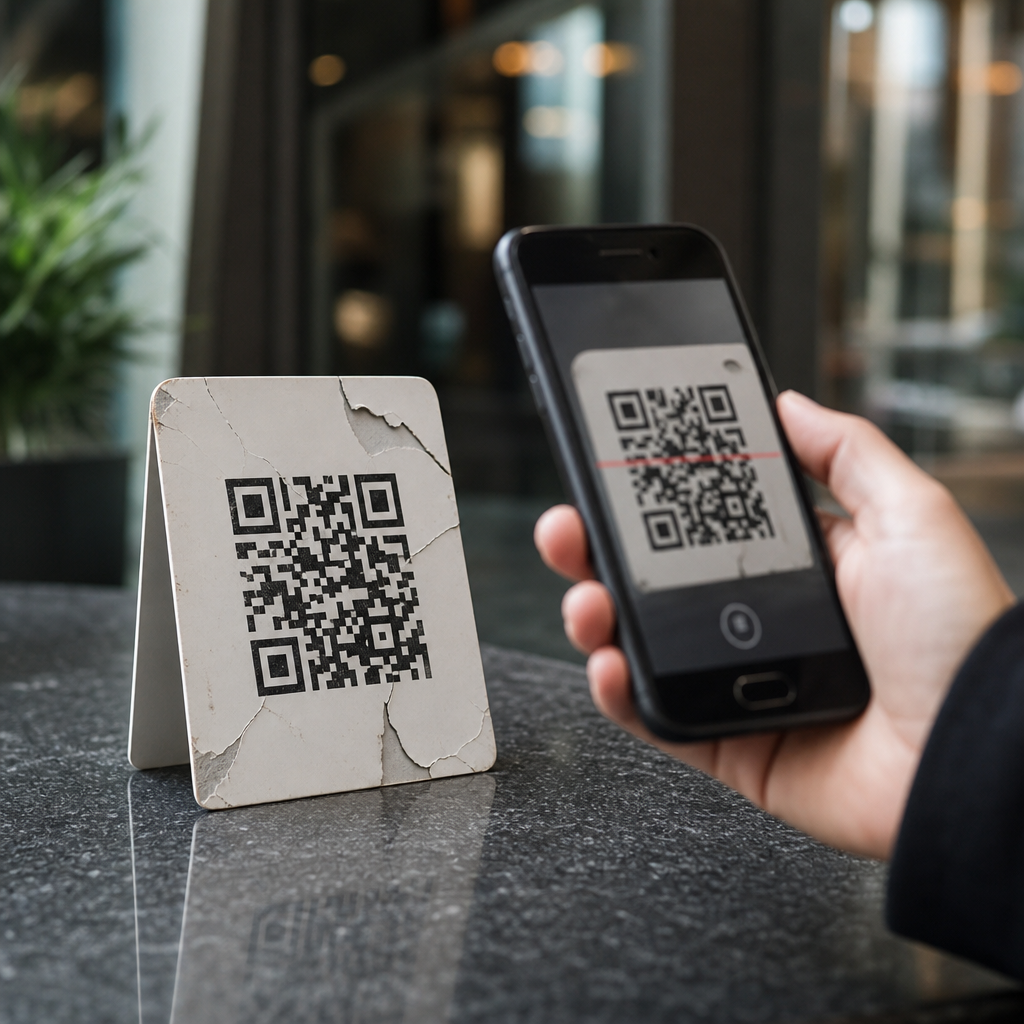
AI-driven QR campaigns promise a smarter bridge between offline attention and digital action, but they also introduce new failure points that many teams underestimate. In this context, AI-driven QR campaigns use machine learning, automation rules, predictive analytics, and generative content tools to personalize destinations, score leads, trigger workflows, and optimize creative in real time after a scan. I have worked on QR programs for retail packaging, event check-in, restaurant ordering, and field sales enablement, and the same pattern keeps appearing: teams focus on automation upside while ignoring operational discipline. That matters because QR codes now sit inside broader customer data systems, where one bad redirect, weak consent flow, or poorly trained model can damage conversion rates, analytics quality, and brand trust at once. This hub article explains the common pitfalls of AI-driven QR campaigns, why they happen, and how to avoid them with stronger strategy, measurement, and governance.
Strategy Failure: Automating Before the Campaign Goal Is Clear
The first pitfall is using AI before defining the job the QR code must do. A QR campaign can support product education, coupon redemption, app installs, account onboarding, support deflection, event registration, or post-purchase feedback. If the objective is vague, automation magnifies confusion rather than performance. I often see teams create one dynamic QR code, connect it to a marketing automation platform, then send scanners into different experiences based on shaky assumptions about intent. Someone scanning a box in a store aisle is not behaving like someone scanning a code on an invoice or at a trade show booth. Without clear segmentation logic, the landing path feels random.
A practical fix is to define one primary conversion and one supporting action for each placement. For example, a shelf tag might optimize for product detail page visits, while packaging might optimize for warranty registration. AI can then personalize content inside narrow guardrails instead of rewriting the entire customer journey. This structure also improves reporting because each QR location has a known purpose, benchmark, and test plan. If you run dynamic destination rules, document them in plain language: who gets redirected, why, based on what signal, and what fallback page appears when confidence is low.
Data Quality Problems That Corrupt Personalization
AI is only as good as the data feeding it, and QR campaigns generate messy data fast. Scans can come from bots, security preview tools, duplicate users, weak mobile connections, accidental opens, and shared devices. If these events are not filtered, models may interpret noise as intent. I have seen automated nurture journeys trigger from email security scanners that pre-fetched QR destinations before a human ever scanned the code. The result was inflated scan counts, mistimed follow-ups, and false attribution for downstream revenue.
Location data can also mislead. IP-derived geolocation is often approximate, mobile privacy settings can mask signals, and in-store Wi-Fi may cluster many users under one network identity. When AI uses this imperfect data to change offers, language, or timing, personalization can become inaccurate or intrusive. The best defense is data hygiene at collection and processing stages. Use bot filtering, event deduplication, timestamp normalization, and server-side logging. Separate scan events from engagement events such as page depth, form completion, add-to-cart, or checkout. A scan is interest, not commitment. Treat it as the start of analysis, not proof of campaign success.
Poor Redirect Logic and Fragile Automation Workflows
Dynamic QR codes are powerful because the printed code stays the same while the destination changes. They are also risky because every redirect layer adds a point of failure. A common pitfall is stacking a QR platform, link shortener, consent banner, tag manager, personalization engine, and CRM-triggered landing page into one scan path. On a modern phone this may still work, but on weak mobile networks the delays become noticeable. Every second of latency reduces the chance that a user waits for the final page to load.
Automation workflows fail in quieter ways too. If a destination URL changes, a certificate expires, a rule conflicts, or a webhook breaks, the QR code may still scan but send the user to an irrelevant page. I recommend quarterly redirect audits for every live code, plus monitoring that tests the full chain from scan to conversion on iOS and Android. Set default fallback destinations that are useful, not generic. If the personalization system fails, send the user to a stable category page, account hub, or support article rather than a dead end. Reliability is more valuable than cleverness in high-volume QR campaigns.
Privacy, Consent, and Compliance Gaps
One of the biggest mistakes in QR codes plus AI and automation is collecting or inferring more than the user expects. A person scanning a restaurant menu code may accept a simple mobile page, but not silent enrichment from ad IDs, CRM records, loyalty data, and behavioral scoring. When the gap between expectation and reality widens, trust drops. Depending on jurisdiction, consent and disclosure requirements may also apply under GDPR, CCPA, ePrivacy rules, and sector-specific regulations.
Teams should map exactly what is collected at scan, what is inferred afterward, how long data is retained, and which vendors process it. This is especially important if generative AI creates personalized copy or recommendations based on purchase history, health-related preferences, or precise location. Use clear notices, consent where required, and a data minimization approach. Not every campaign needs identity resolution. In many cases, contextual personalization at the session level delivers enough relevance without linking the scan to a named profile. The safest automation is the one you can explain simply to a customer and a regulator.
Weak Creative and Landing Experiences
Many underperforming campaigns blame the AI model when the real problem is the human experience around the code. A QR code on packaging, signage, direct mail, or display ads needs a clear reason to scan. “Learn more” is weak. “See installation steps,” “Check live inventory,” or “Unlock your member discount” is stronger because it states the benefit. AI-generated calls to action can help test variants, but they still need brand review, legal approval, and channel context.
The landing page matters even more. If the destination is not mobile-first, fast, and accessible, optimization logic cannot rescue it. I have seen sophisticated personalization engines route users perfectly to pages with tiny tap targets, autoplay videos, and forms that asked for too much too soon. Conversion collapsed because the basics were wrong. Good QR landing pages prioritize speed, readable hierarchy, compressed media, and one obvious next step. If using AI chat, keep it task-focused and paired with standard navigation. Users who scan for a quick answer should not be forced into a conversation flow when a simple table, checklist, or short explainer would do.
Measurement Errors and Misleading Attribution
Attribution is where many AI-driven QR campaigns go off track. Teams often report scans as success, then let automated bidding or content decisions optimize toward that shallow metric. A better approach is to align measurement with business value: qualified leads, purchases, repeat orders, reduced support contacts, or verified registrations. Multi-touch attribution is difficult because QR interactions often begin offline and finish later on another device. AI can estimate contribution, but estimates are only useful when grounded in robust tagging and validation.
| Pitfall | What Happens | Better Practice |
|---|---|---|
| Counting every scan equally | Noise inflates performance | Weight downstream conversions more heavily |
| Last-click bias | QR gets too much or too little credit | Use assisted conversion reporting |
| No control group | Lift is impossible to prove | Test matched locations or time periods |
| Disconnected platforms | CRM and web analytics disagree | Standardize IDs, events, and naming conventions |
Use UTM governance, first-party event tracking, and offline-to-online reconciliation wherever possible. For retail, compare exposed versus unexposed store groups. For direct mail, test holdout cohorts. For events, distinguish scans that lead to badge retrieval from scans that lead to booked meetings. AI should help detect patterns, not replace sound experimental design.
Overreliance on Generative Content and Autonomous Decisions
Generative tools can produce QR landing copy, translations, product summaries, chatbot responses, and audience-specific offers quickly. The pitfall is assuming speed equals quality. I have reviewed AI-written QR experiences that invented product capabilities, oversimplified warranty terms, and used inconsistent pricing language across markets. In regulated industries, these errors are not just embarrassing; they create legal exposure.
The solution is controlled autonomy. Use approved prompts, brand lexicons, compliance constraints, retrieval from current product data, and human review for high-risk outputs. Limit automated decisioning when stakes are high, such as finance applications, healthcare information, or loyalty rewards tied to monetary value. Models drift, source data changes, and customer behavior shifts seasonally. What worked in one quarter may misfire in the next. Maintain prompt versioning, audit logs, and rollback procedures. AI should accelerate experimentation, but final accountability stays with the marketing, product, and compliance teams running the campaign.
Operational Governance and the Hub Role of This Topic
The most effective way to avoid common pitfalls of AI-driven QR campaigns is to treat QR codes plus AI and automation as an operating system, not a one-off tactic. That means shared naming conventions, redirect inventories, access controls, vendor reviews, QA checklists, and documented ownership for every live code. It also means connecting this hub to deeper workflows across your advanced QR code strategies library: dynamic QR code governance, QR analytics implementation, QR code security risks, AI personalization frameworks, marketing automation orchestration, and consent management.
When these foundations are in place, AI becomes useful rather than risky. You can personalize responsibly, automate follow-up without spamming, and test creative with confidence because the campaign is built on clean data, stable infrastructure, and measurable objectives. Start by auditing one existing QR journey end to end: scan path, load speed, consent language, event tracking, fallback logic, and post-scan workflow. Fix the weak link before adding more intelligence. That discipline is what turns QR automation from a novelty into a durable growth channel.
Frequently Asked Questions
What are the most common ways AI-driven QR campaigns fail, even when the technology looks impressive on paper?
The biggest failures usually happen in the gap between technical capability and real-world user behavior. Teams often focus on what the AI can do—dynamic landing pages, predictive routing, automated segmentation, generative copy, lead scoring, or personalized offers—but overlook the basics that determine whether a scan turns into action. If the QR code is hard to scan, placed in poor lighting, printed too small, distorted by packaging curves, or shown where connectivity is weak, none of the downstream intelligence matters. A campaign can have an excellent automation stack and still underperform because the physical experience breaks first.
Another common pitfall is over-automation. Many brands assume that more personalization automatically improves conversion, but AI can easily create friction if it changes destinations too aggressively, asks for too much information too soon, or pushes users into experiences that feel irrelevant or invasive. For example, a restaurant QR flow that dynamically changes menu highlights based on time of day may help, but if the content loads slowly, recommends unavailable items, or misreads the context, users lose trust quickly. The same is true in event check-in or retail packaging campaigns: if the personalized experience feels inconsistent, confusing, or inaccurate, people abandon the process.
Measurement failures are also very common. Teams may celebrate scan volume while missing deeper problems such as low page engagement, weak form completion, inaccurate attribution, poor lead quality, or downstream workflow errors. AI can make reporting look more sophisticated without making it more reliable. If your campaign is scoring leads, assigning audiences, or triggering follow-up actions based on low-quality inputs, then the automation simply scales bad assumptions. In practice, many QR campaigns fail not because AI is ineffective, but because organizations underestimate operational discipline, testing, data quality, and user trust.
Why is data quality such a major risk in AI-driven QR campaigns?
Data quality is critical because every intelligent decision in the campaign depends on it. AI systems do not create accuracy out of thin air; they amplify the patterns and signals they receive. In an AI-driven QR campaign, those signals might include scan location, device type, time of day, previous visits, product SKU, event source, CRM history, purchase behavior, or engagement with prior offers. If any of that data is incomplete, misclassified, delayed, duplicated, or disconnected across systems, the AI can make the wrong decision with complete confidence.
This becomes especially risky when brands use QR scans to trigger automated workflows. A retail packaging campaign might route a scanner to a loyalty offer, product tutorial, reorder page, or upsell path based on product metadata and customer profile data. If the packaging inventory data is wrong, the campaign could send users to expired promotions or unrelated products. In event check-in, poor identity resolution can create duplicate records, bad attendance logs, and broken follow-up sequences. In restaurant ordering, stale menu data can cause AI-generated recommendations to highlight items that are sold out or not available at that location. These are not just technical issues; they directly damage conversion and customer confidence.
Strong data hygiene means validating what enters the system, standardizing fields, defining clear ownership, and regularly auditing outputs against actual business outcomes. It also means distinguishing between useful data and noisy data. Many teams collect everything they can and assume more signals will produce better personalization. In reality, too many low-confidence inputs can make the model less dependable and the campaign harder to troubleshoot. The best AI-driven QR programs are usually built on fewer, cleaner, better-governed data sources rather than on maximum complexity.
How can personalization in AI-driven QR campaigns backfire instead of improving results?
Personalization backfires when it stops being helpful and starts feeling unpredictable, intrusive, or wrong. QR campaigns often work because they create a simple bridge from a physical object to a digital next step. The more layers of AI logic you add after the scan, the greater the chance that the experience becomes inconsistent. A user scans the same code on two occasions and gets entirely different messages, pricing, forms, or content blocks with no clear reason. That may be mathematically justified by the model, but from the user’s point of view it can feel untrustworthy.
There is also a relevance problem. AI systems can infer intent based on limited context, but a scan does not always carry enough signal to support aggressive personalization. Someone scanning a QR code on packaging may want ingredients, setup instructions, warranty information, or a discount. If the system assumes purchase intent and immediately pushes a reorder offer or captures lead data before delivering utility, it creates friction. In event environments, a personalized post-scan page may be optimized for sponsor engagement, but attendees may simply need a fast agenda view or check-in confirmation. Good personalization starts with user intent, not just model output.
Another issue is creative drift. Generative tools can produce endless variations of headlines, offers, and calls to action, but not all variants preserve brand clarity or compliance. If messaging changes too often or becomes too tailored, users may see mismatched tone, inconsistent value propositions, or offers that create fairness concerns across audiences. The safest approach is to personalize within guardrails: define what can change, what must remain consistent, what requires approval, and what should default to a universal experience. Personalization works best when it reduces effort, not when it makes the campaign feel like a moving target.
What privacy, consent, and trust issues should marketers watch for in AI-driven QR campaigns?
Privacy and trust are often underestimated because QR interactions feel lightweight. A user scans a code, lands on a page, and may not realize how much profiling, tracking, or automated decision-making is happening in the background. But AI-driven QR campaigns can combine location signals, behavioral data, device information, CRM records, purchase history, and engagement patterns to personalize content or score leads. If users are not clearly informed about what data is being collected and how it will be used, the campaign can quickly move from convenient to uncomfortable.
Consent becomes especially important when the post-scan experience includes forms, cookies, retargeting, account linkage, or automated follow-up. Teams should not assume that a scan equals blanket permission for enrichment, lead scoring, or long-term remarketing. Regulations vary by market, but beyond legal compliance there is a practical issue: people respond better when the value exchange is obvious. If a restaurant QR code is used for ordering, users expect menu and payment functionality. They do not necessarily expect extensive behavioral profiling. If an event QR code is used for check-in, attendees may accept operational tracking, but not indefinite marketing automation unless it is clearly disclosed.
Trust also depends on accuracy and restraint. If AI-generated content appears too personal, references inferred details awkwardly, or routes users into opaque decision paths, it can undermine confidence even if the campaign is technically compliant. Clear disclosures, easy opt-outs, limited data collection, and well-defined retention policies help reduce that risk. In practice, the brands that do this well are transparent about what happens after the scan, minimize unnecessary tracking, and make the immediate user benefit clear before asking for more data or permissions.
How do you reduce risk and improve performance when launching an AI-driven QR campaign?
The best way to reduce risk is to treat the campaign as an operational system, not just a creative activation. Start by validating the fundamentals: scan reliability, mobile page speed, destination uptime, analytics accuracy, and fallback behavior when personalization logic fails. Before introducing advanced AI features, confirm that the base QR journey works smoothly across different phones, browsers, lighting conditions, print surfaces, and network environments. This is especially important in high-friction settings like event entrances, restaurant tables, and consumer packaging, where even small delays can cause abandonment.
Next, simplify the decisioning architecture. Many underperforming campaigns try to optimize too many variables at once: audience, offer, layout, copy, workflow, timing, and channel follow-up. That makes it difficult to understand what is actually driving results and where errors originate. A stronger approach is to launch with a small number of high-confidence use cases, such as routing by product category, store location, or event type, then layer in additional intelligence only after proving value. Use holdout groups and clear benchmarks so you can compare AI-assisted experiences against static or rules-based alternatives rather than assuming the AI is helping.
Governance matters just as much as testing. Define who owns model logic, content approval, data validation, compliance review, and performance monitoring. Build alerts for broken links, unusual traffic patterns, content anomalies, and conversion drops after automated changes. Review not just scan volume, but also quality metrics such as bounce rate, task completion, average order value, check-in success, repeat engagement, and downstream sales or retention. When AI is involved, optimization should be continuous but controlled. The most effective QR programs are not the ones with the most automation; they are the ones with disciplined experimentation, clean data, transparent user flows, and a clear understanding of where automation genuinely improves the experience.





