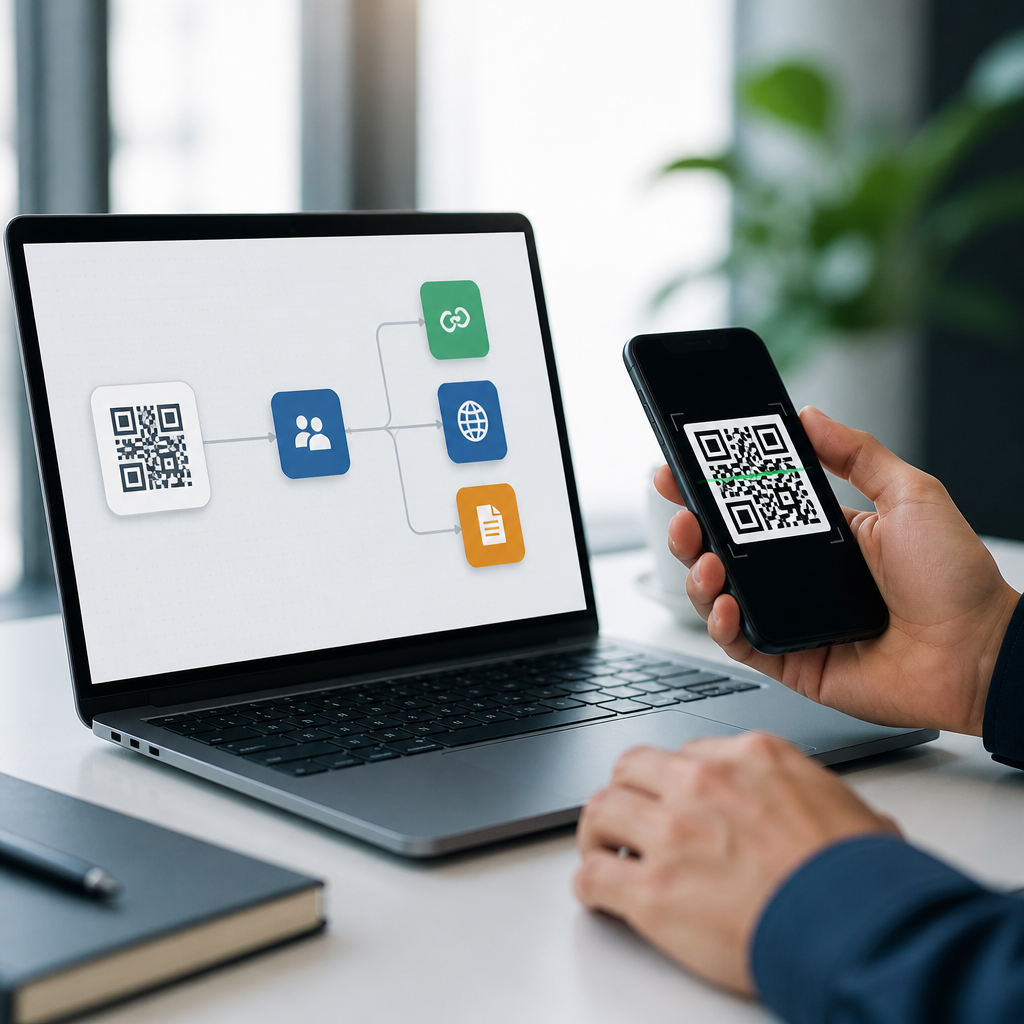
Smart QR code routing rules turn one scannable code into a decision engine that sends each visitor to the most relevant destination based on context. In practice, that means a restaurant can direct lunch customers to a daytime menu, a retailer can send iPhone users to the App Store and Android users to Google Play, and an event organizer can route late arrivals to live updates instead of a static landing page. I have implemented these systems for campaigns, packaging, and field operations, and the difference between a basic QR code and a smart one is almost always in the routing logic behind the scan.
A smart QR code is usually a dynamic QR code linked to a short URL that checks rules before redirecting the browser. Routing rules are the conditions that govern that redirect. Common inputs include device type, operating system, language, time of day, day of week, scan count, and geographic location inferred from IP address or GPS permissions. More advanced setups use UTM parameters, referrer data, authentication state, and inventory or scheduling data pulled from an API. The goal is simple: reduce friction by matching the destination to the scanner’s immediate need.
This matters because QR code scans happen in high-friction environments: storefront windows, product labels, printed flyers, trade show booths, and outdoor signage where attention is brief and connectivity may be weak. If the destination is wrong, slow, or generic, conversion drops fast. Effective routing improves campaign relevance, supports localization, and makes one printed code reusable across markets or time periods. It also lowers operational risk, because you can update destinations without reprinting materials. That flexibility is why advanced implementations have become a core skill for teams managing QR codes at scale.
Start with the routing architecture and rule hierarchy
The first technical decision is architecture. Most teams use a dynamic QR code managed by a platform such as Bitly, QR Code Generator Pro, Flowcode, Beaconstac, or a custom redirect service on their own domain. I prefer using a branded short domain because it improves trust, keeps analytics under your control, and makes future migrations easier. The QR image itself should point to a stable redirect endpoint, not directly to a final content URL. That endpoint evaluates rules, logs the event, then issues a 302 or 307 redirect so the final destination can change without affecting the printed code.
Next, define a rule hierarchy. This is essential because scans can satisfy multiple conditions at once. For example, a user in Canada on an Android phone at 11 p.m. might match geography, device, and schedule rules simultaneously. Without explicit precedence, results become inconsistent. A practical hierarchy is: fail-safe availability checks first, then hard compliance rules, then campaign timing, then geography, then device or OS, then language, and finally default fallback. Hard compliance rules matter in regulated settings, such as alcohol promotions or healthcare materials, where jurisdiction-specific destinations may be mandatory.
Every routing system also needs a default destination and an error-handling policy. If geolocation fails, the page should still resolve gracefully. If app deep linking is attempted but the app is not installed, the user should land on a mobile web page or the appropriate app store instead of a browser error. I recommend documenting routing logic in a decision tree before building anything. Teams often underestimate edge cases until print is already in the field.
Choose routing conditions that improve relevance without breaking privacy or usability
The best routing rules are useful, measurable, and minimally invasive. Device and operating system routing are usually the safest starting point because they directly reduce friction. If someone scans a code for an app download, sending iOS users to the Apple App Store and Android users to Google Play is an obvious improvement. Language routing can also be high value, especially in travel, hospitality, packaging, and public sector use cases. Browser language headers are not perfect, but they often provide a strong first signal when combined with country-level routing.
Time-based routing works well for promotions, menus, support flows, and events. I have used schedule rules for conference signage so the same QR code sent attendees to registration in the morning, session schedules during the day, and venue maps in the evening. Geographic routing is powerful but needs careful expectations. IP geolocation is usually reliable at the country level, decent at the region level, and inconsistent for city precision. Indoor scans on corporate Wi-Fi or mobile carrier networks can appear in unexpected locations. That is why location should usually personalize content rather than gate access unless a compliance requirement demands strict enforcement.
One common mistake is adding too many rules too early. Complexity raises testing overhead and introduces failure modes that are hard to diagnose in the field. Start with the smallest set of conditions that meaningfully changes user outcomes. Then expand based on observed data. If you are building educational resources around document delivery or downloadable assets, connect this hub to a foundational guide such as how to create a QR code for a PDF so users understand the underlying dynamic-versus-static decision before they tackle advanced routing.
Build reliable destination logic, fallbacks, and governance
Routing logic should be explicit, versioned, and easy to audit. In custom implementations, I use a rules matrix that maps conditions to destinations, owners, and expiration dates. Even if you use a vendor dashboard, keep an external record in a spreadsheet or project tool so stakeholders can review the logic without platform access. Destination URLs should be normalized, tested, and tagged with analytics parameters consistently. Redirect chains should be minimized because every extra hop increases load time and the chance of failure on weak mobile connections.
Deep links deserve special attention. Universal Links on iOS and App Links on Android can open installed apps directly, but only when domain association files and app entitlements are configured correctly. If they are not, the same link may open a browser instead of the app. Deferred deep linking tools such as Branch and AppsFlyer can preserve context through app install flows, but they add dependencies and should be validated with real devices, not just emulators. For web destinations, responsive design is nonnegotiable. A smart route that lands on a nonmobile page is still a bad user experience.
Governance matters because QR codes often outlive campaigns. Assign an owner to every code, define review intervals, and set expiration alerts for destinations tied to temporary promotions, event pages, or cloud file shares. I have seen printed packaging route users to expired storage links because no one revisited the redirect after a file migration. A simple review schedule prevents that. Governance also includes branding standards, naming conventions, and a policy for archiving or reusing codes only when analytics continuity will not be compromised.
Test routing rules with a field-ready quality assurance process
Smart QR code routing rules should be tested like software, because they are software. Basic preview checks in a dashboard are not enough. Build a matrix that covers each rule, each fallback, and each major device-browser combination. At minimum, test current iPhone Safari, Android Chrome, a secondary Android browser, and desktop scanning behavior where relevant. Include low-connectivity scenarios, because redirects that seem instant on office Wi-Fi can stall on cellular networks in busy venues.
The most effective QA approach combines deterministic tests with live field checks. Deterministic tests confirm that known inputs produce expected outputs. Field checks validate real-world behavior on printed surfaces, under glare, at different scan distances, and across varied network conditions. I also recommend testing with VPN-disabled devices first, since VPNs can distort geolocation and DNS resolution.
| Test area | What to verify | Example failure | Fix |
|---|---|---|---|
| Device routing | iOS and Android reach correct store or web page | iPad sent to phone-only app page | Refine user-agent detection and tablet rules |
| Time routing | Time zone and daylight saving settings are correct | Lunch menu appears after 3 p.m. | Use location-based time zone logic |
| Geo routing | Country and region resolve accurately | Canadian scans sent to U.S. pricing | Adjust rule precedence and IP database |
| Fallbacks | Unknown conditions still reach a valid page | Unsupported browser gets error | Create universal mobile web fallback |
Before launch, print the actual QR code at intended production size and scan it from realistic distances. Placement on curved packaging, glossy posters, or tinted windows can reduce scan reliability even when routing logic is perfect. Quality assurance is not complete until both scannability and destination logic pass together.
Measure performance and improve rules over time
Analytics are where smart routing becomes a repeatable growth tool instead of a one-off trick. The core metrics are scan volume, unique scans, redirect destination distribution, click-through to downstream pages, bounce rate, conversion rate, and scan-to-conversion time. Segment those by device, location, and time block. If a route is performing poorly, check whether the issue is audience mismatch, loading speed, weak page design, or an overly aggressive rule that sends users to the wrong experience.
Use event tracking in Google Analytics 4, server logs, or your QR platform’s reporting to compare destinations objectively. For campaign work, add UTMs consistently so traffic is attributable inside broader marketing reports. Heatmaps from tools like Microsoft Clarity or Hotjar can reveal whether routed visitors are confused after landing. In one retail deployment I worked on, international scans had strong engagement but low conversion. The fix was not the QR code itself; it was replacing a U.S.-centric checkout page with localized pricing, shipping estimates, and currency display.
Optimization should follow a disciplined cadence. Review data weekly during launch, then monthly for evergreen codes. Retire rules that add complexity without measurable value. Add new rules only when the analytics justify them. The main benefit of smart QR code routing rules is not novelty; it is controlled relevance at scale. When the logic is well designed, tested, and monitored, one code can serve multiple audiences without confusion. Audit your current QR estate, map the decisions users actually need, and build a routing framework that stays useful long after the code is printed.
Frequently Asked Questions
What are smart QR code routing rules, and how do they work in practice?
Smart QR code routing rules are conditional instructions attached to a dynamic QR code that determine where a scanner should be sent after the code is opened. Instead of linking every person to the same fixed destination, the system evaluates context in real time and chooses the most relevant page, app store listing, form, menu, map, update feed, or campaign experience. In practical use, the QR code acts like a decision engine. It can look at factors such as device type, operating system, time of day, day of week, geographic location, language, scan frequency, campaign status, or whether a destination is currently active.
For example, a restaurant can use one printed QR code on tables and windows, but route breakfast visitors to the morning menu, lunch traffic to the midday menu, and after-hours visitors to a reservation page. A retailer can send iPhone users to the Apple App Store, Android users to Google Play, and desktop users to a product overview page. An event organizer can direct attendees to registration information in the morning, agenda content during the day, and live alerts if a venue or session changes. Because the QR code itself does not need to change, routing rules let teams update behavior centrally without reprinting packaging, signage, posters, labels, or field assets.
Which routing conditions are most useful when creating smart QR code experiences?
The most useful routing conditions are the ones that directly support user intent and operational goals. Device-based routing is one of the most common because it prevents friction. If someone scans a code to download an app, they should land in the correct app store automatically. Time-based routing is equally valuable for businesses that have shifting offers or schedules. Restaurants, support teams, events, retail promotions, and field operations often need content to change throughout the day or over the course of a campaign without replacing the QR code.
Location-based routing can also be highly effective, especially when regional pricing, language, inventory, or local instructions differ. A single code on global packaging can send users in different countries to the correct localized experience. Language routing helps international audiences by reducing the extra step of choosing a language manually. Rules based on scan date are useful for staged launches, temporary promotions, seasonal campaigns, or event phases. Fallback routing is another essential condition that should never be overlooked. If a destination fails, expires, or becomes unavailable, users should still land somewhere helpful. In well-designed systems, the best routing logic is not the most complicated; it is the most relevant, reliable, and easy to maintain.
How should I structure routing rules so they stay organized and avoid conflicts?
The best way to structure smart QR code routing rules is to start with a clear hierarchy of decisions. Before building anything, define the primary goal of the scan. Ask what the user is most likely trying to do at that moment and what business outcome matters most. Then group rules from highest priority to lowest priority. For instance, emergency or live-update rules should usually override everything else. After that, time-sensitive rules may come next, followed by device-specific routing, location handling, language preferences, and finally a universal fallback destination.
Avoid creating overlapping logic without a clear precedence order. If one rule says to send users to a live event page after 6:00 p.m., but another rule says all iPhone users should go to the App Store, the system needs to know which rule wins. This is why a rule tree or decision map is so important. Keep naming conventions consistent, document every condition, and test edge cases such as expired promotions, unsupported devices, blocked geolocation, and users scanning from desktop camera apps. In my experience, routing systems are easiest to manage when each rule has a single purpose, every destination has an owner, and there is always a default path. The more disciplined the rule structure is at the start, the easier it becomes to scale across campaigns, packaging, and field deployments.
What are the biggest mistakes to avoid when setting up smart QR code routing rules?
The most common mistake is overengineering the experience. Teams often get excited about all the available conditions and create a maze of rules that is difficult to test and even harder to maintain. If the routing logic becomes too complex, users may encounter inconsistent outcomes, and internal teams may lose confidence in the system. Another major mistake is not defining a fallback destination. Every smart QR code should have a reliable default page in case device detection fails, a campaign ends, permissions are blocked, or a linked asset is removed.
Poor mobile experience is another frequent problem. Since most QR scans happen on smartphones, every routed destination should load quickly, display clearly on small screens, and match the intent behind the scan. Sending users to a generic homepage instead of a purpose-built destination is often a missed opportunity. It creates friction and weakens conversion rates. Another error is failing to test in real-world environments. A rule that looks correct in a dashboard may behave differently across different phones, operating systems, browsers, countries, or time zones. Finally, many teams neglect governance. If nobody owns updates, destination pages can become outdated and routing logic can silently break over time. The strongest QR programs treat routing as an operational system, not just a one-time campaign setup.
How do I measure whether my smart QR code routing rules are actually improving results?
To measure performance effectively, start by tying each routing rule to a specific outcome. That could be app installs, menu views, registrations, purchases, support completions, check-ins, or engagement with live updates. Once the goal is clear, compare how different segments behave after being routed. For example, look at conversion rates by device type, time window, region, or destination. If iPhone users convert better after being sent directly to the App Store instead of a landing page, that is evidence the rule is reducing friction. If lunchtime scans produce more orders when routed to a streamlined menu rather than a full website, the logic is working.
You should also monitor scan volume, unique scans, repeat scans, click-through behavior, bounce rates, destination load performance, and downstream actions. In event and field-use scenarios, speed to information can be just as important as traditional conversion metrics, so track whether users are reaching current instructions faster. A/B testing can help validate whether one routing approach outperforms another. Equally important is reviewing qualitative feedback from customers, staff, or partners who rely on the code in real conditions. The best smart QR code programs combine analytics with operational observation. If the right people are reaching the right destination faster, with fewer drop-offs and fewer support issues, your routing rules are doing exactly what they should.