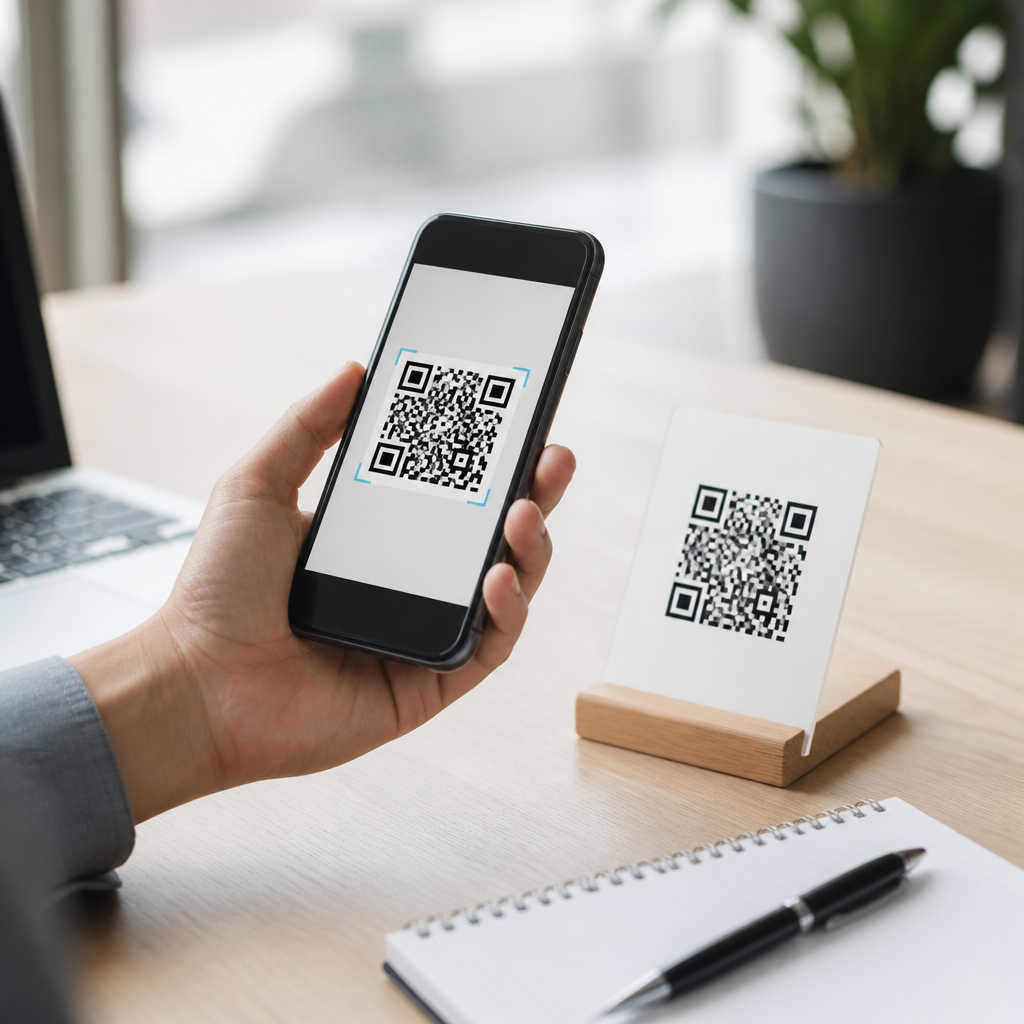

QR codes and HubSpot fit together exceptionally well because both sit at the intersection of offline behavior and measurable digital intent. A QR code is a scannable matrix barcode that sends a user to a URL, form, file, app action, or tracked campaign destination. HubSpot is a CRM and marketing automation platform that captures contacts, tracks sessions, scores engagement, and triggers follow-up workflows. When you combine them correctly, a flyer, product label, trade-show sign, direct mail piece, or sales handout stops being a dead-end asset and becomes a measurable entry point into your revenue pipeline.
I have implemented QR code programs for event teams, field sales reps, and lifecycle marketers, and the same problem appears every time: the code gets created quickly, but the measurement plan is weak. Teams often link straight to a generic page, skip campaign naming conventions, and lose source detail once the contact converts. The result is scans without context. Using QR codes with HubSpot matters because it closes that gap. You can attribute scans to campaigns, personalize landing experiences, trigger automations, and compare offline placements with the same rigor you apply to email or paid search.
Advanced implementations go beyond “generate a code and hope people scan it.” They include dynamic URLs, UTM discipline, smart content, CRM segmentation, lead routing, event follow-up, attribution reporting, consent handling, and lifecycle automation. They also require operational decisions about hosting, redirect logic, file management, and analytics governance. This hub article explains how to use QR codes with HubSpot at that advanced level, including the architecture, use cases, and reporting practices that make the channel reliable at scale.
Build the tracking foundation before you publish a single code
The most important step is deciding what the QR code should accomplish inside HubSpot. In practice, that usually means one of four goals: generate a new contact, move an existing contact to the next lifecycle stage, capture product or location intent, or attribute offline engagement to revenue. Once the goal is clear, create a destination URL that HubSpot can recognize consistently. That destination might be a HubSpot landing page, meeting link, form page, knowledge base article, or file download page. Use campaign-specific UTM parameters every time. A useful structure is source=qr, medium=offline, campaign=event-name or asset-name, and content=placement-variant.
Dynamic QR codes are the safer default for serious HubSpot usage because they let you change the destination without reprinting the code. I strongly recommend placing a redirect layer between the printed code and the final HubSpot page. That redirect can live in a QR platform, a branded short domain, or your CMS. The redirect preserves flexibility for A/B tests, broken-link fixes, and campaign changes. It also allows you to keep one visible code on printed material while updating the final HubSpot asset behind the scenes.
For teams new to code creation, the main process is simpler than the governance around it. If you need a foundational walkthrough on creating a scannable asset before layering in CRM automation, review the main pillar guide at how to create a QR code for a PDF. From there, return to HubSpot strategy: use naming conventions that match your campaign object names and keep a spreadsheet or database of code IDs, destinations, owners, and live dates. Without that inventory, advanced implementation becomes impossible to maintain.
Map QR destinations to HubSpot assets and lifecycle intent
Every QR code should point to a destination built for one clear conversion path. If the scan comes from a booth banner, the right destination is often a fast-loading mobile landing page with a short HubSpot form, not your homepage. If the scan comes from packaging, a knowledge base article with embedded cross-sell CTAs may perform better than a lead form. If the code appears on a print brochure for enterprise buyers, a meeting link or product comparison page may create higher sales intent than a PDF download. The destination must match the context of the scan.
In HubSpot, I typically pair each major QR initiative with a dedicated campaign, a tailored landing page, and at least one form or CTA that creates a measurable next step. For returning contacts, progressive profiling is especially useful. Someone who already gave an email address at an event should not see a long form again when they scan a follow-up card. HubSpot forms can ask for role, team size, implementation timeline, or product interest instead. That reduces friction while enriching records for segmentation.
Smart content adds another advanced layer. If a known contact scans from an email-opened device and lands on a HubSpot page, the page can show region-specific offers, customer-only documentation, or a meeting CTA for the assigned account executive. Unknown visitors can see an educational version of the same page. This approach works particularly well for channel marketing and post-sale onboarding, where one printed code may serve multiple audiences over time.
Advanced implementation patterns that drive measurable outcomes
High-performing teams treat QR codes as campaign entry points, not standalone graphics. The examples below reflect the implementations I see producing dependable pipeline data inside HubSpot.
| Use case | HubSpot setup | What to measure |
|---|---|---|
| Trade show booth sign | Mobile landing page, short form, workflow for instant follow-up, owner assignment by territory | Scans, form conversion rate, meetings booked, influenced revenue |
| Direct mail postcard | Campaign-tagged URL, personalized page, smart CTA, list enrollment | Visit rate by audience segment, MQL rate, deal creation |
| Product packaging | Knowledge base destination, hidden field for product line, service ticket routing | Self-service resolution, support deflection, expansion clicks |
| Sales one-pager | Meeting link or case study page, contact property update for asset interest | Repeat visits, booked calls, opportunity progression |
Trade shows are a strong example. A rep can invite visitors to scan a booth code that opens a HubSpot page offering a demo, giveaway, or resource. Submission triggers a workflow that sends a thank-you email, alerts the booth owner in Slack, creates a task, and stamps the record with event and booth properties. Because the campaign is tagged, you can later compare scans with badge scans, meetings, and influenced deals. This is far more reliable than collecting business cards or using a generic homepage URL.
Another advanced pattern is QR-driven account-based marketing. For a targeted direct mail send, print unique or segmented QR codes tied to audience clusters such as healthcare, manufacturing, or mid-market SaaS. In HubSpot, route each segment to a verticalized landing page and capture engagement as a custom property. That property can trigger a branch workflow: healthcare prospects get HIPAA-related case studies, while manufacturers receive integration documentation and an operations-focused meeting CTA. The code is the entry point, but the value comes from the downstream automation.
Post-purchase programs also benefit. Put a QR code in the box, on the insert card, or inside the user manual. Send scanners to a HubSpot-hosted onboarding page with setup steps, registration forms, and support options. If the customer authenticates or submits a form, HubSpot can enroll them into an onboarding sequence, suppress acquisition emails, and surface upgrade opportunities after activation milestones. This reduces support burden and gives customer success teams a verified signal that the product has been opened and used.
Connect scans to automation, attribution, and reporting
The real power of using QR codes with HubSpot appears after the scan. Start with workflows. Any form submission or CTA interaction from a QR-tagged page can update lifecycle stage, set lead status, create follow-up tasks, rotate ownership, or enroll the contact in a nurture sequence. Hidden form fields are useful here. They can capture campaign name, print asset ID, store location, salesperson name, or event code without asking the user to type any of it. That hidden metadata makes reporting cleaner later.
Attribution requires discipline because scans often happen on mobile in offline environments. HubSpot can store first-touch and latest-touch source information, but you should also create custom properties for “QR campaign,” “QR placement,” or “offline asset ID” if offline attribution matters to your team. Standard source buckets alone are usually too broad. For example, three in-store posters may all register as direct or referral unless your UTM and redirect logic are consistent. Custom properties preserve the exact context that revenue teams need.
For reporting, build a dashboard that combines sessions, contacts, conversion rate, meetings, deals created, and revenue influenced by QR-tagged campaigns. Compare placements rather than treating all QR traffic as one channel. A countertop display near checkout may generate fewer scans than a product package insert, but convert at a much higher rate because buyer intent is different. HubSpot’s campaign reporting, custom reports, and attribution reports can expose these differences if your data model is set up correctly from the start.
Avoid common mistakes in advanced QR and HubSpot programs
The most common failure is sending all scans to a homepage. Homepages are built for broad navigation, not campaign clarity, and they make attribution harder. Another frequent mistake is relying on static QR codes for printed assets that may need updates. If a landing page is retired or a file URL changes, the printed code becomes useless. I also see teams forget mobile page speed. A beautifully designed HubSpot landing page that loads slowly on event Wi-Fi will lose conversions immediately.
Consent and privacy deserve equal attention. If a QR destination collects personal data, display the appropriate notice, especially for regions governed by GDPR or similar laws. If you plan to text or email follow-up messages, make sure the form language supports that use. HubSpot can manage subscription types well, but only if the front-end experience is configured properly. Finally, test everything end to end: scan on iPhone and Android, on cellular and weak Wi-Fi, as a new visitor and as a known contact. Advanced implementation is operational excellence, not just creative execution.
Used strategically, QR codes turn printed moments into measurable HubSpot journeys. The winning formula is straightforward: define one conversion goal, route scans to the right HubSpot asset, capture context with UTMs and hidden fields, automate the next action, and report outcomes at the campaign and placement level. When teams apply that structure, offline marketing stops being opaque and starts producing visible pipeline data.
If you are building this channel now, begin with one high-intent use case such as an event page, direct mail offer, or onboarding insert, then expand after the reporting model proves out. A disciplined QR and HubSpot setup gives marketing, sales, and customer success a shared view of what happened after the scan. That is the real benefit: better follow-up, cleaner attribution, and more revenue from assets you already distribute every day. Audit your current printed materials, assign each one a tracked destination, and turn every scan into a signal you can act on.
Frequently Asked Questions
1. Can HubSpot generate QR codes on its own?
HubSpot does not offer a native, built-in QR code generator in the same way it provides forms, landing pages, email, and workflow tools. In most cases, businesses create the QR code itself with a third-party QR platform or generator, then connect that code to a HubSpot-managed destination such as a landing page, meeting link, form, file, CTA, or campaign URL. This setup still works extremely well because HubSpot handles what matters most after the scan: visitor tracking, contact capture, attribution, lead scoring, segmentation, and follow-up automation.
The best practice is to create the destination inside HubSpot first, then generate the QR code using the final tracked URL. For example, you might build a HubSpot landing page for a trade show giveaway, add a HubSpot form to capture contact details, attach UTM parameters to identify the source as print or event traffic, and then turn that full URL into a QR code. Once someone scans it, HubSpot can associate the visit with the session, record form submissions, and trigger workflows based on what the person does next. So while HubSpot may not be the code generator, it is still the system that gives the QR code strategic value.
2. What should a QR code link to when using it with HubSpot?
The right destination depends on your campaign goal, but in most cases the QR code should send people to a HubSpot asset that supports tracking and conversion. Common examples include a HubSpot landing page, embedded or standalone form, HubSpot meetings link, gated download page, product page, special offer page, customer feedback survey, or event registration page. The key is to match the destination to the context of the scan. A person scanning a product package may want setup instructions or warranty registration, while someone scanning a booth sign may be more likely to respond to a demo form or meeting scheduler.
Whenever possible, avoid sending scans to a generic homepage. A homepage creates extra friction and makes attribution less precise. Instead, create a dedicated HubSpot page or campaign destination that continues the exact message promised on the printed material. If the QR code appears on direct mail, the landing page should reflect that offer. If it appears on in-store signage, the page should be mobile-friendly and quick to load. Adding UTM parameters is also important, because they help distinguish traffic sources such as postcards, packaging, event booths, window decals, sales handouts, or magazine ads. That structure gives you cleaner reporting inside HubSpot and helps your team understand which offline placements are actually producing digital engagement and leads.
3. How do you track QR code performance in HubSpot?
Tracking QR code performance in HubSpot starts with using a unique, campaign-specific URL for each code placement. That usually means adding UTM parameters to the destination URL before generating the code. For example, you can define source, medium, campaign, and even content variations to identify whether scans came from a trade show banner, direct mail piece, packaging insert, storefront poster, or sales brochure. When the destination is a HubSpot landing page or other trackable web asset, HubSpot can log sessions, page views, submissions, and downstream conversions tied to that traffic.
Once traffic reaches HubSpot, you can measure performance in multiple ways. At the top level, you can review page analytics to see visits and conversion rates. At the campaign level, you can group related assets and monitor how scans contribute to contacts, influenced deals, and revenue activity. If the QR destination includes a HubSpot form, form submission data will show exactly how many visitors converted. If workflows are connected, you can also measure follow-up outcomes such as email engagement, booked meetings, lifecycle stage progression, or sales-qualified lead creation. For advanced teams, using separate QR codes for each placement and message variation makes it possible to compare real-world performance with a high degree of precision. That is where the offline-to-online connection becomes especially powerful: what starts as a scan on a physical object becomes measurable behavior in your CRM.
4. What are the best practices for using QR codes in HubSpot campaigns?
The most effective HubSpot QR code campaigns are built around clarity, mobile usability, and measurable intent. First, make sure the code leads to a mobile-optimized destination, since most scans happen on smartphones. If the page loads slowly, asks for too much information, or does not immediately deliver the promised value, conversion rates will drop. Second, include a clear call to action near the QR code itself. People are far more likely to scan when they understand what happens next, such as “Book a demo,” “Download the guide,” “Register your product,” or “Get the event offer.”
It is also important to keep the customer journey simple. If your campaign goal is lead capture, send the user directly to a HubSpot form or landing page instead of forcing multiple clicks. If your goal is sales engagement, a HubSpot meetings link may be the better destination. For attribution, create distinct URLs and QR codes for each channel or placement rather than reusing one generic code everywhere. That gives your marketing and sales teams cleaner reporting and better optimization opportunities. Finally, test everything before launch: the QR code should scan quickly, the URL should resolve correctly, the page should display properly on mobile, the HubSpot form should submit without errors, and any automation such as workflows, lists, notifications, or lead scoring rules should fire as expected. Strong execution turns a simple printed code into a reliable lead-generation and attribution tool.
5. Can QR code scans trigger automation and follow-up inside HubSpot?
Yes, absolutely. A QR code scan by itself is typically the entry point, and the real power comes from what happens after that action inside HubSpot. Once a visitor lands on a HubSpot page, submits a form, books a meeting, downloads a resource, or meets another trackable condition, HubSpot can trigger automated workflows. Those workflows can send follow-up emails, create tasks for sales reps, assign lead owners, update lifecycle stages, add contacts to lists, apply lead scores, enroll contacts in nurture sequences, or notify internal teams that a high-intent action has taken place.
For example, imagine someone scans a QR code on a trade show display and fills out a HubSpot form to request pricing. HubSpot can instantly route that lead to the appropriate sales rep, send a thank-you email, log the source as event-driven traffic, and place the contact into a follow-up workflow tailored to trade show leads. Or if a customer scans a product packaging QR code to access onboarding content, HubSpot can classify that interaction differently and launch a customer education sequence instead of a sales nurture path. This flexibility is what makes QR codes so valuable in HubSpot: they do not just generate visits, they initiate trackable journeys that can be automated, personalized, and measured from first scan through conversion and beyond.